
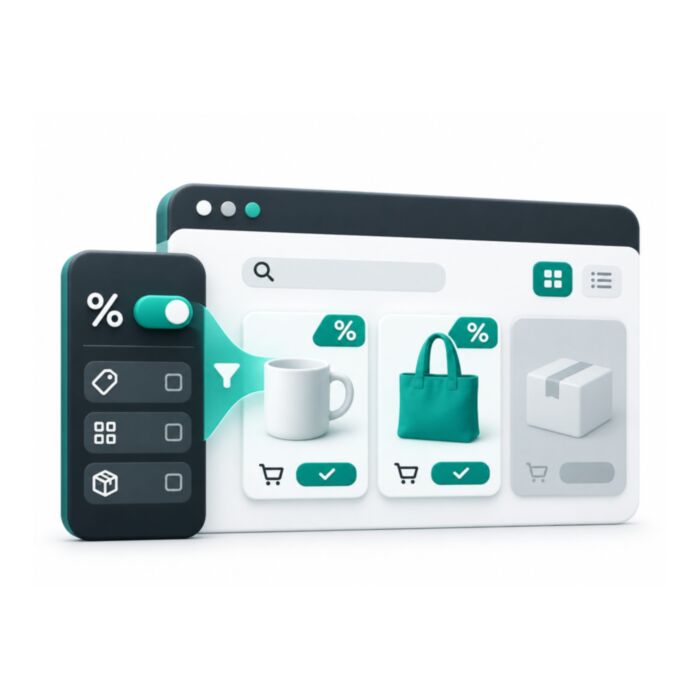
On Sale Layered Navigation Filter for Magento 2
Adds an On Sale option to Magento 2 layered navigation on category and search pages. It reads special prices, catalog price rules, tier and customer group prices, and shows real counts such as On Sale (12).
- Free
- MIT license
- Luma
- Magento 2.4.4 to 2.4.9
composer require mage2kishan/module-sale-filter
- Adobe CertifiedDeveloper since 2021
- 5.0 on UpworkFrom 100+ reviews
- MIT open sourceRead and change the code
- LumaSame module, both themes
- PHP 8.1 to 8.4Magento 2.4.4 to 2.4.9
What it does for your store
The main features, as listed in the module documentation.
-
Sale Status filter
a Shop By option in layered navigation on category and search result pages
-
On Sale and Regular options
with labels you can change per store view
-
Real counts per option
`On Sale (12)` matches the grid total after the click, scoped to the current category and visibility, never a store-wide tally
-
Stock-aware counts
when Display Out of Stock Products is No (Magento default), the `(N)` excludes OOS rows; when Yes, it includes them. Works identically in both modes.
Installation
Run these from your Magento root. Test on staging first.
- 1Require the packageComposer pulls in the base module too.
- 2Upgrade, compile, deployThe usual setup commands.
- 3ConfigureStores, Configuration, Panth Extensions.
$ composer require mage2kishan/module-sale-filter
$ bin/magento setup:upgrade
$ bin/magento setup:di:compile
$ bin/magento setup:static-content:deploy -f
$ bin/magento cache:flush
Compatibility
| Magento Open Source | 2.4.4 to 2.4.9 |
|---|---|
| Adobe Commerce | 2.4.4 to 2.4.9 |
| PHP | 8.1, 8.2, 8.3, 8.4 |
| Themes | Luma |
| License | MIT, free and open source |
| Requires | mage2kishan/module-core (Composer adds it) |
Documentation
The full module guide, from the README on GitHub.
Overview
Panth Sale Filter adds an On Sale option to Magento 2 layered navigation on category and search result pages, so shoppers see only discounted products in one click. It counts special prices, catalog price rules, tier and customer group prices, and the number next to the option, like On Sale (12), matches the products shown.
The Panth Sale Filter module lets shoppers narrow any catalog list to discounted-only or regular-price-only products with a single click, and every option shows a live count (for example, On Sale (12)) scoped to the current category and visibility rules: never a global tally. Discount detection is driven by a dedicated indexer (panth_salefilter_product) that evaluates each product, customer group, and website to resolve the effective sale status.
The sale filter respects every Magento 2 pricing source merchants already use: catalog price rules with scheduled from_date and to_date windows, per-product special prices, tier prices that fall below regular, and customer-group-specific prices. Parent aggregation flags a configurable, grouped, or bundle product as On Sale as soon as any eligible child qualifies, so composite catalogs behave correctly.
Dated discounts flip automatically via Magento's built-in catalogrule_apply_all nightly cron: no custom cron of its own. Ships with a Luma template; install the companion Hyvä module for an Alpine.js + Tailwind storefront.
Best for:
- Promotion-heavy Magento 2 catalogs that rely on catalog price rules and dated discounts
- B2B and B2C stores using customer-group pricing or tier prices that need correct sale detection
- Merchants who want a fast, FPC-friendly sale filter that survives Hyvä and Luma deployments
What you get
Panth Sale Filter ships every signal a discount-aware storefront needs out of the box:
- One-click On Sale / Regular Price layered-navigation filter with live per-category counts
- Indexer-driven discount detection across catalog rules, special prices, tier prices, and group prices
- Parent aggregation so configurable, grouped, and bundle products surface when any child is on sale
- FPC-safe caching keyed per customer group, category, and filter state
- Admin index grid, CLI reindex command, and URL parameter support for shareable sale links
Magento 2 Sale Filter
Panth Sale Filter adds an "On Sale" filter to Magento 2 layered navigation on category pages and catalog search result pages. Whether a product is on sale is read from a dedicated indexer that evaluates special prices and catalog price rules per website and customer group. It is meant for stores that want shoppers to narrow a listing to discounted products (and, optionally, to regular-price products). The filter sits in the theme's layered navigation block and its options are drawn by the module template Panth_SaleFilter::layer/filter/sale.phtml on Luma-based themes; Hyva storefronts use the companion package mage2kishan/module-sale-filter-hyva, which supplies its own template.
Product page: Magento 2 Sale Filter
Features
- "On Sale" option in layered navigation on category pages and search result pages.
- Optional second option for regular-price products ("Not On Sale"), off by default.
- Configurable filter title and option labels, per store view.
- Optional product count next to each option.
- On-sale detection from active special prices (with
special_from_date/special_to_date) and from catalog price rules; each source can be switched off. - Per website and per customer group results, including NOT LOGGED IN and custom groups.
- Configurable, grouped and bundle parents are marked on sale when an enabled child is on sale.
- Counts are limited to the products the current page lists: the current category (or the current search results), visible products, the stock display setting, and the other active layered navigation filters (price, category and filterable attributes), exactly as the search engine applies them for the core filters.
- Filtered result paging and toolbar totals reflect the filtered list, not the unfiltered search result.
- Dedicated indexer
panth_salefilter_productwith MView subscriptions, supporting "Update on Save" and "Update by Schedule". - Admin index grid with filters and a keyword search (SKU, product name, or the product ID when the keyword is a number), a "Refresh Index" button, and an admin "How It Works" page.
- CLI commands to rebuild the index and to show on-sale counts per website and customer group.
- Scoped cache cleaning: only the products whose on-sale state changed, and the categories that list them, are cleaned from the cache.
- Hourly cron that reindexes products whose special price window or catalog rule dates start or end today.
- Works with the
row_idlink field of Adobe Commerce as well asentity_idof Magento Open Source.
Usage
How "on sale" is determined
The indexer checks every website and every customer group and stores the on-sale products in panth_salefilter_product_index:
- Catalog rules: a product is on sale for a website and customer group when
catalogrule_product_pricehas a row for it with today's rule date, where today is taken in the timezone of the website's default store view. - Special prices: a product is on sale when its
special_priceis greater than 0 and lower thanprice(for bundle products, where the special price is a percentage, when it is greater than 0 and lower than 100), and the current date in the store timezone is insidespecial_from_date/special_to_date(an empty date is treated as open, and the wholespecial_to_dateday counts as on sale). Values are read for the website's default store view: a store view value takes precedence over the global value. - Only products enabled for the website's default store view are kept. Configurable (super link), grouped (grouped link) and bundle (bundle selection) parents of an on-sale child are also marked on sale.
Tier prices are not taken into account.
On the storefront
- The filter uses the title from Filter Title and one or two options. An option is only shown when it has at least one matching product.
- The URL parameter is
sale_filter:sale_filter=1lists on-sale products,sale_filter=0lists regular-price products (only when Show "Not On Sale" Option is Yes). Any other value is ignored. - The customer group comes from the HTTP context and the website from the current store, so shoppers in different groups can see different results.
- The filtered list is built from the same search engine request as the core product list: the category (or the search query), visibility, the stock display setting and every other active filter combine with AND. The price filter uses the final price from the price index, as the core price filter does. The result is then narrowed to the on-sale (or regular-price) products, and that list is added to the page's own search engine request, so the counts of the other filters (price ranges, attributes, categories) also count only the listed products.
- The order follows the toolbar (position on category pages, relevance on search pages, or a sortable attribute such as name or price), with the product ID as a tie-breaker so products with the same position keep a stable order. Up to 10000 matching products are considered. A search shorter than the minimum query length lists nothing, as in core.
- The active filter appears in the "Now Shopping by" state like other layered navigation filters.
- Paging and the toolbar total use the filtered product list.
- The options are rendered by
Panth_SaleFilter::layer/filter/sale.phtml(blockPanth\SaleFilter\Block\LayeredNavigation\FilterRenderer, list classpanth-salefilter) inside the theme's layered navigation filter item. Show Product Count controls the counts in this template; the core setting Catalog > Layered Navigation > Display Product Count still applies to the other filters. - A theme or module can use another template or block for the sale filter by setting the
panth_salefilter_templateandpanth_salefilter_blockarguments on the layered navigation renderer block (catalog.navigation.rendererorcatalogsearch.navigation.renderer). The block must extendPanth\SaleFilter\Block\LayeredNavigation\FilterRenderer. All other filters keep the theme renderer.
Hyva
Install mage2kishan/module-sale-filter-hyva on Hyva storefronts. It sets the renderer arguments above in the Hyva layout handles, so its Tailwind template draws the sale filter options inside the Hyva layered navigation, and it adds the Expanded By Default setting.
Keeping the index current
- The indexer
panth_salefilter_product("Sale Filter Product Index") depends oncatalogrule_productandcatalog_product_price. - In "Update by Schedule" mode, MView tracks
catalogrule_product_price,catalog_product_entity_decimal,catalog_product_entity_datetime,catalog_product_relation,catalog_product_super_linkandcatalog_product_bundle_selection, and Magento cron processes the changes. - In "Update on Save" mode, saving or deleting a product reindexes that product (and related parents and children). Saving or deleting a catalog rule runs a full
catalogrule_rulereindex followed by a full sale filter reindex. - After each reindex, only the products whose on-sale state changed are cleaned from the cache: the product tags
cat_p_<id>and the category listing tagscat_c_p_<id>of every category (and parent category) the products are assigned to. The clean is sent through theclean_cache_by_tagsevent, so the built-in full page cache and Varnish are both purged. - The cron job
panth_salefilter_date_boundariesruns every hour at minute 7. It reindexes products whosespecial_from_dateorspecial_to_datefalls on today or yesterday in any website timezone, and products whose catalog rule prices differ between yesterday and today. Running hourly lets every store timezone cross midnight before the next run. Magento cron must be running.
Admin
- Sale Filter > Index Grid: listing of index rows with product ID, SKU, type, website, customer group, regular price, special price, rule price, discount %, active catalog rules, source (Special Price, Catalog Rule, Both, Parent Aggregation), on-sale flag and update time. The Refresh Index button asks for confirmation and runs a full reindex (POST request).
- Sale Filter > How It Works: help page inside the admin.
CLI
bin/magento panth:salefilter:reindex
bin/magento panth:salefilter:reindex --force
bin/magento panth:salefilter:status
panth:salefilter:reindex runs a full rebuild; --force (-f) invalidates the indexer first. panth:salefilter:status shows the on-sale count per website and customer group. The standard bin/magento indexer:reindex panth_salefilter_product and bin/magento indexer:set-mode commands also work.
Changelog
See CHANGELOG.md.
Compatibility
| Component | Supported |
|---|---|
| Magento Open Source | 2.4.4 to 2.4.9 |
| Adobe Commerce | 2.4.4 to 2.4.9 |
| PHP | 8.1, 8.2, 8.3, 8.4 |
| Themes | Luma-based themes (standard layered navigation rendering); Hyva with mage2kishan/module-sale-filter-hyva |
Magento constraints in composer.json: magento/framework ^103.0, magento/module-catalog ^104.0, magento/module-catalog-inventory ^100.4, magento/module-catalog-rule ^101.2, magento/module-catalog-search ^102.0, magento/module-layered-navigation ^100.4, magento/module-configurable-product ^100.4, magento/module-grouped-product ^100.4, magento/module-bundle ^101.0, magento/module-config ^101.2, magento/module-customer ^103.0, magento/module-store ^101.1, magento/module-eav ^102.1, magento/module-backend ^102.0, magento/module-ui ^101.2.
Requirements
- Magento 2.4.4 to 2.4.9 and PHP 8.1 to 8.4.
mage2kishan/module-core(modulePanth_Core), installed automatically by Composer.- Magento cron running, if the indexer is set to "Update by Schedule".
- For Hyva themes:
mage2kishan/module-sale-filter-hyva. The base package lists it undersuggestonly; the Hyva package itself requiresmage2kishan/module-sale-filter(^1.0.9) andhyva-themes/magento2-default-theme(^1.3).
Installation
composer require mage2kishan/module-sale-filter
bin/magento module:enable Panth_Core Panth_SaleFilter
bin/magento setup:upgrade
bin/magento setup:di:compile
bin/magento indexer:reindex panth_salefilter_product
bin/magento cache:flush
setup:di:compile is only needed in production mode. In production mode, also deploy static content (the module ships frontend styles):
bin/magento setup:static-content:deploy -f
Check that the module is enabled:
bin/magento module:status Panth_SaleFilter
For Hyva storefronts, also install the companion package:
composer require mage2kishan/module-sale-filter-hyva
Then enable its module and run setup:upgrade and cache:flush again.
Configuration
Admin path: Stores > Configuration > Panth Extensions > Sale Filter. The same section opens from the admin menu entry Sale Filter > Configuration. All fields can be set at default, website and store view scope.
General
| Setting | Default | What it does |
|---|---|---|
| Enabled | Yes | Adds the filter to layered navigation. When set to No, the filter is not shown and the sale_filter URL parameter is ignored. |
| Filter Title | Sale Status | Heading shown above the filter options. |
| Option Label - On Sale | On Sale | Label of the option that lists discounted products. |
| Show "Not On Sale" Option | No | Adds a second option that lists regular-price products. |
| Option Label - Not On Sale | Regular Price | Label of the regular-price option. Shown only when Show "Not On Sale" Option is Yes. |
| Show Product Count | Yes | Shows the matching product count next to each option. |
| Include Special Prices | Yes | Treats products with an active special price as on sale. Used by the indexer. |
| Include Catalog Rules | Yes | Treats products discounted by a catalog price rule as on sale. Used by the indexer. |
| Filter Position | 100 | Sort position of the filter. The filter is placed before the first layered navigation filter whose attribute position is higher than this value. |
Config paths: panth_salefilter/general/enabled, panth_salefilter/general/filter_label, panth_salefilter/general/option_label_on_sale, panth_salefilter/general/show_not_on_sale_option, panth_salefilter/general/option_label_not_on_sale, panth_salefilter/general/show_count, panth_salefilter/general/include_special_prices, panth_salefilter/general/include_catalog_rules, panth_salefilter/general/position.
Notes:
- Include Special Prices and Include Catalog Rules are applied when the index is built. Reindex
panth_salefilter_productafter changing them. If both are No, the index is emptied and no product is on sale. - Filter Position is compared with the position of the attributes used by the other filters. The category filter has no attribute and always stays in front. With the default of 100 the filter is usually shown last.
Uninstallation
If the Hyva companion is installed, remove it first, since it requires this package.
bin/magento module:disable Panth_SaleFilter
composer remove mage2kishan/module-sale-filter
bin/magento setup:upgrade
bin/magento cache:flush
The module has no uninstall script. Check that panth_salefilter_product_index and the indexer changelog table were removed, and drop them manually if they remain.
License
MIT License. Free and open source. The package is published on Packagist and can be installed with Composer; see the product page for the terms of use.
Developer Notes
- Module:
Panth_SaleFilter - Package:
mage2kishan/module-sale-filter - Namespace:
Panth\SaleFilter - Depends on:
Panth_Core(module sequence also lists Magento_Catalog, Magento_CatalogRule, Magento_CatalogSearch, Magento_LayeredNavigation, Magento_ConfigurableProduct, Magento_GroupedProduct, Magento_Bundle) - Filter model:
Panth\SaleFilter\Model\Layer\Filter\SaleFilter(request variablesale_filter) - Plugins:
Plugin\Catalog\Model\Layer\FilterListPluginonMagento\Catalog\Model\Layer\FilterListandMagento\Catalog\Model\Layer\Search\FilterList(adds the filter)Plugin\Catalog\Model\Layer\ApplySaleFilterPluginonMagento\Catalog\Model\Layer\CategoryandMagento\Catalog\Model\Layer\Search(appliessale_filterto the product collection)Plugin\Catalog\Model\ResourceModel\Product\GetSizePluginon the fulltext and catalog product collections (filtered total)Plugin\LayeredNavigation\FilterRendererPluginonMagento\LayeredNavigation\Block\Navigation\FilterRenderer(renders the sale filter with the module template)- Preferences:
Model\ResourceModel\Fulltext\Collection\SearchResultApplierreplaces the CatalogSearchSearchResultApplierInterface, the CatalogSearchSearchResultApplierand the ElasticsearchSearchResultApplier. - Full page cache: the module no longer changes the page cache identifier. Magento already varies the cache key by the
X-Magento-Varycookie, which carries the customer group, and keeps its own store and query parts. - Cron:
panth_salefilter_date_boundaries(Cron\ReindexDateBoundaries, groupdefault). - Observer:
Observer\CatalogRuleSaveAfteroncatalogrule_rule_save_commit_after,catalogrule_rule_delete_commit_after,catalog_product_save_after,catalog_product_delete_after. - Indexer:
panth_salefilter_product(Model\Indexer\ProductIndexer, resourceModel\ResourceModel\Indexer\ProductIndexer), MView viewpanth_salefilter_product. - Table:
panth_salefilter_product_index(primary keyentity_id,customer_group_id,website_id; foreign keys tocatalog_product_entityandstore_website). - Cache tags:
panth_salefilteron the filter block; changed products are cleaned withcat_p_<id>andcat_c_p_<category id>. - Product links (EAV values, configurable, grouped and bundle relations) are joined on the link field from the product metadata pool (
row_idon Adobe Commerce,entity_idon Magento Open Source). - Admin route:
panth_salefilter; UI listingpanth_salefilter_index_listing. - ACL:
Panth_SaleFilter::group(underPanth_Core::panth_extensions) withPanth_SaleFilter::index_grid,Panth_SaleFilter::index_reindex,Panth_SaleFilter::config,Panth_SaleFilter::help. - Patches:
Setup\Patch\Schema\DropLegacyIndexTabledrops the oldmage2sk_salefilter_product_indextable if present;Setup\Patch\Data\ResetIndexGridBookmarkresets saved admin grid bookmarks.
| Module Category | Catalog & Products |
|---|---|
| Best For | All Sizes |
Works well with
Separate free modules. Install only what you need.
-

Custom Product Image Gallery for Magento 2
Replaces the default Magento 2 product image gallery with horizontal, vertical or grid thumbnails, inner or... -

Custom Product Options for Magento 2 (Hyva + Luma)
Restyles Magento 2 product custom options on Hyvä and Luma: card-style radio buttons and checkboxes with... -

FAQ Module for Magento 2 with FAQPage Schema
A Magento 2 FAQ extension with category pages at clean URLs like /faq/orders-shipping. One question can be... -

On Sale Filter (Hyva Companion) for Magento 2
The Hyvä template for the Panth Sale Filter module on Magento 2. It renders the On Sale layered navigation... -

Product Attachments for Magento 2
Attach PDFs, manuals and links to Magento 2 products, categories and CMS pages from one file library... -

Product Tabs Customizer for Magento 2
Controls the tabs on Magento 2 product pages: horizontal or vertical layout, an accordion on mobile, extra...

Questions before you install?
Send me your composer.json and I will check for conflicts first. Free. Installation is +$45, custom work is quoted first.