Dynamic Category Links
Pulls top-level categories live from your catalog, no manual link maintenance
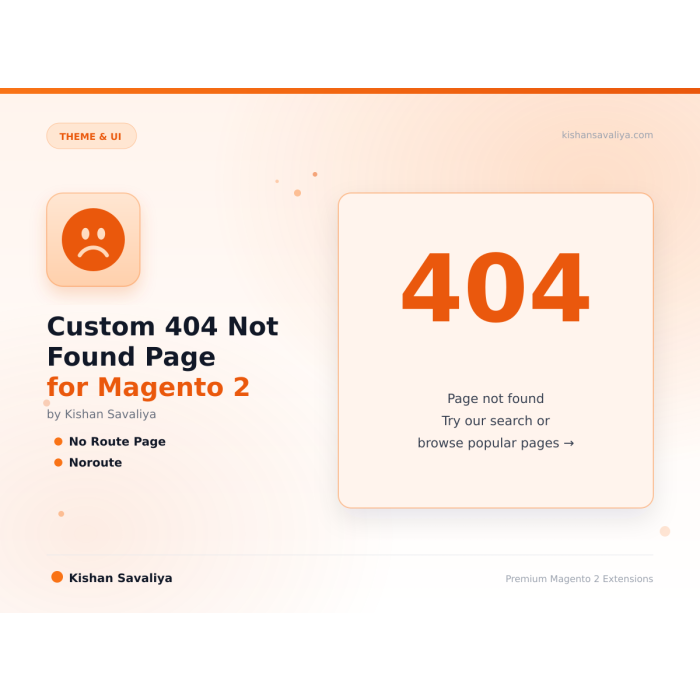
Turn your Magento 2 "Whoops, our bad..." page into a modern, conversion-friendly 404 experience, dynamic category links pulled live from the catalog, an integrated search bar, fully configurable heading and subheading, popular links tog…
Key Features:
Additional Services
Built-in from day one. No add-ons, no upsell, no licence keys to renew.
Pulls top-level categories live from your catalog, no manual link maintenance
Prominent search form rendered inline on the 404 page
Set your own H1 heading and subheading per store view
Optional "Popular Links" block shoppers can jump to (About, Contact, Shipping, etc.)
Show email and phone directly on the 404 page so lost shoppers can reach you
Every setting scopes at store view, different heading, different contact email, different popular links per locale or brand
Panth Not Found Page is a custom 404 page extension for Magento 2 that replaces the stock no-route screen with a branded, conversion-friendly error experience.
The Panth Not Found Page extension hooks into Magento's standard cms/noroute/index route and renders a polished 404 layout with a prominent search bar, dynamic top-level category links pulled live from the catalog, a configurable heading and subheading, an optional popular links list, and a contact info block with email and phone.
It is built for Magento 2 and Adobe Commerce merchants who lose shoppers on broken URLs and want to recover them with on-brand navigation instead of the default "Whoops, our bad..." dead end. Every text string, toggle, and link set is scoped at store-view level, so multi-language and multi-brand storefronts render the right 404 for each locale.
The module ships native templates for both Hyvä (Alpine.js + Tailwind CSS) and Luma (Knockout + LESS), so whichever theme the store runs, the 404 page matches it from day one. There are no core overrides, no layout hacks, and no third-party theme dependencies to maintain.
Best for:
Magento 2's stock 404 page is functional but bland, a generic "Whoops, our bad..." headline, a tiny search box, and no path back into the store. That is a bad experience for shoppers who landed on a dead link, and it is a missed conversion opportunity for your store.
Panth Not Found Page fixes this with a layout built around three questions a lost visitor actually has:
The result is a 404 that looks intentional, keeps bounce rate down, and gives shoppers a clear next step.
Panth Not Found Page replaces the default Magento 2 404 with a configurable, theme-native error page.
Get a free quote within 24 hours, custom 404 designs, custom modules, Hyva theme work, performance optimization, migrations, and more.
Kishan SavaliyaTop Rated Plus on Upwork 100% Job Success • 10+ Years Magento Experience Adobe Certified • Hyva Specialist |
Panth Infotech AgencyMagento Development Team Custom Modules • Theme Design • Migrations Performance • SEO • Adobe Commerce Cloud |
Visit our website: kishansavaliya.com | Get a quote: kishansavaliya.com/get-quote
catalogsearch/result/index endpointmailto:, phone uses tel:, one-tap on mobilePanth_Core helpercms/noroute/index routingFrontControllerPanth Not Found Page does not override Magento's routing. Instead, it attaches to the built-in cms/noroute/index handler that Magento already invokes for any unresolved URL, and replaces the block rendered under the content container with the module's own block:
cms/noroute/indexPanth\NotFoundPage\Block\NotFoundPanth\NotFoundPage\Helper\Config (scoped per store view)Panth\Core\Helper\Theme::isHyva(), Hyva template for Hyva stores, Luma template for everything elseis_active = 1 and the store's root categoryBecause the module uses the stock noroute flow, it is compatible with every Magento feature that depends on it: maintenance pages, URL rewrites, custom routers, admin URL checks, and security modules.
The module ships two independent template sets:
view/frontend/templates/hyva/notfound.phtmlMagento/luma search form stylingview/frontend/templates/luma/notfound.phtmlTheme detection is automatic via Panth\Core\Helper\Theme, you do not need to configure which template to use.
404 Not Found so Google and other crawlers mark the URL as missing (stock Magento does this correctly; the module preserves it)noindex, nofollow is emitted by default, matching Magento's stock behaviorpage_location containing the missing URL| Requirement | Versions Supported |
|---|---|
| Magento Open Source | 2.4.4, 2.4.5, 2.4.6, 2.4.7, 2.4.8 |
| Adobe Commerce | 2.4.4, 2.4.5, 2.4.6, 2.4.7, 2.4.8 |
| Adobe Commerce Cloud | 2.4.4-2.4.8 |
| PHP | 8.1.x, 8.2.x, 8.3.x, 8.4.x |
| Hyva Theme | 1.3+ |
| Luma Theme | Native support |
| Required Dependency | mage2kishan/module-core (free) |
Tested on:
composer require mage2kishan/module-not-found-page
bin/magento module:enable Panth_Core Panth_NotFoundPage
bin/magento setup:upgrade
bin/magento setup:di:compile
bin/magento setup:static-content:deploy -f
bin/magento cache:flush
app/code/Panth/NotFoundPage/ in your Magento installationmage2kishan/module-core if it is not already presentbin/magento module:enablebin/magento module:status Panth_NotFoundPage
# Expected: Module is enabled
Then visit any invalid URL on your storefront, for example https://yourstore.com/this-page-does-not-exist, to see the new 404 page render.
Navigate to Admin → Stores → Configuration → Panth Extensions → Not Found Page.
| Setting | Scope | Default | Description |
|---|---|---|---|
| Enable Module | Store View | Yes | Master toggle. When off, Magento's default no-route page is used. |
| Heading | Store View | Page Not Found |
The big H1 shown at the top of the 404 page. |
| Subheading | Store View | The page you are looking for could not be found. |
Supporting copy under the heading. HTML allowed. |
| Show Search Bar | Store View | Yes | Render the integrated search form. |
| Show Category Links | Store View | Yes | Pull and render top-level categories from the active catalog. |
| Show Popular Links | Store View | Yes | Render the optional Popular Links block. |
| Popular Links | Store View | (empty) | Editable list of label/URL pairs, About Us, Contact, Shipping, etc. |
| Show Contact Email | Store View | Yes | Show the contact email row. |
| Contact Email | Store View | info@example.com |
Email address displayed (rendered as mailto:). |
| Show Contact Phone | Store View | Yes | Show the contact phone row. |
| Contact Phone | Store View | +1 (555) 000-0000 |
Phone number displayed (rendered as tel:). |
All text fields are translatable. Settings take effect immediately after a cache flush.
| Module Category | Theme & UI |
|---|---|
| Best For | All Sizes |
No. It uses Magento's standard layout update mechanism to replace the block under the content container. The controller itself is untouched.
Yes. The module does not change the response status, it only changes what is rendered inside the 404 response.
Yes. All text fields are store-view scoped, so you can set English copy for your English store view, French copy for French, and so on. Values also run through Magento's translation layer if you prefer CSV translations.
Yes. The Hyva template uses only Alpine.js and Tailwind utility classes, which both Hyva 1.x and the Hyva Themes v2 checkout support.
Yes. No filesystem writes, no custom binaries, no cron, safe to deploy on ACC.
Yes. Override the template in your theme at app/design/frontend/Your/Theme/Panth_NotFoundPage/templates/hyva/notfound.phtml (or luma/notfound.phtml). All data is exposed on the block via public getters.
No. Panth Not Found Page only touches the noroute layout handle, it does not intercept routing, redirects, or URL rewrites. It is compatible with Magento_UrlRewrite, redirect managers, and 301-redirect extensions.
Yes, mage2kishan/module-core (free, required for every Panth extension). Composer pulls it in automatically.
Yes. When the module is enabled, the /contact URL is handled by Panth Advanced Contact Us and the stock Magento_Contact form is bypassed. Disable the module to revert to the native form, no data loss.
Yes. Both CMS block tabs and attribute tabs support unlimited entries. Add as many as your product requires.
No. Badge lookups are indexed and cached per product + store view + customer group, and badge rendering is pure CSS. Typical overhead is under 5ms on listing pages.
No. It uses Magento's standard layout update mechanism to replace the block under the content container. The controller itself is untouched.
Any reduction in the final displayed price for the store view where the customer subscribed, catalog regular price, special price, catalog price rule discount, tier pricing, or group pricing. The module compares the current final price against the baseline captured at subscription time.
Yes, on the product detail page. When the module is enabled, the default gallery.phtml is replaced with the Panth gallery (one template for Hyva, another for Luma, chosen automatically).
Yes. The module is engine-agnostic, it uses whatever Magento is configured with (Elasticsearch 7, Elasticsearch 8, OpenSearch 1.x/2.x, or the MySQL fallback). No extra setup required.
It enhances them. Magento's native meta fields still work, Panth Advanced SEO adds template-based defaults, tokens, hreflang groups, JSON-LD, SEO scoring, and dozens of other features Magento ships without.
No. Merchant-authored labels (anything other than empty, the product name, Image, main product photo, or the raw filename) are preserved. Only Magento's default placeholders get upgraded to template output.
Native file custom options are tied to the cart quote item and don't persist cleanly as a first-class order record. Panth Order Attachments creates dedicated panth_quote_attachment and panth_order_attachment tables, linked to the sales order item, ensuring files remain accessible for the full order lifetime, including reorders, invoices, and RMAs.
Talk to Kishan directly: written quote, scope and timeline within 24 hours. No sales call.
Custom 404 Not Found Page for Magento 2