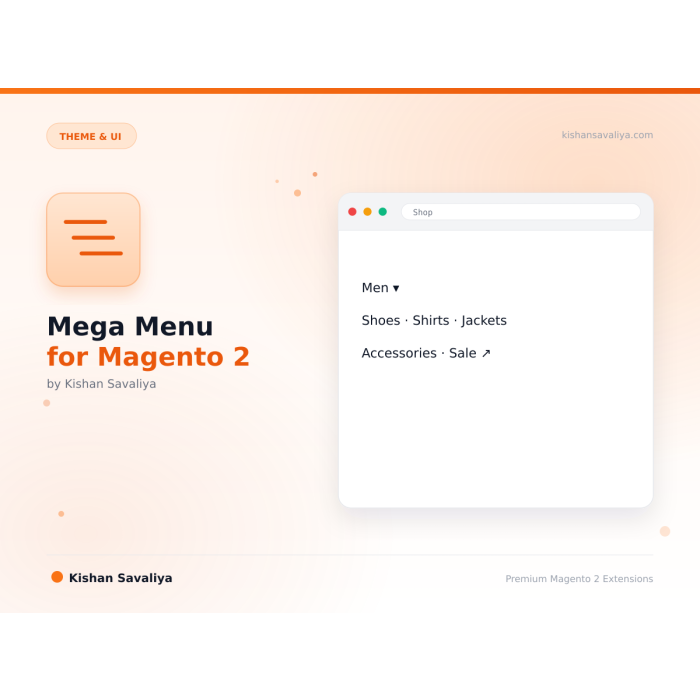
Multi-Level Dropdown Menu
Unlimited depth, build two-, three-, or four-level cascading dropdowns with no hard limits
Advanced multi-level dropdown mega menu for Magento 2, a visual drag-and-drop builder that lets merchants craft rich navigation with category links, CMS pages, and custom URLs.
Key Features:
Additional Services
Built-in from day one. No add-ons, no upsell, no licence keys to renew.
Unlimited depth, build two-, three-, or four-level cascading dropdowns with no hard limits
Bulk import / export, export the menu tree as JSON, edit externally, re-import
Drop any CMS block into a dropdown column, perfect for promo banners, featured products, or custom HTML
True mobile drawer, slides in from the left with smooth animations, not a shrunk desktop dropdown
Native Hyva template, Tailwind utilities + Alpine.js, no jQuery, no Knockout, no RequireJS
Vanilla JS template, zero jQuery / RequireJS coupling on the frontend path
Panth Mega Menu is a multi-level dropdown navigation extension for Magento 2 and Adobe Commerce that replaces the default top-menu with a drag-and-drop, conversion-focused mega menu.
Merchants build unlimited-depth menus visually with a tree editor, inject any CMS block into a dropdown column for promo banners or featured products, attach icons or images per item, and configure different menus per store view. Dynamic style controls tune color, spacing, hover delay, animation duration, and column widths per menu — without touching CSS.
The mega menu auto-detects Hyvä (Alpine.js plus Tailwind, smooth micro-interactions) and Luma (zero-dependency vanilla JS). A true mobile drawer replaces the desktop dropdown below a configurable breakpoint, with large touch targets and accordion-style sub-menus. The frontend is Full-Page-Cache aware, keyboard-navigable, ARIA-compliant, and ships with zero ObjectManager usage, following MEQP standards.
Compatible with Magento 2.4.4–2.4.9 and PHP 8.1–8.4, the extension is translation-ready, multi-store aware, and works alongside category, CMS, and custom URL nodes inside a single menu tree.
Best for:
| Other mega menu extensions | Panth Mega Menu | |
|---|---|---|
| Theme support | Usually Luma OR Hyva only | Both, same module, two purpose-built templates |
| Mobile UX | Desktop dropdown shrunk | True mobile drawer with smooth animations |
| CMS block injection per column | Often missing | Yes, drop any CMS block into any column |
| Drag-and-drop tree builder | Rare | Yes, visual editor in admin |
| Per-store-view menus | Sometimes | Yes |
| Alpine.js on Hyva | Rarely native | Yes, no jQuery, no Knockout |
| Dynamic per-menu styles | Rare | Yes, colour + spacing tokens |
| FPC-aware caching | Rare | Yes, proper cache tag invalidation |
| Uses ObjectManager? | Often | Never, full constructor injection |
Panth Mega Menu delivers a modern navigation system for Magento 2:
cms_b tagscms_b / cat_c tagsOpen Stores → Panth Infotech → Mega Menu → Menu Builder.
The module auto-detects your active theme and switches templates accordingly:
view/frontend/templates/menu.hyva.phtml (Alpine.js + Tailwind)view/frontend/templates/menu.luma.phtml (vanilla JS)Both templates share the same menu data provider, so admins see a consistent builder regardless of frontend theme.
Ready to upgrade your Magento 2 navigation?
SEO Keywords: magento 2 mega menu, multi-level menu, mega navigation, hyva mega menu, alpine.js menu, dropdown menu, magento 2 navigation, magento 2 mobile menu, magento drag and drop menu builder, magento category menu, magento cms block menu, magento mega menu extension, magento 2 multi-column dropdown, magento 2.4.8 menu, php 8.4 magento module, hyva alpine.js menu, luma mega menu, magento responsive menu, magento 2 navigation menu, magento mobile drawer, magento store view menu, magento 2 fpc menu, magento 2 keyboard navigation menu, magento aria menu, magento 2 seo navigation, panth mega menu, panth infotech, kishan savaliya magento, top rated plus magento freelancer, mage2kishan, mage2sk, custom magento development, magento 2 hyva development, magento 2 performance optimization, magento marketplace extension
| Requirement | Versions Supported |
|---|---|
| Magento Open Source | 2.4.4, 2.4.5, 2.4.6, 2.4.7, 2.4.8 |
| Adobe Commerce | 2.4.4, 2.4.5, 2.4.6, 2.4.7, 2.4.8 |
| Adobe Commerce Cloud | 2.4.4-2.4.8 |
| PHP | 8.1.x, 8.2.x, 8.3.x, 8.4.x |
| Hyva Theme | 1.0+ (Alpine.js + Tailwind template) |
| Luma Theme | Native support (vanilla JS template) |
| MySQL | 8.0+ |
| MariaDB | 10.4+ |
| Required dependency | mage2kishan/module-core (free, auto-installed) |
composer require mage2kishan/module-mega-menu
bin/magento module:enable Panth_Core Panth_MegaMenu
bin/magento setup:upgrade
bin/magento setup:di:compile
bin/magento setup:static-content:deploy -f
bin/magento cache:flush
app/code/Panth/MegaMenu/ in your Magento installationapp/code/Panth/Core/ is also installed (free base module)bin/magento module:enablebin/magento module:status Panth_MegaMenu
# Expected output: Module is enabled
Navigate to Stores → Configuration → Panth Extensions → Mega Menu.
| Setting | Default | Description |
|---|---|---|
| Enable Module | Yes | Master kill switch for the mega menu |
| Replace Native Menu | Yes | Hides Magento's default top-menu and renders the Panth menu |
| Mobile Breakpoint (px) | 1024 | Below this width the mobile drawer replaces the desktop dropdown |
| Hover Delay (ms) | 150 | Hover-intent delay before a dropdown opens |
| Animation Duration (ms) | 200 | CSS transition timing for open / close |
| Cache Menu | Yes | Cache rendered menu HTML in the dedicated menu cache type |
All settings respect Magento's standard scope hierarchy, configure globally, per website, or per store view.
Commercial, see LICENSE.txt. One license per Magento production installation. Includes 12 months of free updates and email support.
| Module Category | Theme & UI |
|---|---|
| Best For | All Sizes |
Yes. The module ships with two purpose-built templates, Alpine.js + Tailwind for Hyva and vanilla JS for Luma, and auto-switches based on your active storefront theme.
Yes. The drag-and-drop tree builder supports unlimited nesting. Desktop dropdowns render in multi-column layouts; mobile collapses deeper levels into accordion sections.
Yes. Drop any CMS block into any column of a parent item's dropdown. Perfect for promo banners, featured products, or custom HTML.
Yes. Menus are store-view scoped. You can build a unique menu per store view or copy a menu from one store view to another with one click.
No. The menu HTML is cached in Full-Page-Cache and invalidated only when underlying categories or CMS blocks change. The entire tree loads in a single DB query with EAV joins resolved in one shot.
Yes. The module is fully keyboard navigable with arrow keys, Enter, and Escape, and includes complete ARIA attributes for screen readers.
Optional. The Replace Native Menu setting hides Magento's default top-menu and renders the Panth menu in its place. Disable it to keep both running side-by-side for migration purposes.
No. The codebase uses full constructor injection and passes MEQP (Magento Extension Quality Program) checks with zero ObjectManager usage.
Yes. The full source is on GitHub at github.com/mage2sk/module-mega-menu.
Yes. All user-facing strings use Magento's standard __() translation function and can be translated to any language.
No, any valid WhatsApp number works. However, a WhatsApp Business account is strongly recommended for commercial use (auto-replies, labels, catalog).
Yes. When enabled, Panth Footer takes over the footer.container block and renders its own configurable footer. You can disable it any time to restore the default footer.
No. The notification feed is cached, assets are lightweight, and the JS runs asynchronously after page load.
Panth Malware Scanner is built specifically for Magento 2 filesystems, it understands the directory layout, knows which folders are writable from the frontend, and ships signatures tuned for Magento-targeted threats (Magecart skimmers, PolyShell webshells, admin-layout injection). Traditional AV tools scan everything with generic signatures and produce noise.
No. All price-delta logic continues to flow through Magento's standard priceBox and price-option JS components. This module only replaces the visual rendering.
Yes. The module ships with two purpose-built templates, Alpine.js + Tailwind for Hyva and vanilla JS for Luma, and auto-switches based on your active storefront theme.
Unlimited. Each form has a unique identifier and its own submissions scope.
An emerging community standard proposed at llmstxt.org with a growing list of adopters (Anthropic, Perplexity, Vercel, Stripe, Cloudflare docs all publish one). Not an IETF RFC yet, but stable enough that major AI platforms rely on it.
No. Color, font, and radius changes use CSS custom properties and take effect instantly. Only changes to Tailwind-class-driven tokens (custom spacing scales, new breakpoints) require a rebuild via the Rebuild Theme button.
No. Panth Core is completely free and will remain free forever. It is the foundation library that other (paid) Panth extensions depend on.
Talk to Kishan directly: written quote, scope and timeline within 24 hours. No sales call.
Mega Menu for Magento 2, Multi-Level Dropdown Navigation