Design Token Management
Color palette, primary, secondary, accent, success, warning, error, info, neutral grays (11-step scale), all editable via color picker
Backend-driven theme configuration for Hyva-powered Magento 2 storefronts. Manage your entire design system, colors, typography, Google Fonts, Tailwind CSS tokens, custom CSS, header layout, sticky header behavior, free shipping progres…
Key Features:
Additional Services
Built-in from day one. No add-ons, no upsell, no licence keys to renew.
Color palette, primary, secondary, accent, success, warning, error, info, neutral grays (11-step scale), all editable via color picker
Google Fonts integration, pick any Google Font for body text, headings, and UI elements
Theme config JSON, etc/theme-config.json exposes all tokens to the Hyva Tailwind build
Per-store CSS textarea, inject custom CSS that loads after the main stylesheet
Header layout variants, centered logo, split navigation, minimal, classic left-logo
Dynamic progress bar, displayed in cart and minicart showing progress toward free shipping threshold
The Hyva Theme Customizer for Magento 2 is a backend-driven theme configuration module for Hyva-powered Magento 2 storefronts that exposes every design token as an admin setting. It replaces the "edit tailwind.config.js, run npm run build-prod, redeploy static content" workflow with admin color pickers, Google Fonts dropdowns, and one-click rebuilds.
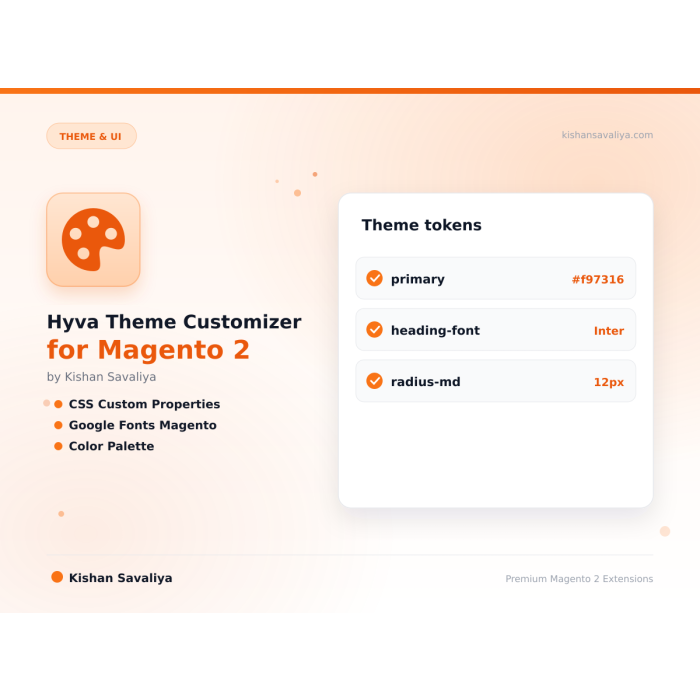
Design tokens cover the full semantic color palette (primary, secondary, accent, success, warning, error, info, plus an 11-step neutral gray scale), border-radius scale, spacing tokens, and typography. Color, font, and radius changes use CSS custom properties (--color-primary, --font-body, --radius-default) so they take effect instantly with no rebuild. Tailwind-class-driven changes trigger the "Rebuild Theme" button, which runs npm run build-prod in the active Hyva theme's web/tailwind directory and flushes static content.
The Hyva Theme Customizer for Magento 2 ships ready-to-use storefront components too: a sticky header with scroll threshold, shrink-on-scroll, and hide-on-scroll-down (all driven by Alpine.js plus IntersectionObserver, zero scroll listeners); a free-shipping progress bar in the cart drawer; five header layouts (Classic, Centered, Split Nav, Minimal, Transparent Overlay); and an icon library switcher (Heroicons Outline/Solid, Lucide, custom SVG sprite). Every setting is multi-store scoped. Magento 2.4.4 - 2.4.8, Hyva 1.3.0+, PHP 8.1 - 8.4.
Best for:
Hyva is the fastest Magento 2 storefront frontend in existence, but customizing it traditionally requires editing tailwind.config.js, running npm run build-prod, and deploying static content every time you want to change a color or swap a font. That workflow is fine for developers, but it's a blocker for merchants, designers, and marketing teams.
Theme Customizer bridges that gap. Every design decision that used to require a developer now lives in Stores → Configuration → Panth Extensions → Theme Customizer:
All changes are multi-store scoped, a different color palette per brand, per store view, per website.
The Hyva Theme Customizer for Magento 2 turns every design decision into an admin setting:
etc/theme-config.json with one-click Rebuild Theme button from admin--color-primary, --font-body, --radius-default) for instant theming without rebuilds<link rel="preload"> for critical fonts to eliminate FOUTfont-display: swap applied by default for performanceetc/theme-config.json exposes all tokens to the Hyva Tailwind buildRebuild Theme button in admin triggers the Tailwind build from the UIThemeBuildExecutorInterface, implements the Panth Core contract so other modules can trigger builds too<head> for above-the-fold stylingThe module defines a complete semantic color system following Tailwind conventions:
| Token | Purpose | Default |
|---|---|---|
primary |
Main brand color (buttons, links, focus rings) | #0D9488 |
secondary |
Secondary brand color | #1E40AF |
accent |
Accent for callouts, badges | #F59E0B |
success |
Success states, checkmarks, free shipping earned | #16A34A |
warning |
Warnings, low stock | #F59E0B |
error |
Errors, validation, out of stock | #DC2626 |
info |
Info banners | #2563EB |
neutral-50 → neutral-900 |
11-step gray scale | Tailwind defaults |
Each color is editable via a native HTML5 color picker in admin and emitted as a CSS custom property:
:root {
--color-primary: 13 148 136;
--color-secondary: 30 64 175;
--color-accent: 245 158 11;
/* ...etc */
}
Typography is configured in the Typography section. You can choose any font from the Google Fonts library for:
<body> and inherited by defaulth1–h6For each font, you select which weights to load. The module generates the optimized Google Fonts stylesheet URL with:
display=swap for FOUT preventionfonts.gstatic.comExample output in <head>:
<link rel="preconnect" href="https://fonts.googleapis.com">
<link rel="preconnect" href="https://fonts.gstatic.com" crossorigin>
<link rel="preload" as="style" href="https://fonts.googleapis.com/css2?family=Inter:wght@400;500;600;700&family=Playfair+Display:wght@700&display=swap">
Theme Customizer writes its tokens to etc/theme-config.json, which is read by the Hyva theme's tailwind.config.js via the ThemeConfig view model. This means:
The Rebuild Theme button in admin calls Panth\ThemeCustomizer\Model\BuildExecutor, which runs npm run build-prod in the active Hyva theme's web/tailwind directory and flushes static content. Progress and errors are streamed back to the admin UI.
The Custom CSS textarea lets you inject arbitrary CSS per store view. Common use cases:
Injected CSS loads after the main stylesheet, so your rules take precedence. If Content Security Policy is active, the module automatically nonces the <style> tag.
For critical above-the-fold CSS, enable the Inline Critical toggle to emit the CSS directly in <head> instead of a linked stylesheet.
The sticky header is fully configurable:
| Setting | Default | Description |
|---|---|---|
| Enable Sticky | Yes | Master toggle |
| Scroll Threshold | 100px | Pixels scrolled before sticky activates |
| Enable on Mobile | Yes | Toggle for small screens |
| Shrink on Scroll | No | Animate header to smaller height when sticky |
| Hide on Scroll Down | No | Hide sticky header when scrolling down, show on scroll up |
Implementation uses Alpine.js with IntersectionObserver, no jQuery, no scroll listeners, for buttery-smooth performance.
The Free Shipping Progress Bar appears in the cart drawer and full cart page. It calculates the difference between the current subtotal and the configured free shipping threshold, then renders a visual progress bar with a live message.
Example messages:
Add $25.00 more for free shipping! (in progress) You qualify for free shipping! (earned)You saved $0 on shipping! (below threshold with inline savings highlight)Colors automatically match your theme palette (primary for fill, success for earned state), so the progress bar looks native to your brand with zero styling effort.
Select your icon library from a dropdown:
Icon sizes are standardized as Tailwind utilities:
icon-sm (16×16)icon-md (20×20)icon-lg (24×24)icon-xl (32×32)Colors inherit from currentColor by default, meaning icons match the surrounding text color automatically.
| Requirement | Versions Supported |
|---|---|
| Magento Open Source | 2.4.4, 2.4.5, 2.4.6, 2.4.7, 2.4.8 |
| Adobe Commerce | 2.4.4, 2.4.5, 2.4.6, 2.4.7, 2.4.8 |
| Adobe Commerce Cloud | 2.4.4-2.4.8 |
| PHP | 8.1.x, 8.2.x, 8.3.x, 8.4.x |
| Hyva Theme | 1.3.0+ (required) |
| Tailwind CSS | 3.x (bundled with Hyva) |
| Node.js | 18.x, 20.x (for Tailwind build) |
| Dependency | mage2kishan/module-core ^1.0 |
Tested on:
composer require mage2kishan/module-theme-customizer
bin/magento module:enable Panth_Core Panth_ThemeCustomizer
bin/magento setup:upgrade
bin/magento setup:di:compile
bin/magento setup:static-content:deploy -f
bin/magento cache:flush
After installation, rebuild your Hyva theme to pick up the new Tailwind config:
cd app/design/frontend/<Vendor>/<theme>/web/tailwind
npm install
npm run build-prod
Or click the Rebuild Theme button in:
Admin → Stores → Configuration → Panth Extensions → Theme Customizer → Advanced
app/code/Panth/ThemeCustomizer/bin/magento module:enablebin/magento module:status Panth_ThemeCustomizer
# Expected output: Module is enabled
All settings live at Stores → Configuration → Panth Extensions → Theme Customizer. The configuration is split into logical groups:
| Section | What It Controls |
|---|---|
| General | Master enable toggle, store scope, cache behavior |
| Colors | Full color palette (primary, secondary, accent, semantic colors, neutrals) |
| Typography | Body font, heading font, font weights, Google Fonts loader |
| Layout | Container widths, spacing scale, border radius tokens |
| Header | Layout variant, height, sticky behavior, transparent overlay |
| Free Shipping Bar | Enable, threshold amount, messages |
| Icons | Icon library, sizes, custom SVG sprite |
| Custom CSS | Per-store CSS injection, critical CSS toggle |
| Advanced | Rebuild theme button, clear cache, debug mode |
Pre-built header layouts are selectable from a dropdown:
| Layout | Description |
|---|---|
| Classic | Logo left, search center, mini-cart right (Hyva default) |
| Centered | Logo centered, nav below |
| Split Nav | Nav split around centered logo |
| Minimal | Just logo and mini-cart, no search bar visible |
| Transparent Overlay | Floating over hero image on homepage only |
Each layout supports independent desktop height and mobile height settings in pixels.
Panth Theme Customizer is distributed under a proprietary license, see LICENSE.txt. A single license permits installation on one Magento production domain and its associated staging/development environments.
| Module Category | Theme & UI |
|---|---|
| Best For | All Sizes |
No. Color, font, and radius changes use CSS custom properties and take effect instantly. Only changes to Tailwind-class-driven tokens (custom spacing scales, new breakpoints) require a rebuild via the Rebuild Theme button.
No. Theme Customizer is built specifically for Hyva's Tailwind-based architecture. For Luma stores, use Magento's built-in Design Configuration.
Yes. All Theme Customizer settings respect Magento's scope hierarchy, default, website, and store view, so each brand can have its own palette.
No. Theme Customizer reads your active Hyva child theme and writes tokens into its Tailwind config. If your child theme already overrides tokens, you can disable Theme Customizer for those specific tokens.
Yes. The threshold is stored in base currency and converted per store view automatically using Magento's standard currency conversion.
Yes. Use Magento's standard config export (bin/magento config:show / config:set) to move settings between environments. All Theme Customizer paths start with panth_theme_customizer/*.
Yes. The full source is on GitHub at github.com/mage2sk/module-theme-customizer.
No. All CSS variables are emitted once in <head>, Google Fonts are preloaded, and the progress bar uses Alpine.js (already loaded by Hyva). Zero additional JS libraries are added to your storefront.
No. Color, font, and radius changes use CSS custom properties and take effect instantly. Only changes to Tailwind-class-driven tokens (custom spacing scales, new breakpoints) require a rebuild via the Rebuild Theme button.
Yes. When enabled, Panth Footer takes over the footer.container block and renders its own configurable footer. You can disable it any time to restore the default footer.
No. The notification feed is cached, assets are lightweight, and the JS runs asynchronously after page load.
No. All price-delta logic continues to flow through Magento's standard priceBox and price-option JS components. This module only replaces the visual rendering.
Yes. The module ships with two purpose-built templates, Alpine.js + Tailwind for Hyva and vanilla JS for Luma, and auto-switches based on your active storefront theme.
No, any valid WhatsApp number works. However, a WhatsApp Business account is strongly recommended for commercial use (auto-replies, labels, catalog).
Panth Malware Scanner is built specifically for Magento 2 filesystems, it understands the directory layout, knows which folders are writable from the frontend, and ships signatures tuned for Magento-targeted threats (Magecart skimmers, PolyShell webshells, admin-layout injection). Traditional AV tools scan everything with generic signatures and produce noise.
Yes. The module ships Hyva-native templates using Alpine.js and Tailwind. No jQuery required.
Unlimited. Each form has a unique identifier and its own submissions scope.
No. Panth Core is completely free and will remain free forever. It is the foundation library that other (paid) Panth extensions depend on.
Talk to Kishan directly: written quote, scope and timeline within 24 hours. No sales call.
Hyva Theme Customizer for Magento 2