
Magento Development
Magento 2 custom development for a specific store requirement: a module, an extension change or a checkout workflow. Start with the behaviour you need, your store version and a clear way to test it.

- A clear description of the change before implementation starts
- Acceptance cases tied to the way your store works
- Visibility into affected modules, data and release requirements
What is included
- Scope and acceptance cases for the requested behaviour
- Custom module or extension changes where needed
- Storefront and Admin workflows defined together
- Permissions, validation and stored data reviewed
- Tests for the agreed success and failure paths
- Reviewable code and staging verification
- Deployment, configuration and handover notes
How I handle Magento Development
Magento 2 custom development starts with the job your store needs to do. You might need an extra approval step, a product rule, a checkout field or a change to an installed extension. A useful brief explains who uses the feature, what happens today and what should happen after the change.
Define the behaviour before choosing the implementation
Share your Magento edition and version, the relevant extensions, your theme and an example of the workflow. For a bug, include steps to reproduce it and the expected result. Screenshots or a short recording help when the issue depends on a particular product, customer group or checkout state. Use test data and remove credentials and customer details from anything you send.
The assessment checks whether configuration or an existing package meets the requirement. Where custom code is needed, the scope identifies the affected storefront pages, Admin screens, data and integrations. It also records assumptions, exclusions and the checks that will decide whether the work is ready.
Build around your existing store
The implementation uses Magento extension points suited to the task. Adobe documents service contracts for module interfaces and plugins for extending public methods. The design accounts for your installed modules, permissions and data flow. Acceptance tests check how these pieces work together.
A checkout change, for example, needs more than a new field on screen. Its scope should define validation, saved order data, guest and signed-in journeys, and any effect on payment, shipping or Admin use. Acceptance cases cover the paths your store actually supports, including rejected or incomplete input.
Review the change and its release requirements
You review the code changes, configuration notes and test results on a development or staging copy. The handover explains how to deploy the change, verify it and recover if a release check fails. The agreed scope sets the delivery schedule and any follow-up support. A later Magento, PHP or extension update may require another compatibility review.
For a complete frontend project, see Hyva theme development. For data exchanged with another business system, see API integration. If you are comparing ways to work together, the hiring page explains the engagement process.
- A clear description of the change before implementation starts
- Acceptance cases tied to the way your store works
- Visibility into affected modules, data and release requirements
- Reviewable changes your team can assess and maintain
- A documented basis for checking later upgrades
How the project runs, step by step
-
01
Describe the requirement
Share the current workflow, expected behaviour, store version and relevant extensions. A reproducible example helps separate a code defect from a configuration issue.
-
02
Agree the scope
Review the proposed approach, assumptions, exclusions and acceptance cases. The written quote defines the work, dependencies and delivery schedule.
-
03
Build and test on staging
Review the implementation in a branch and test it on a development or staging copy. Check the affected customer and Admin journeys, including invalid input and failure cases.
-
04
Verify and hand over
Review the release steps, test results and configuration notes. Agree the production checks, recovery approach and any support included in the scope.
Your quote
Get a fixed quote for your project
Send your store URL and describe what you want to change. We can review the requirements and agree a written scope, quote and timeline before work starts.
- Written scope, price and timeline
- You approve every change
What clients say after delivery
-
Kishan has done an excellent job in a timely manner. He is very knowledgeable, has a very positive attitude, easy to communicate.
Z. K.Magento 2 client -
He is technically strong, approaches problems thoughtfully, and focuses on stable, long-term solutions.
E. H.Magento 2 client -
Kishan was a pleasure to work with! He is highly skilled, professional, and delivered outstanding results on time.
M.Magento 2 client
-
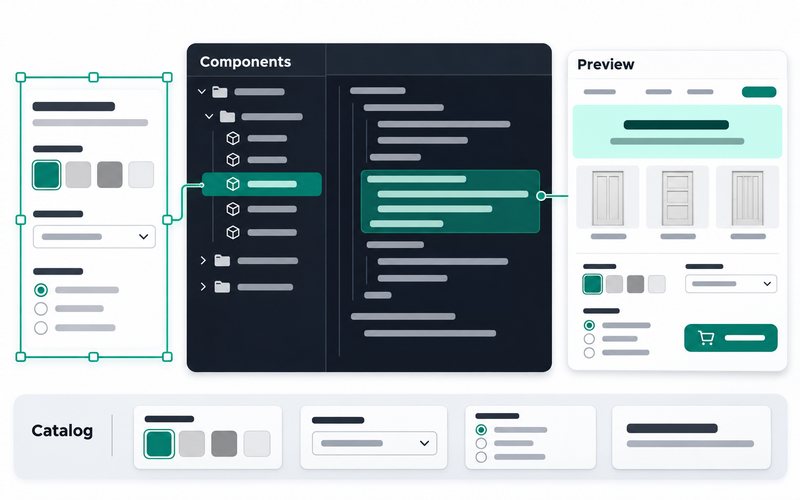
Client store · Interior doors shop, UK -
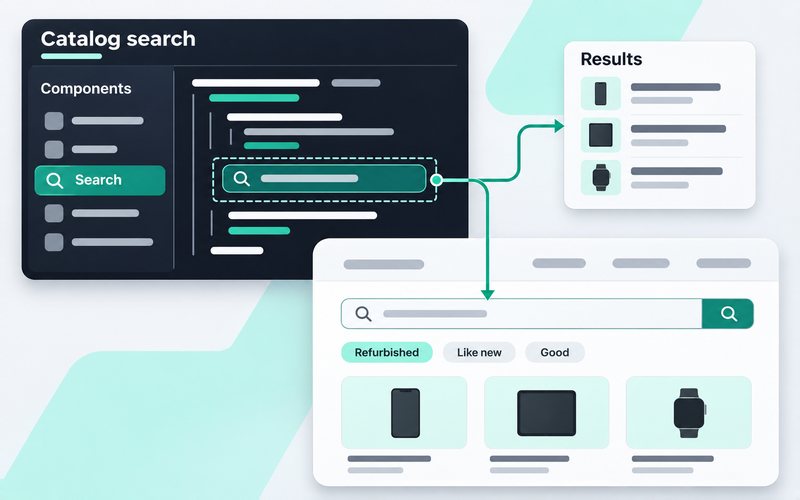
Client store · Refurbished phones shop, France
When does a store need a custom Magento module?
Can an existing extension be changed instead of replaced?
What information helps scope a checkout change?
Will a custom module keep working after every upgrade?
How are cost and delivery time decided?
What do you receive at handover?
Services that pair well with Magento Development

Tell me about your Magento Development project
Send your store URL, the changes you need and any budget or deadline constraints. We can review the scope and agree a quote and timeline.