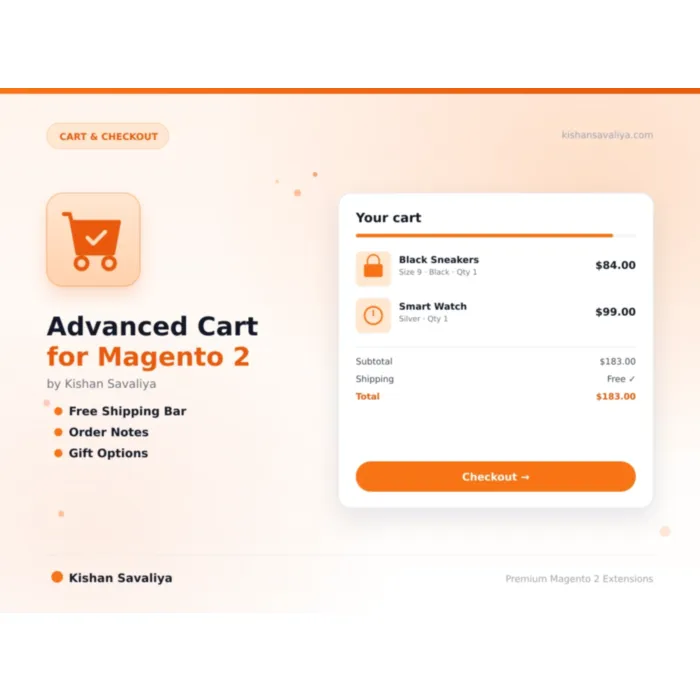
Free Shipping Progress Bar
Visual progress indicator, shows how close the customer is to qualifying for free shipping
Turn your Magento 2 cart page into a conversion engine. Free shipping progress bar, order notes, gift options, trust badges, quantity +/- buttons, savings display, estimated delivery, and a beautifully branded empty cart, all configurab…
Key Features:
Additional Services
Built-in from day one. No add-ons, no upsell, no licence keys to renew.
Visual progress indicator, shows how close the customer is to qualifying for free shipping
AJAX-powered, cart totals update without full page reload
secure_checkout, SSL / secure payment messaging
Persists end-to-end, cart → checkout sidebar → customer order view → admin order view → admin order grid column
Gift message field, let customers include a personal note with their order
Total savings line, aggregates discounts, catalog rules, and special prices into a single "You Saved" figure
Panth Advanced Cart is a cart conversion suite for Magento 2 and Adobe Commerce that rebuilds the default cart page into a free-shipping bar, gift, and trust-signal funnel.
The extension layers a free shipping progress bar, order notes, gift message fields, trust badges, quantity plus and minus buttons, savings display, and estimated delivery copy directly onto the standard cart, so shoppers see exactly how much they are saving, how close they are to free shipping, and what gift options they can attach. Order notes and gift messages flow through to the admin sales order view and email notifications without custom code.
An empty-cart experience replaces the bland Magento default with a branded layout that encourages continued browsing. Every component is configurable per store view, theme-aware, and built to MEQP standards.
The cart module auto-detects Hyvä (Alpine.js plus Tailwind CSS) and Luma (vanilla JS) and renders the matching template — no theme conflicts, no duplicate styling, and no broken layouts on Magento 2.4.4–2.4.9 with PHP 8.1–8.4.
Best for:
The default Magento 2 cart page was built to function, not to convert. It does not show customers how close they are to free shipping, it does not let them leave order notes or gift messages, it does not display savings, and its empty-cart page is a dead end.
Panth Advanced Cart fixes all of this in one lightweight, theme-aware module. Every feature is individually toggleable, every string is translatable, and every template is overridable via your theme, so you get a conversion-optimized cart without vendor lock-in.
Merchants typically see measurable lifts in:
Panth Advanced Cart bundles every cart-page conversion lever in one MEQP-compliant module:
Turn your Magento 2 cart page into a conversion engine. Free shipping progress bar, order notes, gift options, trust badges, quantity +/- buttons, savings display, estimated delivery, and a beautifully branded empty cart, all configurable, all theme-aware, and all built to MEQP standards.
Panth Advanced Cart replaces the bland default Magento 2 cart page with a carefully engineered checkout-funnel booster. Every feature is designed around a single goal: reduce cart abandonment and increase average order value. Shoppers see how close they are to free shipping, understand exactly how much they are saving, can leave gift messages and order notes that flow all the way through to the admin order view, and enjoy a polished empty-cart experience that encourages them to keep browsing.
The module auto-detects whether your storefront is running Hyva (Alpine.js + Tailwind CSS) or Luma (vanilla JS) and renders the appropriate templates, no theme conflicts, no duplicate styling, no broken layouts.
{{remaining}} placeholder to show exactly how much more is neededConfigurable security and reassurance badges displayed on the cart page. Available badges:
secure_checkout, SSL / secure payment messagingmoney_back, money-back guaranteefree_returns, no-hassle returnsfast_shipping, expedited delivery promisesupport_24_7, round-the-clock supportquality_guarantee, quality assurance badgequote and sales_order tables for clean reportingPanth\Core\Helper\Theme__() for multi-language storesSavings = sum of (original_price − final_price) × qty for every line item, plus any applied cart discounts. The module uses the existing quote item price attributes, so it respects catalog price rules, tier pricing, and special prices.
When the customer checks Add Gift Message, a textarea appears. The message is saved on the quote, carried through checkout, and stored on the order record. If Gift Wrap is enabled and the customer opts in, the wrap fee is added to the order total as a custom total line.
| Issue | Cause | Resolution |
|---|---|---|
| Features not showing on cart page | Module or individual feature disabled | Enable master toggle + individual feature in admin config |
| Free shipping bar threshold mismatch | Threshold does not match shipping rule | Align the module threshold with your actual free-shipping rule |
| Order notes not saving | panth_order_note column missing |
Run bin/magento setup:upgrade and verify quote + sales_order tables |
| Hyva templates not rendering | Hyva fallback not configured | Ensure Panth_Core is enabled and bin/magento cache:flush has been run |
| Qty +/- buttons unresponsive | Static content not deployed | Run bin/magento setup:static-content:deploy -f |
| Gift wrap fee not added | Tax / grand total recalculation not triggered | Clear cache and verify the customer has reloaded the cart |
| Configuration changes not visible | Config cache | Run bin/magento cache:clean config full_page |
For additional diagnostics, enable Debug Mode in Panth Extensions → Core Settings and review var/log/panth_advancedcart.log.
| Requirement | Versions Supported |
|---|---|
| Magento Open Source | 2.4.4, 2.4.5, 2.4.6, 2.4.7, 2.4.8 |
| Adobe Commerce | 2.4.4, 2.4.5, 2.4.6, 2.4.7, 2.4.8 |
| Adobe Commerce Cloud | 2.4.4-2.4.8 |
| PHP | 8.1.x, 8.2.x, 8.3.x, 8.4.x |
| MySQL | 8.0+ |
| MariaDB | 10.4+ |
| Hyva Theme | 1.3+ |
| Luma Theme | Native support |
| Required Module | Panth_Core (free) |
Tested on:
composer require mage2kishan/module-advancedcart
bin/magento module:enable Panth_Core Panth_AdvancedCart
bin/magento setup:upgrade
bin/magento setup:di:compile
bin/magento setup:static-content:deploy -f
bin/magento cache:flush
app/code/Panth/AdvancedCart/ in your Magento installationPanth_Core is installed (required dependency)bin/magento module:enablebin/magento module:status Panth_AdvancedCart
# Expected output: Module is enabled
After installation, navigate to:
Admin → Stores → Configuration → Panth Extensions → Advanced Cart Page
All settings live at Stores → Configuration → Panth Extensions → Advanced Cart Page.
| Setting | Default | Description |
|---|---|---|
| Enable Module | Yes | Master toggle for all cart enhancements |
| Setting | Default | Description |
|---|---|---|
| Enable | Yes | Show or hide the progress bar |
| Threshold | 50.00 | Minimum subtotal to qualify for free shipping |
| Progress Message | Add {{remaining}} more for free shipping! |
Message while below threshold |
| Achieved Message | You qualify for free shipping! |
Message when threshold is met |
| Setting | Default | Description |
|---|---|---|
| Enable | Yes | Adds +/- buttons around quantity inputs |
| Setting | Default | Description |
|---|---|---|
| Enable | Yes | Show or hide the trust badges section |
| Badges | secure_checkout,money_back,free_returns,fast_shipping |
Comma-separated badge keys |
| Setting | Default | Description |
|---|---|---|
| Enable | Yes | Show the continue-shopping link |
| Label | Continue Shopping |
Button text |
| URL | / |
Relative URL path |
| Setting | Default | Description |
|---|---|---|
| Enable | Yes | Show total savings from discounts/specials |
| Setting | Default | Description |
|---|---|---|
| Enable | Yes | Show estimated delivery range |
| Min Days | 3 | Minimum business days |
| Max Days | 7 | Maximum business days |
| Label | Estimated Delivery |
Label text |
| Setting | Default | Description |
|---|---|---|
| Enable | Yes | Allow customers to add order instructions |
| Placeholder | Add special instructions for your order... |
Textarea placeholder |
| Max Length | 500 | Character limit |
| Setting | Default | Description |
|---|---|---|
| Enable Gift Message | Yes | Allow a personal gift message |
| Enable Gift Wrap | No | Offer optional gift wrapping |
| Gift Wrap Fee | 0.00 | Flat fee added to order when selected |
| Setting | Default | Description |
|---|---|---|
| Enable | Yes | Show the enhanced empty cart page |
| Heading | Your cart is empty |
Custom heading text |
| Message | Looks like you haven't added anything yet. |
Custom message |
| Button Label | Continue Shopping |
Return-to-shop button text |
The module uses Panth\Core\Helper\Theme (from the free Panth_Core module) to detect the active theme and render the appropriate templates:
Both template sets are fully overridable in your child theme at:
app/design/frontend/<Vendor>/<theme>/Panth_AdvancedCart/templates/Panth Advanced Cart is licensed under a proprietary license, see LICENSE.txt. Each purchase entitles you to install the module on a single Magento production domain plus its staging and development environments.
| Module Category | Cart & Checkout |
|---|---|
| Best For | All Sizes |
Yes. The module ships dedicated Hyva templates built with Alpine.js and Tailwind CSS. Theme detection is automatic via Panth_Core.
Yes. Luma templates use vanilla JavaScript and integrate with Magento's standard Knockout/RequireJS cart.
Yes. Because the note is stored on the sales_order record, it is available to any PDF template, email template, or reporting tool that reads the order.
Yes. Every feature has its own enable/disable toggle under Advanced Cart Page in the admin configuration.
The gift wrap fee is added as a custom total. You can configure Magento's tax settings to apply tax to it by treating it like any other custom fee.
Yes. All user-facing strings use Magento's __() translation function. Add a CSV in i18n/<locale>.csv or use Magento's built-in translation tools.
No. Panth Advanced Cart operates on the cart page; it does not modify the checkout step flow. Order notes are displayed read-only in the checkout sidebar and do not interfere with any third-party checkout module.
The module calculates business days (Mon, Fri) from the current date, skipping weekends. It does not currently account for public holidays, if you need that, request a customization via kishansavaliya.com/get-quote.
The six built-in badge types are available out of the box. Custom badge images or SVGs can be added by overriding the badge template in your theme.
Yes. The source is on GitHub at github.com/mage2sk/module-advancedcart.
Panth Malware Scanner is built specifically for Magento 2 filesystems, it understands the directory layout, knows which folders are writable from the frontend, and ships signatures tuned for Magento-targeted threats (Magecart skimmers, PolyShell webshells, admin-layout injection). Traditional AV tools scan everything with generic signatures and produce noise.
Yes. When enabled, Panth Footer takes over the footer.container block and renders its own configurable footer. You can disable it any time to restore the default footer.
No. All price-delta logic continues to flow through Magento's standard priceBox and price-option JS components. This module only replaces the visual rendering.
No. Panth Core is completely free and will remain free forever. It is the foundation library that other (paid) Panth extensions depend on.
Yes. The module ships Hyva-native templates using Alpine.js and Tailwind. No jQuery required.
Yes. The module ships with two purpose-built templates, Alpine.js + Tailwind for Hyva and vanilla JS for Luma, and auto-switches based on your active storefront theme.
Yes. Create as many sliders as you want in the admin and place each one via its own widget or layout block. Each slider maintains independent configuration and slides.
Yes, guests can subscribe with their email address. You can optionally require login via admin config.
Unlimited. Each form has a unique identifier and its own submissions scope.
No. Google does not participate in IndexNow and has stated they maintain their own crawl schedule. For Google indexing, use a proper XML sitemap and Google Search Console. This module is specifically for the IndexNow ecosystem (Bing, Yandex, Seznam, Naver, Yep).
Talk to Kishan directly: written quote, scope and timeline within 24 hours. No sales call.
Advanced Cart for Magento 2