Chat on WhatsApp
One-Time Claude + Magento Setup

Become your own Magento developer

I set up your Magento project and a Claude Code workflow once. After that you build features on your own machine, test them on staging, and ship to live yourself. One-time setup fee, no monthly developer.

  • One-time setup, no monthly developer bill
  • Build locally, test on staging, ship to live
  • Set up by an Adobe-Certified Magento developer
Contact for pricing, no retainer Set up for stores in 8+ countries
  • One-time Setup fee, no retainer

    You pay once for the setup. After that there is no monthly developer bill, you own the workflow.

  • Local → staging → live Safe by design

    Build and test on your machine and a staging copy first. Live only gets changes you already proved.

  • Claude does the code You direct it

    You describe what you want in plain English. Claude writes Magento modules, theme tweaks and fixes; the setup keeps it inside safe guardrails.

  • Adobe Certified Set up by an expert

    The workflow, guardrails and safety checks are built by an Adobe-Certified developer who has shipped 200+ Magento stores.

What you get

Everything you need to build it yourself

The setup leaves you with a working development machine, a safe release path, and Claude Code tuned for Magento. Six things, set up once.

  • A ready Magento dev workspace

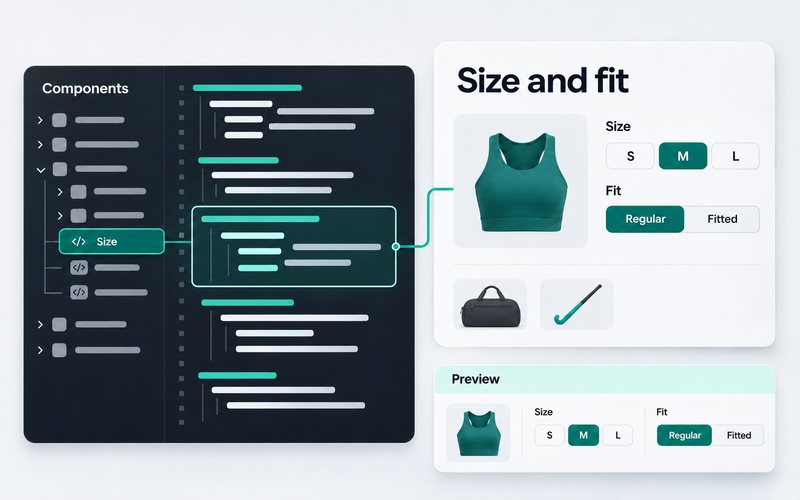
    Local Magento, Composer, git and Claude Code wired up on your machine, so you can start building the same day.

  • Local, staging and live pipeline

    A three-step flow so nothing untested ever reaches customers. Push to staging, review, then release to live.

  • Claude Code set up for Magento

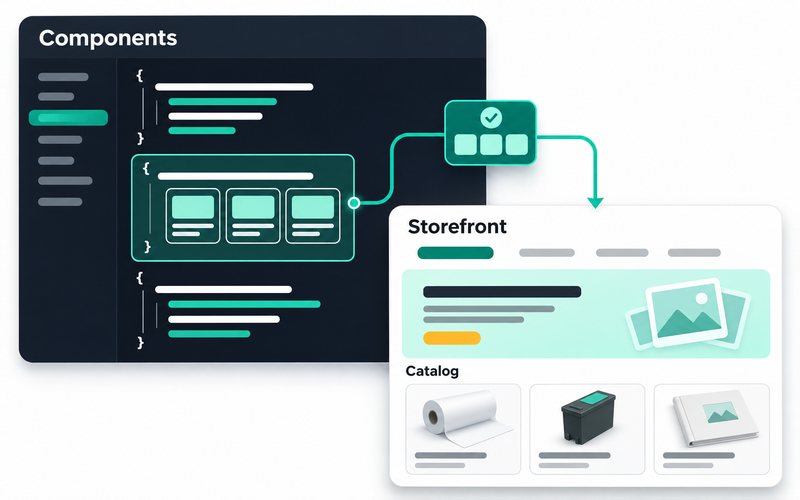
    Project rules, Magento coding patterns and safety checks so Claude writes code that follows Magento standards, not generic PHP.

  • Manage it from your phone

    With Claude Code Remote Control you can check in and steer a build from the Claude mobile app, so work keeps moving while you are away from your desk.

  • Guardrails that stop mistakes

    Backups, a staging gate, and checks that catch broken code before it can touch your live store.

  • A plain-English playbook

    Short written steps for the jobs you will actually do: add a field, change a template, install an extension, fix an error.

  • A safety net if you get stuck

    A clear escape hatch: hand any job back to Kishan when you want, without unpicking your setup.

How it works

Five steps to your own workflow

You are hands-on from day one. By the end you have built a real change yourself, with a written playbook to repeat it.

  1. 01

    Setup call

    A short call to see your store, host and goals. You get a written setup plan and a one-time price.

    Day 1
  2. 02

    We set up your workspace

    Local Magento, git, Composer and Claude Code installed and configured on your machine, matched to your store.

    Days 1-3
  3. 03

    We wire local → staging → live

    A staging copy of your store and a release flow, so you can test everything before customers see it.

    Days 3-5
  4. 04

    We hand it over and train you

    A working session: you build a real change end to end with Claude while we watch, plus the written playbook.

    Day 5
  5. 05

    You own it

    You develop on your own from here. Optional check-ins are available, but there is no monthly lock-in.

    Ongoing
Pricing

One-time setup. No monthly retainer.

Pick the scope that matches your store. Every tier is a one-time setup fee, scoped after a short call, never billed silently.

  • Solo Store

    Custom

    One-time setup · single store

    Best for: Store owners who want to stop paying a developer for small changes

    • Local Magento + Claude Code workspace
    • Local → staging → live flow
    • Plain-English playbook for everyday jobs
    • One training session
    • 30 days of email answers while you settle in
    Contact for pricing
  • Team / Agency

    Custom

    One-time setup · multiple people

    Best for: Small teams or agencies who want an in-house AI Magento workflow

    • Everything in Growing Store, plus:
    • Multi-developer git workflow
    • Shared standards and review steps
    • Onboarding for your whole team
    • Priority check-in option
    • 90 days of email answers
    Contact for pricing

Every tier is a one-time setup fee, with no monthly developer bill. Prices are scoped to your store. Contact for pricing in USD, GBP, EUR, AUD or INR, just ask in the form below.

Get pricing

Get your one-time setup price

It takes 2 minutes. I reply with a scoped plan and a one-time price within 24 business hours.

We will get back to you shortly.

What clients say

What store owners say about working with Kishan

Five-star average across Upwork, Clutch and direct LinkedIn referrals. Real clients, real Magento work.

Brilliant freelancer.

Brilliant freelancer. He is the best Magento 2 freelancer I have ever worked with. So good and

PS

Peter Stewart

CEO, No79 Design

Thank you for taking care of this job for me.

Thank you for taking care of this job for me. Job well

MW

Michael Webber

Fantastic person, very knowledgeable, honest and reliable.

Fantastic person, very knowledgeable, honest and reliable. Sorted out my issue within an hour! I cannot wait for the next project to work with Kishan

SZ

Steve Zed

Kishan is a very competent and reliable Magento developer.

Kishan is a very competent and reliable Magento developer. He was able to handle every task I gave him quickly and efficiently and his communication was top-notch. I look forward to continuing to work with

PJ

Philip Johnston

Newthink

Perfect and professional help on my Magento project.

Perfect and professional help on my Magento project. Will hire him again once needed. Thanks for your work

ND

Neal De Vreede

Really knowledgable Magento 2 developer, helpful from the outset and would use again.

Really knowledgable Magento 2 developer, helpful from the outset and would use

JM

James Morgan

Inkberry Creative

Trusted by stores in

  • United States
  • United Kingdom
  • Canada
  • Australia
  • Germany
  • France
  • Netherlands
  • India
FAQ

Honest answers about becoming your own developer

Can I really run a Magento store without a developer?

For everyday changes and many build tasks, yes. The one-time setup gives you a local Magento workspace, a safe local, staging and live workflow, and Claude Code configured to write Magento code for you. Most content edits, design tweaks, small features and common fixes become jobs you can do yourself. This is not zero-skill magic: deep custom work, tricky integrations and emergencies can still need a developer, and there is always an escape hatch to hand a job back to me.

Do I need to know how to code?

No, not to start. You describe what you want in plain English and Claude writes the code. It helps to be willing to read a short instruction and follow steps carefully, but you do not need to write PHP yourself. Over time most owners pick up enough to read what is happening, which makes them faster and more confident. The written playbook walks you through the jobs you will do most often.

What exactly do you set up?

Four things, matched to your store:

  • A local Magento workspace: Magento, Composer, git and Claude Code installed and configured on your own machine.
  • A staging copy: a safe place to test changes before customers see them.
  • A release flow: a clear local, staging and live path with backups and a staging gate.
  • Claude Code, tuned for Magento: project rules and safety checks so it follows Magento standards, plus a plain-English playbook.
What is the one-time fee, and are there monthly costs?

The setup is a one-time fee, with no monthly retainer and no ongoing developer bill from me. The price is scoped to your store and how much you want to be able to build, so I quote it after a short call. Contact me for pricing or message me on WhatsApp. You will still have your normal running costs like hosting and any paid extensions or AI usage, which you pay directly to those providers.

What is Claude and Claude Code?

Claude is an AI assistant made by Anthropic. Claude Code is a tool that lets Claude work directly in your project on your machine: it can read your files, write and change code, run commands and explain what it did. In this setup Claude Code is configured for Magento, so when you describe a change it produces Magento modules, theme edits and fixes that follow Magento patterns rather than generic code.

Is it safe to let AI change my live store?

The setup is built so AI never touches live directly. Changes are made and tested on your local machine first, then on a staging copy, and only a change you have proved gets released to live. On top of that you get backups, a staging gate and checks that catch broken code before it can reach customers. If a release ever looks wrong, you roll back. The guardrails are the whole point of the setup.

What is the local to staging to live workflow and why does it matter?

It is a three-step path for every change. You build and test on your local machine, push it to a staging copy of your store to review it in a real environment, then release it to live once you are happy. It matters because customers only ever see changes you have already checked twice. No editing the live store directly, no surprises during a sale, and an easy way to undo anything.

What kinds of things can I build myself?

Plenty, and it grows with your confidence. Common examples:

  • Content and design tweaks: banners, blocks, labels, colours, layout changes
  • Small features: a new field, a custom form, a simple module
  • Everyday fixes: template errors, config issues, cache and index problems
  • Installing and updating extensions through the safe flow

Large redesigns, complex integrations and true emergencies are still where a developer earns their keep, and you can hand those back to me any time.

What if I break something or get stuck?

The setup is designed so a mistake stays contained. Because you work on local and staging first, a broken change usually never reaches live, and backups plus git history let you undo it. If you get stuck, you have a clear escape hatch: hand the job back to me or message me on WhatsApp, and I can step in without unpicking your setup. You are self-sufficient, not on your own.

Will this work with my existing store and extensions?

In most cases, yes. The setup wraps around your real store, so your theme, data and extensions come along. During the setup call I check your Magento version, host and the extensions you rely on, and flag anything unusual before we start. Some heavily customised or locked-down hosting setups need extra steps, and I will tell you honestly if yours is one of them rather than promise it blindly.

How long does the setup take?

Usually about a working week end to end. A typical run is: a setup call on day one, your workspace built over the first few days, the local, staging and live pipeline wired up mid-week, and a hands-on training session where you build a real change yourself around day five. After that you own it. Exact timing depends on your host and how much you want to be able to build.

Do you offer this for teams or agencies?

Yes. The Team / Agency setup adds a multi-developer git workflow, shared standards and review steps, and onboarding for your whole team, so more than one person can build safely with the same guardrails. It suits small teams or agencies who want an in-house AI Magento workflow instead of outsourcing every change. Contact me or reach out on WhatsApp to scope it.