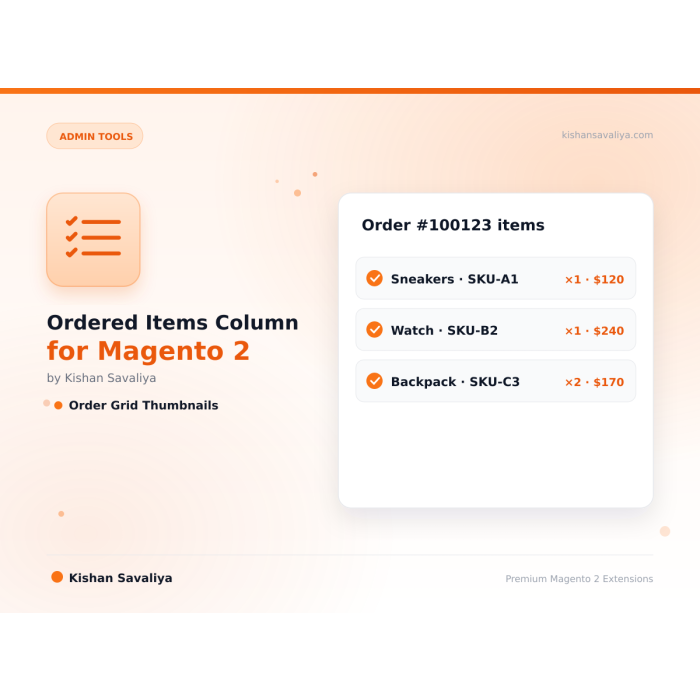

Product Thumbnails
see what was ordered at a glance without opening the order
See what was ordered without opening the order. This extension adds a rich "Order Items" column to the Magento 2 admin Sales Order Grid, showing product thumbnails, names, SKUs, quantities, prices, configurable options (size, color), an…
Key Features:
Additional Services
Built-in from day one. No add-ons, no upsell, no licence keys to renew.
see what was ordered at a glance without opening the order
clickable, opens product editor in a new tab
instantly identify products by their SKU codes
ordered qty, unit price, and row total with dynamic currency
shows Size, Color, and other product options inline
color-coded per-item status: Pending, Invoiced, Shipped, Refunded, Canceled
Panth Ordered Items is an admin sales grid column for Magento 2 and Adobe Commerce that shows the products inside every order without opening the order view.
The Panth Ordered Items extension renders product thumbnails, names, SKUs, quantities, prices, configurable options like size and color, and per-item fulfillment badges (pending, invoiced, shipped, refunded, canceled) directly inside the Sales Order Grid, so store owners and CS agents can scan order contents at a glance.
It is built for Magento 2 store owners, customer service teams, and warehouse operators who lose hours clicking into individual orders just to confirm what was purchased. Every column detail is toggleable from Stores > Configuration > Panth Extensions > Ordered Items Grid, so each role sees only the data it needs.
Orders with 10 or more items collapse into a "View all" link that opens a paginated popup with a page-size selector (10, 20, 50, All), navigation, thumbnails, SKUs, prices, and fulfillment badges, keeping the grid compact no matter how large the order. The module respects admin ACL, so granular permissions stay intact.
Best for:
Panth Ordered Items adds a rich, admin-configurable Order Items column to the Magento 2 sales grid with paginated popup support for large carts.
See what was ordered without opening the order. This extension adds a rich "Order Items" column to the Magento 2 admin Sales Order Grid, showing product thumbnails, names, SKUs, quantities, prices, configurable options (size, color), and per-item fulfillment status (pending, invoiced, shipped, refunded, canceled), all at a glance.
Stop clicking into every order just to see what was purchased. Panth Ordered Items gives store owners instant visibility into order contents directly from the grid. Every detail is admin-configurable, toggle thumbnails, prices, SKUs, fulfillment badges, and more from Stores > Configuration > Panth Extensions > Ordered Items Grid.
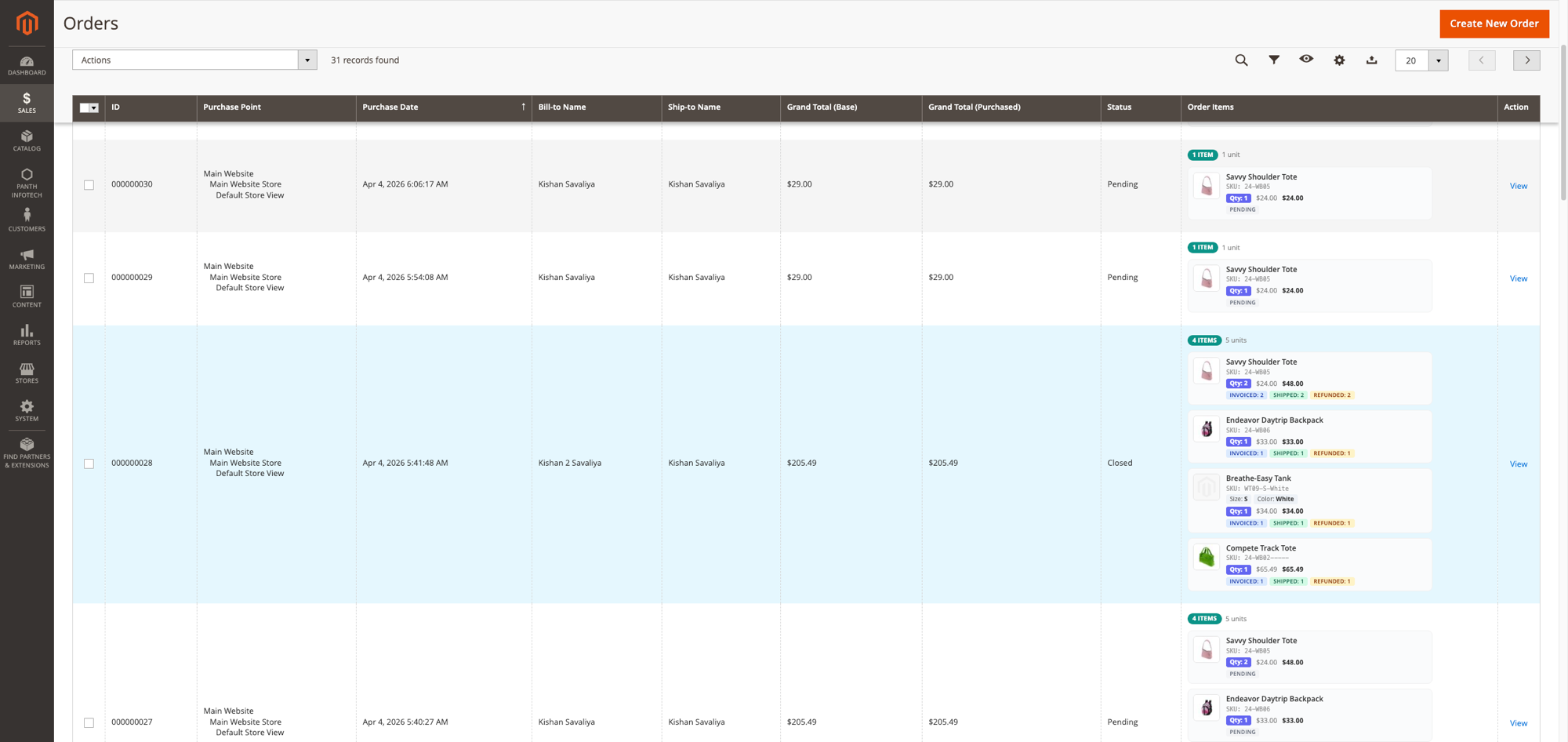
Order Items column showing product thumbnails, names, SKUs, quantities, prices, configurable options, and fulfillment status badges, all inline in the admin order grid.
https://github.com/mage2sk/module-ordered-items/raw/main/docs/order-items-popup-demo.mp4
Orders with 10+ items show a "View all" link that opens a paginated popup with page size selector (10/20/50/All), navigation, thumbnails, SKUs, prices, and fulfillment badges, grid stays compact no matter how many items.
Each order row shows an "Order Items" column with:
┌─────────────────────────────────────────────┐
│ 3 items • 5 units │
│ │
│ [IMG] Savvy Shoulder Tote │
│ SKU: 24-WB05 │
│ Size: M • Color: White │
│ Qty: 2 • $24.00 • $48.00 │
│ INVOICED: 2 SHIPPED: 2 │
│ │
│ [IMG] Endeavor Daytrip Backpack │
│ SKU: 24-WB06 │
│ Qty: 1 • $33.00 • $33.00 │
│ INVOICED: 1 SHIPPED: 1 REFUNDED: 1 │
│ │
│ [IMG] Compete Track Tote │
│ SKU: 24-MB02 │
│ Qty: 2 • $32.00 • $64.00 │
│ PENDING │
│ │
└─────────────────────────────────────────────┘
The extension adds a virtual column to the sales_order_grid UI component via XML. The OrderItems column class:
entity_id during prepareDataSource()OrderRepositoryInterfaceevent.stopPropagation() to prevent row clicks from navigating awayPriceCurrencyInterface with the order's actual currencyPerformance: The column loads order items on-demand when the grid renders. For stores with very high order volumes, consider limiting the grid page size to 20-50 rows.
Each item shows color-coded fulfillment badges:
| Badge | Color | Meaning |
|---|---|---|
| Pending | Gray | Not yet invoiced or shipped |
| Invoiced: N | Blue | N items invoiced |
| Shipped: N | Green | N items shipped |
| Refunded: N | Amber | N items refunded |
| Canceled: N | Red | N items canceled |
Multiple badges can appear simultaneously (e.g., "Invoiced: 2, Shipped: 1, Refunded: 1").
| Issue | Solution |
|---|---|
| Column not visible | Check Stores > Config > Panth Extensions > Ordered Items Grid > Enable = Yes |
| Column visible but empty | Run bin/magento setup:di:compile && bin/magento cache:flush |
| Thumbnails show placeholder | Products may not have images uploaded, or images need reindexing |
| Prices show wrong currency | The column uses the order's currency, verify the order was placed with the correct currency |
| "show more" link not working | Clear browser cache and static content: bin/magento setup:static-content:deploy -f |
| Column too wide | Adjust max_visible to show fewer items, or disable some display options |
| Requirement | Versions Supported |
|---|---|
| Magento Open Source | 2.4.4, 2.4.5, 2.4.6, 2.4.7, 2.4.8 |
| Adobe Commerce | 2.4.4, 2.4.5, 2.4.6, 2.4.7, 2.4.8 |
| Adobe Commerce Cloud | 2.4.4-2.4.8 |
| PHP | 8.1, 8.2, 8.3, 8.4 |
| Panth Core | ^1.0 (installed automatically) |
composer require mage2kishan/module-ordered-items
bin/magento module:enable Panth_OrderedItems
bin/magento setup:upgrade
bin/magento setup:di:compile
bin/magento cache:flush
app/code/Panth/OrderedItems/bin/magento module:status Panth_OrderedItems
# Module is enabled
Navigate to Sales > Orders, the "Order Items" column appears automatically.
Navigate to Stores > Configuration > Panth Extensions > Ordered Items Grid.
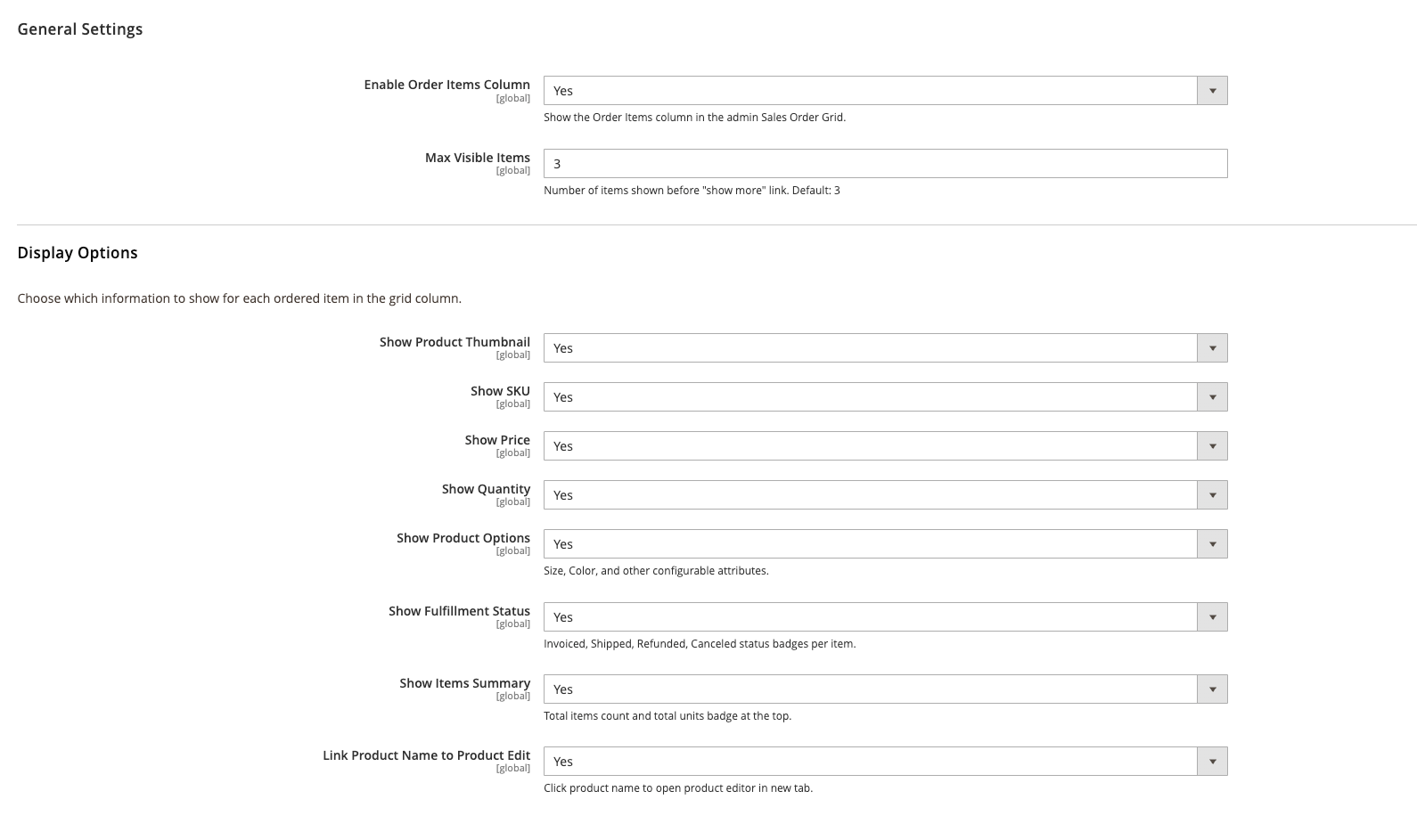
Every element in the Order Items column is independently toggleable from admin config.
| Setting | Default | Description |
|---|---|---|
| Enable Order Items Column | Yes | Show/hide the column in the order grid |
| Max Visible Items | 3 | Items shown before the "show more" link |
| Setting | Default | Description |
|---|---|---|
| Show Product Thumbnail | Yes | Product image in each item row |
| Show SKU | Yes | Product SKU code |
| Show Price | Yes | Unit price and row total with dynamic currency |
| Show Quantity | Yes | Ordered quantity badge |
| Show Product Options | Yes | Size, Color, and other configurable attributes |
| Show Fulfillment Status | Yes | Invoiced/Shipped/Refunded/Canceled badges |
| Show Items Summary | Yes | Total items and units count badge |
| Link Product Name | Yes | Click product name to open editor in new tab |
Proprietary, see LICENSE.txt. One license per Magento production installation.
| Module Category | Admin Tools |
|---|---|
| Best For | All Sizes |
Minimally. The column loads order items for each visible row (typically 20-50 orders). For very large catalogs, you can disable thumbnails to reduce image loading.
Yes. Configurable products show their selected options (Size, Color). Bundle products show their bundle selections. Grouped products show individual items.
Yes. Every element is independently toggleable from admin config. You can show only thumbnails and names if you prefer a minimal view.
No. The column is purely virtual, it renders at display time using the order repository. No database schema changes.
Yes. It reads from Magento's standard OrderRepositoryInterface and does not modify any order data.
No. It adds a new column without modifying existing columns. It uses Magento's standard UI component extension mechanism.
Yes. When the module is enabled, the /contact URL is handled by Panth Advanced Contact Us and the stock Magento_Contact form is bypassed. Disable the module to revert to the native form, no data loss.
No. Google does not participate in IndexNow and has stated they maintain their own crawl schedule. For Google indexing, use a proper XML sitemap and Google Search Console. This module is specifically for the IndexNow ecosystem (Bing, Yandex, Seznam, Naver, Yep).
Yes. The module ships Hyva-native templates using Alpine.js and Tailwind. No jQuery required.
Minimally. The column loads order items for each visible row (typically 20-50 orders). For very large catalogs, you can disable thumbnails to reduce image loading.
Yes. The module ships dedicated Hyva templates built with Alpine.js and Tailwind CSS. Theme detection is automatic via Panth_Core.
No. Merchant-authored labels (anything other than empty, the product name, Image, main product photo, or the raw filename) are preserved. Only Magento's default placeholders get upgraded to template output.
Yes. Create as many sliders as you want in the admin and place each one via its own widget or layout block. Each slider maintains independent configuration and slides.
It enhances them. Magento's native meta fields still work, Panth Advanced SEO adds template-based defaults, tokens, hreflang groups, JSON-LD, SEO scoring, and dozens of other features Magento ships without.
Yes, guests can subscribe with their email address. You can optionally require login via admin config.
No. The head block is cacheable="true" so the full JSON-LD payload is baked into full-page cache. Providers only run on uncached renders; cached hits serve the pre-rendered <script> tag with zero PHP evaluation.
Talk to Kishan directly: written quote, scope and timeline within 24 hours. No sales call.
Ordered Items Column for Magento 2 Admin Sales Grid