Drag-and-Drop Form Builder
Visual form designer, reorder, add, and remove fields with an intuitive admin UI
A Magento 2 form builder with text, email, select, file upload, date and phone fields. Submissions are saved and can be exported, admin and auto-reply emails go out, and a widget puts any form on a page.
Key Features:
Additional Services
Built-in from day one. No add-ons, no upsell, no licence keys to renew.
Visual form designer, reorder, add, and remove fields with an intuitive admin UI
Text, single-line input with length and regex validation
Admin grid, dedicated grid listing every submission with search, filter, and sort
Admin notification email, instantly alert your team when a form is submitted
Drop anywhere, CMS pages, CMS blocks, product pages, category pages, static layouts
Automatic theme detection, powered by Panth\Core\Helper\Theme
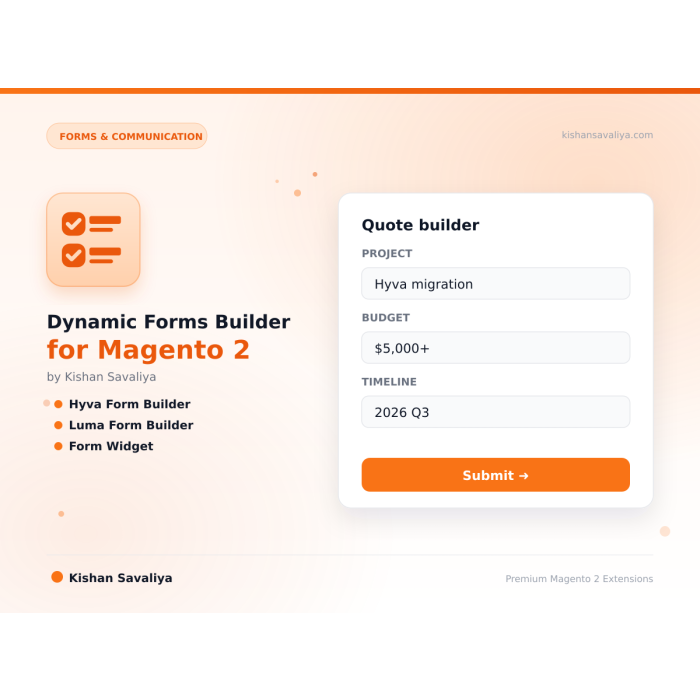
Dynamic Forms Builder for Magento 2 is a drag-and-drop form designer for Magento 2 and Adobe Commerce that builds unlimited custom forms without code. It replaces the stock contact form with a visual canvas where admins reorder fields, toggle validation, and ship contact, survey, quote, job-application, and event-registration forms in minutes.
Every form supports nine field types out of the box - text, email, textarea, select, radio, checkbox, file upload with MIME whitelist, date picker, and phone number with international format validation. Submissions land in a dedicated admin grid with full search, filtering, mass actions, CSV export, and secure admin-only file downloads. The built-in email engine fires an admin alert to comma-separated recipients and an optional branded auto-reply to the customer, with template variables that inject submitted field values directly into both messages.
The Dynamic Forms Builder for Magento 2 is theme-aware - Hyva storefronts get Alpine.js plus Tailwind markup, Luma stores get Knockout.js plus LESS, with zero duplicate configuration. Form-key CSRF protection, randomized filenames, files stored outside pub/, GDPR submission retention, and Magento reCAPTCHA hooks keep it production-safe on Magento 2.4.4 - 2.4.8 and PHP 8.1 - 8.4.
Best for:
The Dynamic Forms Builder for Magento 2 ships every feature merchants ask for:
Dynamic Forms lets a store administrator build custom forms in the Magento admin, publish them as standalone pages or embed them with a widget, and review the submissions in an admin grid. Each form has its own fields, success message, redirect URL, notification email and optional auto-reply. Submissions are stored in the database and can be filtered, annotated and given a status.
The module ships two storefront templates: one for Hyva (Alpine.js) and one for Luma (jQuery). The active theme is detected through Panth_Core and the matching template is chosen automatically.
Product page: kishansavaliya.com/magento-2-dynamic-forms.html
min_length, max_length, min, max, pattern and pattern_message./pages/<url_key> by a custom router, with per-form Meta Title, Meta Description, Meta Keywords, Meta Robots, a canonical link and JSON-LD (WebPage with a ContactPage entity).{{widget}} directive for the WYSIWYG editor./thank-you or a full http or https URL on one of the store's own domains. Other values, such as javascript: or another site, are refused when saving, and a stored value that does not pass the check is ignored on the storefront.The URL key is lowercased and reduced to letters, digits, hyphens and underscores. It must be unique among forms and must not collide with an existing URL rewrite. Widget-only forms have no URL key.
Text, Textarea, Email, Phone, Number, Dropdown (Select), Multi-Select, Checkbox, Radio Buttons, File Upload, Date, Hidden and WYSIWYG Editor. Dropdown, Multi-Select, Checkbox and Radio Buttons take a list of options. Multi-value fields are stored as a comma-separated string. WYSIWYG Editor renders as a textarea on the storefront. The field builder exposes a "Validation Rules (JSON)" box per field; supported keys are min_length, max_length, min, max, pattern and pattern_message.
/pages/<url_key> on the storefront. The page title, meta tags, canonical link and JSON-LD come from the form's SEO fields.FORM_ID with the form id shown in the Manage Forms grid.{{widget type="Panth\DynamicForms\Block\Widget\DynamicForm" form_id="FORM_ID" show_title="1" show_description="1"}}
Panth\DynamicForms\Block\Widget\DynamicForm accepts a form_id argument and picks the theme template itself when no template is set.The widget renders nothing when the module is disabled, the form is inactive, or the form has no fields.
A widget shows the form title as a heading inside the form card when "Show Form Title" is Yes. The page-level h1 heading and the WebPage JSON-LD are only printed on the standalone page at /pages/<url_key>, never by a widget on another page.
Every accepted submission is written to panth_dynamic_form_submission with one row per field in panth_dynamic_form_submission_value. The customer email is taken from the logged-in customer or, for guests, from the first Email field; the customer name from the logged-in customer or from a field labelled "Name", "Full Name" or "Your Name".
Open Form Submissions to see the grid (columns include ID, Customer Name, Customer Email, Status, IP Address and Submitted At) with keyword search (customer name, email, IP address and notes), filters, mass delete and a mass "Update Status" action. "View Submissions" in the Manage Forms grid opens the grid filtered to that form, and the filter is kept while sorting, filtering and paging. The detail page lists every field value, links uploaded files, and lets you change the status (New, Read, Replied, Closed) and save internal notes without leaving the page. There is no export action in this version.
{{name}}, {{customer_name}}, {{email}}, {{customer_email}}, {{form_name}} and {{store_name}}. For guests, {{name}} and {{customer_name}} are always "Customer"; the name typed into the form is never repeated in the auto-reply. Logged-in customers get the name on their account.Email failures are logged and do not block the submission.
File Upload fields send the file to dynamicforms/form/upload before the form is submitted. The request must carry the form key, the form_id of an active form and the field_name of an active File Upload field on that form; custom templates that post to the endpoint need to send both. The upload is checked against Panth\Core\Security\UploadExtensionPolicy, "Allowed File Extensions", "Max File Size (MB)" and the detected content type of the file. Files are stored under the configured Upload Directory inside var/ (default var/dynamicforms/uploads, outside the web root) with a random file name, and the submission stores that file name. On submit, the file value must name a file that exists in that directory. Files can only be downloaded from the submission page in the admin ("Download File"), which needs the "Manage Submissions" permission. Submissions saved before 1.2.9 keep their old pub/media link.
USER_GUIDE.md walks an administrator through installation, configuration, creating a form, form types, the field builder, field types, email notifications, SEO settings, widgets, managing submissions, styling, theme compatibility and troubleshooting.
See CHANGELOG.md.
| Platform | Versions |
|---|---|
| Magento Open Source | 2.4.4 to 2.4.8 |
| Adobe Commerce | 2.4.4 to 2.4.8 |
| PHP | 8.1, 8.2, 8.3, 8.4 |
| Themes | Hyva, Luma |
Composer constraints from composer.json: magento/module-store ^101.0, magento/module-cms ^104.0, magento/module-widget ^101.0, magento/module-email ^101.0, magento/module-backend ^102.0.
mage2kishan/module-core ^1.0.17 (module Panth_Core), installed automatically by ComposerMagento_Store, Magento_Cms, Magento_Widget, Magento_Email and Magento_Backendcomposer require mage2kishan/module-dynamic-forms
bin/magento module:enable Panth_Core Panth_DynamicForms
bin/magento setup:upgrade
bin/magento setup:di:compile
bin/magento setup:static-content:deploy -f
bin/magento cache:flush
setup:di:compile is only needed in production mode. Check the result with:
bin/magento module:status Panth_DynamicForms
Go to Stores > Configuration > Panth Extensions > Dynamic Forms. All settings live under the config path prefix panth_dynamicforms/. Settings can be set at default, website and store view scope unless noted.
panth_dynamicforms/general/)| Setting | Default | What it does |
|---|---|---|
| Enable Dynamic Forms | Yes | Master switch. When disabled the router, the page controller, the upload endpoint and the widget block return nothing. |
| Enable reCAPTCHA | No | Present in the configuration form. No code in this version reads this setting. |
| reCAPTCHA Site Key | (empty) | Shown when reCAPTCHA is enabled. Not read by the code in this version. |
| reCAPTCHA Secret Key | (empty) | Shown when reCAPTCHA is enabled. Not read by the code in this version. |
| Allowed File Extensions | jpg,jpeg,png,gif,pdf,doc,docx,xls,xlsx | Comma-separated extensions accepted by the upload endpoint. An empty value falls back to the same default list. HTML, SVG, XML, JavaScript and executable types are always refused. |
| Max File Size (MB) | 10 | Maximum upload size in megabytes. An empty or invalid value falls back to 10. |
| Upload Directory | dynamicforms/uploads | Default scope only. Path under var/ (outside the web root) for new uploads. Only letters, digits, hyphens, underscores and slashes are accepted; any other value falls back to dynamicforms/uploads. |
| Delete Unused Uploads After (hours) | 24 | Default scope only. The hourly cron job panth_dynamicforms_clean_orphan_uploads deletes files in the Upload Directory that no submission refers to once they are older than this. Only files with the random 32-character names this module gives uploads are touched. 0 turns the cleanup off. |
panth_dynamicforms/spam/)| Setting | Default | What it does |
|---|---|---|
| Enable Honeypot Field | Yes | Adds a hidden decoy field named contact_url. A submission that fills it gets the normal success response, but nothing is saved and no email is sent. |
| Block Spam By Message Content | Yes | Drops submissions containing a link-shortener domain, money-transfer wording, three or more links, or a URL in a short field. The sender sees the normal success response. |
| Additional Blocked Terms | (empty) | One term or domain per line, added to the built-in shortener list. Shown when the content guard is enabled. |
Blocked submissions are written to the Magento log at info level with the reason, form id, IP address and a short sample of the content.
panth_dynamicforms/email/)| Setting | Default | What it does |
|---|---|---|
| Admin Notification Template | Dynamic Forms - Admin Notification | Email template used for the notification sent to the form's admin address. |
| Admin Notification Sender | General Contact | Store email identity used as the sender of the admin notification. |
| Auto-Reply Template | Dynamic Forms - Customer Auto-Reply | Email template used for the auto-reply. |
| Auto-Reply Sender | General Contact | Store email identity used as the sender of the auto-reply. Falls back to the Admin Notification Sender when empty. |
| Allow Auto-Replies | Yes | Master switch for the per-form auto-reply. No stops every auto-reply in this scope. |
| Max Auto-Replies Per Recipient Per Hour | 2 | Auto-replies sent to one address within an hour, counted from stored submissions. The submission is still saved and the admin is still notified. 0 sends none. |
| Max Auto-Replies Per Client IP Per Hour | 5 | Auto-replies triggered from one client IP within an hour. The IP comes from Magento RemoteAddress, so configured proxy headers are honoured. 0 sends none. |
panth_dynamicforms/display/)| Setting | Default | What it does |
|---|---|---|
| Default Form Layout | 1 Column | Page layout of the standalone form pages (1 column, 2 columns with left bar, 2 columns with right bar). |
| Show Form Title | Yes | Used when the block has no show_title value, for example on standalone pages. A widget's own parameter takes precedence. |
| Show Form Description | Yes | Used when the block has no show_description value, for example on standalone pages. A widget's own parameter takes precedence. |
| Use AJAX Submission | Yes | Passed to the storefront JavaScript as ajax_enabled. |
| Loading Button Text | Submitting... | Text shown on the submit button while the form is being sent. |
panth_dynamicforms/styling/)| Setting | Default | What it does |
|---|---|---|
| Use Theme Config Colors | Yes | Present in the configuration form. Not read by the code in this version. |
| Primary Color | #0D9488 | Shown when theme config colors are off. Not read by the code in this version. |
| Error Color | #DC2626 | Shown when theme config colors are off. Not read by the code in this version. |
| Success Color | #16A34A | Shown when theme config colors are off. Not read by the code in this version. |
| Input Border Radius | 8px | Shown when theme config colors are off. Not read by the code in this version. |
| Custom CSS | (empty) | Present in the configuration form. Not read by the code in this version. |
The shipped storefront templates carry their own inline CSS. The per-form "Form Style (JSON)" value is saved with the form but is not applied by the shipped templates either. The Luma template uses the CSS variables --color-primary and --color-primary-darker when the theme defines them.
The module adds a "Dynamic Forms" group to the admin menu provided by Panth_Core, with three entries: "Manage Forms", "Form Submissions" and "Configuration".
bin/magento module:disable Panth_DynamicForms
composer remove mage2kishan/module-dynamic-forms
bin/magento setup:upgrade
bin/magento setup:di:compile
bin/magento cache:flush
The four panth_dynamic_form* tables and their data, the panth_dynamicforms/* rows in core_config_data, and uploaded files under the Upload Directory (default var/dynamicforms/uploads, or pub/media/dynamicforms/uploads for files uploaded before 1.2.9) are not removed. Drop or delete them manually if they are no longer needed.
Free and open source under the MIT License. See LICENSE.txt.
Panth_DynamicFormsmage2kishan/module-dynamic-forms (version 1.2.9)Panth\DynamicFormsdynamicforms (form/view, form/submit, form/upload); standalone pages are matched by Controller\Router (sort order 60) on the pattern pages/<url_key>panth_dynamicforms (form/index|new|edit|save|delete|massDelete|massStatus, submission/index|view|delete|massDelete|massStatus|updateStatus)Block\Widget\DynamicForm (widget block, template selection, anti-spam field injection, getFormConfig(), getFieldsJson()), Helper\Data (config access, sendAdminNotification(), sendAutoReply(), upload paths), Model\Spam\ContentGuard, Model\Form\SaveDataPreparer, Block\Adminhtml\Form\FieldBuilder, UI data providers under Ui\DataProvider$block->getAntiSpamFieldsHtml() inside the <form>; if a template omits it, the block injects the honeypot into the first <form> tag it findspanth_dynamic_form; email templates: panth_dynamicforms_email_admin_email_template, panth_dynamicforms_email_autoreply_email_templatepanth_dynamic_form, panth_dynamic_form_field, panth_dynamic_form_submissionPanth_DynamicForms::main, Panth_DynamicForms::form, Panth_DynamicForms::submission, Panth_DynamicForms::configetc/db_schema.xml): panth_dynamic_form, panth_dynamic_form_field, panth_dynamic_form_submission, panth_dynamic_form_submission_value. Fields, submissions and values cascade on delete of their parent.etc/di.xml declares grid collection virtual types; etc/frontend/di.xml registers the router.Test/Unit cover ContentGuard, SaveDataPreparer and the anti-spam field injection.| Module Category | Forms & Communication |
|---|---|
| Best For | All Sizes |
Unlimited. Each form has a unique identifier and its own submissions scope.
Conditional logic is available as a premium add-on, contact us for a quote.
Multi-step forms are available as a premium add-on. The base module ships with single-step forms only.
Yes. Files are stored under var/panth_dynamic_forms/ (outside pub/), filenames are randomized, MIME types are whitelisted, and downloads are served through admin-only controllers that enforce ACL.
The base module does not include native CRM integration, but it fires a panth_dynamic_forms_submission_save_after event that makes it trivial to wire up your own observer. Contact us for custom integration work.
Yes. Enable reCAPTCHA in module settings and configure Magento's reCAPTCHA credentials under Stores → Configuration → Security → Google reCAPTCHA.
It can. Create a form with identifier contact_us and embed it via the widget on your /contact CMS page, then disable Magento's core contact form.
Yes. All form labels, placeholders, and messages support Magento's standard __() translation function and can be translated per store view.
Yes. Use the Submission Retention setting to auto-purge old submissions. A terms-and-conditions checkbox field type is available for explicit consent capture.
Talk to Kishan directly: written quote, scope and timeline within 24 hours. No sales call.
Dynamic Forms Builder for Magento 2