Floating Chat Button (All Pages)
Always-visible WhatsApp icon anchored to the storefront on every page
Turn every page of your Magento 2 store into a live support channel. Panth WhatsApp Integration adds a floating chat button on all pages, a dedicated product page inquiry button, and a category page assistance banner, with configurable…
Key Features:
Additional Services
Built-in from day one. No add-ons, no upsell, no licence keys to renew.
Always-visible WhatsApp icon anchored to the storefront on every page
Dedicated "Ask on WhatsApp" button rendered on product pages
Optional "Need help finding the right product? Chat with us" banner on category listing pages
Single consolidated config section under Stores → Configuration → Panth Extensions → WhatsApp
Optional business hours, show a different message / icon outside working hours
Full Hyva (Alpine.js + Tailwind) and Luma (jQuery + Knockout) templates shipped in the module
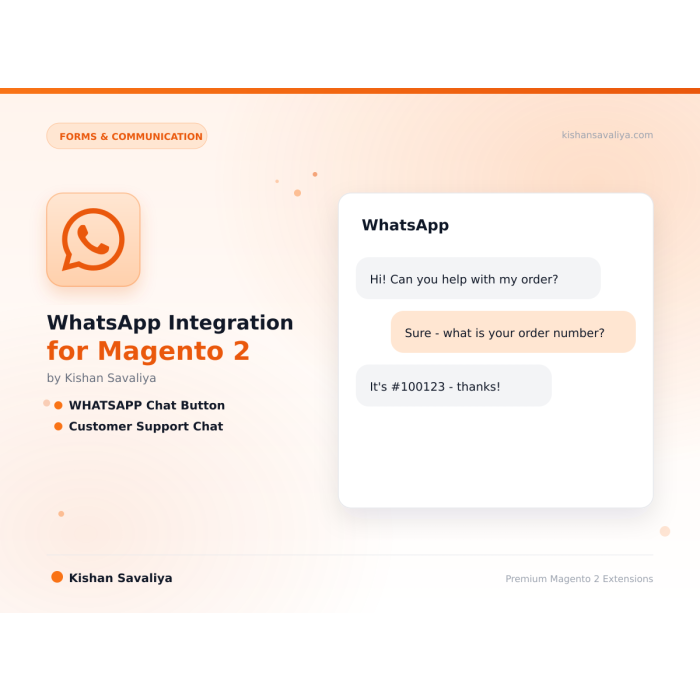
The WhatsApp Integration for Magento 2 is a click-to-chat module for Magento 2 and Adobe Commerce that turns every storefront page into a live support channel. It adds a floating chat button, a product-page inquiry button with pre-filled SKU and URL, and a category-page assistance banner without theme edits or API setup.
The floating WhatsApp button sits on every page in a configurable corner (bottom-right, bottom-left, top-right, top-left) with adjustable X/Y offsets so it never collides with cookie banners or back-to-top widgets. On product detail pages, the "Ask on WhatsApp" button pre-fills the message with product name, SKU, price, and canonical URL - so your support team sees the context the moment the chat opens. Category pages get an optional assistance banner ("Need help finding the right product?") with the category name auto-injected into the conversation.
Every setting is per-store-view, so multi-country merchants can route different storefronts to different WhatsApp numbers, templates, business hours, and time zones. Hyva templates run on Alpine.js and Tailwind; Luma templates use the standard block/phtml pattern - both shipped, automatically selected by theme detection. The WhatsApp Integration for Magento 2 renders server-side as a plain <a> tag using the public wa.me link, so there are no third-party scripts, trackers, or blocking resources. Optional whatsapp_click GA4/GTM events measure chat-driven conversions. Magento 2.4.4 - 2.4.8, PHP 8.1 - 8.4.
Best for:
The WhatsApp Integration for Magento 2 covers every surface that drives chat conversion:
whatsapp_click GA4 / GTM events with surface and product contextTurn every page of your Magento 2 store into a live support channel. Panth WhatsApp Integration adds a floating chat button on all pages, a dedicated product page inquiry button, and a category page assistance banner, with configurable position, style, and colors, pre-filled message templates, and full support for both Hyva and Luma themes.
Convert more visitors into customers by letting them reach your team in one tap. The floating WhatsApp chat button is visible on every storefront page; the product inquiry button lets shoppers ask questions about specific SKUs with the product name and URL pre-filled; and the category page assistance banner invites browsers to get help finding the right product. Every message template, position, icon color, and button style is configurable from the Magento admin, no theme edits required.
Stores → Configuration → Panth Extensions → WhatsAppPanth_Core, automatically serves the right templatewhatsapp_click)floating / product / category) and product/category contextPre-filled message templates support these variables:
| Variable | Available on | Description |
|---|---|---|
{store_name} |
All | Store view name |
{product_name} |
Product button | Current product name |
{product_sku} |
Product button | Current product SKU |
{product_price} |
Product button | Final price with currency |
{product_url} |
Product button | Canonical product URL |
{category_name} |
Category banner | Current category name |
{category_url} |
Category banner | Canonical category URL |
{customer_name} |
All (logged in) | Current customer first name |
Example product template:
Hi {store_name}, I have a question about {product_name} (SKU {product_sku}), {product_url}
Templates are Alpine.js-powered with Tailwind utility classes. No extra dependencies, no jQuery, no Knockout, drop-in compatible with any Hyva-based theme.
Templates use the standard Luma block/phtml pattern with graceful CSS. No RequireJS mixin conflicts, no layout XML overrides of core containers.
Theme detection is handled automatically by Panth_Core\Helper\Theme, the correct template set is selected on every page load.
| Issue | Resolution |
|---|---|
| Floating button not visible | Check "Enable Floating Button" and flush cache; verify phone number format |
| Product button not rendering | Confirm product type is enabled; flush full-page cache |
| Wrong theme template loaded | Run bin/magento cache:flush and confirm Panth_Core is enabled |
| WhatsApp opens with empty message | Template variables may contain unsupported characters, review the template |
| Number format rejected by WhatsApp | Use international format without spaces or dashes (e.g. +918401270422) |
Ready to add WhatsApp chat to your Magento 2 store?
SEO Keywords: magento 2 whatsapp, whatsapp chat button, whatsapp product inquiry, whatsapp business magento, customer support chat, magento 2 whatsapp integration, magento 2 floating whatsapp button, whatsapp click to chat magento, hyva whatsapp module, luma whatsapp extension, magento 2 product inquiry, magento 2 live chat, magento 2 customer support, wa.me magento, whatsapp contact button magento, magento 2.4.8 whatsapp, php 8.4 magento whatsapp, magento 2 b2b whatsapp, whatsapp lead capture magento, panth whatsapp, mage2kishan whatsapp, kishan savaliya magento, top rated plus magento developer, hire magento developer upwork, custom magento development, magento 2 hyva development
| Requirement | Versions Supported |
|---|---|
| Magento Open Source | 2.4.4, 2.4.5, 2.4.6, 2.4.7, 2.4.8 |
| Adobe Commerce | 2.4.4, 2.4.5, 2.4.6, 2.4.7, 2.4.8 |
| Adobe Commerce Cloud | 2.4.4-2.4.8 |
| PHP | 8.1.x, 8.2.x, 8.3.x, 8.4.x |
| Hyva Theme | 1.3+ |
| Luma Theme | Native support |
| Required dependency | mage2kishan/module-core |
composer require mage2kishan/module-whatsapp
bin/magento module:enable Panth_Core Panth_WhatsApp
bin/magento setup:upgrade
bin/magento setup:di:compile
bin/magento setup:static-content:deploy -f
bin/magento cache:flush
app/code/Panth/WhatsApp/Panth_Core is installed at app/code/Panth/Core/bin/magento module:status Panth_WhatsApp
# Expected output: Module is enabled
Then navigate to:
Admin → Stores → Configuration → Panth Extensions → WhatsApp
All settings live at Stores → Configuration → Panth Extensions → WhatsApp.
| Setting | Description |
|---|---|
| Enable WhatsApp Module | Master toggle for the entire module |
| WhatsApp Number | Destination number in international format (e.g. +918401270422) |
| Enable on Mobile / Desktop | Show only on selected devices |
| Setting | Description |
|---|---|
| Enable Floating Button | Turn the storefront-wide button on/off |
| Position | bottom-right, bottom-left, top-right, top-left |
| Offset X / Y | Pixel offset from the edge |
| Icon Size | Small / Medium / Large or custom px |
| Icon Background Color | Hex color picker |
| Icon Color | Hex color picker |
| Tooltip Text | Optional label shown next to the button |
| Pre-filled Message | Default greeting (supports {store_name}) |
| Setting | Description |
|---|---|
| Enable Product Inquiry Button | Toggle the per-product button |
| Button Label | e.g. "Ask on WhatsApp" |
| Button Position | Before / after Add-to-Cart |
| Pre-filled Message | Template with variables, see below |
| Setting | Description |
|---|---|
| Enable Category Banner | Toggle the category-page banner |
| Banner Position | Top / middle / bottom of the product grid |
| Headline | e.g. "Need help finding the right product?" |
| CTA Label | e.g. "Chat with us on WhatsApp" |
| Pre-filled Message | Template with {category_name} variable |
| Setting | Description |
|---|---|
| Enable Business Hours | Show different behaviour outside working hours |
| Time Zone | Store time zone |
| Working Hours | Per-day open/close times |
| Offline Message | Shown outside business hours |
| Module Category | Forms & Communication |
|---|---|
| Best For | All Sizes |
No, any valid WhatsApp number works. However, a WhatsApp Business account is strongly recommended for commercial use (auto-replies, labels, catalog).
No. This module uses the public wa.me click-to-chat link, which is free and requires no API setup. For automated outbound messaging you would need the WhatsApp Business API (separate product).
Yes. Every setting respects Magento's scope hierarchy (default → website → store view), so each store view can have its own number, templates, and colors.
Yes. Full native Hyva templates are shipped. No compatibility module needed, the module ships with both Hyva and Luma templates and switches automatically.
No. The button is rendered server-side as a simple <a> tag. There are no third-party scripts, no trackers, and no blocking resources.
Yes. Enable Analytics Events in the config, every click fires a whatsapp_click event with surface and context.
Yes. All admin and frontend strings use Magento's __() translation function and can be translated to any language.
Yes. Use standard Magento layout XML to remove the panth.whatsapp.floating block from specific handles.
No, any valid WhatsApp number works. However, a WhatsApp Business account is strongly recommended for commercial use (auto-replies, labels, catalog).
Yes. When enabled, Panth Footer takes over the footer.container block and renders its own configurable footer. You can disable it any time to restore the default footer.
No. The notification feed is cached, assets are lightweight, and the JS runs asynchronously after page load.
An emerging community standard proposed at llmstxt.org with a growing list of adopters (Anthropic, Perplexity, Vercel, Stripe, Cloudflare docs all publish one). Not an IETF RFC yet, but stable enough that major AI platforms rely on it.
No. All price-delta logic continues to flow through Magento's standard priceBox and price-option JS components. This module only replaces the visual rendering.
Yes. The module ships with two purpose-built templates, Alpine.js + Tailwind for Hyva and vanilla JS for Luma, and auto-switches based on your active storefront theme.
Unlimited. Each form has a unique identifier and its own submissions scope.
Panth Malware Scanner is built specifically for Magento 2 filesystems, it understands the directory layout, knows which folders are writable from the frontend, and ships signatures tuned for Magento-targeted threats (Magecart skimmers, PolyShell webshells, admin-layout injection). Traditional AV tools scan everything with generic signatures and produce noise.
No. Color, font, and radius changes use CSS custom properties and take effect instantly. Only changes to Tailwind-class-driven tokens (custom spacing scales, new breakpoints) require a rebuild via the Rebuild Theme button.
No. Panth Core is completely free and will remain free forever. It is the foundation library that other (paid) Panth extensions depend on.
Talk to Kishan directly: written quote, scope and timeline within 24 hours. No sales call.
WhatsApp Integration for Magento 2