Shared Admin Foundation
Unified admin menu, all Panth extensions appear under a single Panth Infotech sidebar entry
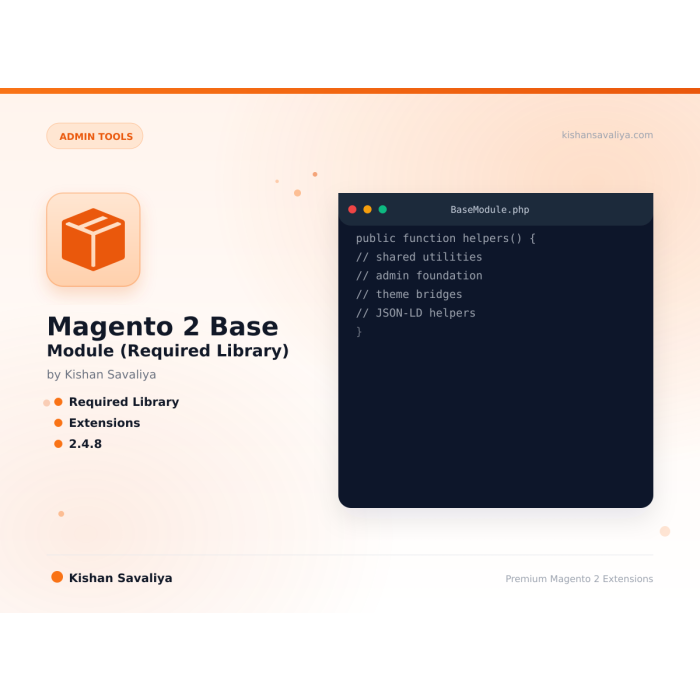
The free base module that every Panth Infotech extension for Magento 2 needs. It puts all Panth settings under one admin menu and tells the other modules whether the store runs Hyvä or Luma.
Key Features:
Additional Services
Built-in from day one. No add-ons, no upsell, no licence keys to renew.
Unified admin menu, all Panth extensions appear under a single Panth Infotech sidebar entry
Panth\Core\Helper\Theme, detect whether the current store is running Hyva or Luma (used by 30+ Panth extensions to switch templates)
Grid data-provider fix, patches the well-known Magento bug where SearchResult virtual types return null from getCustomAttributes() in de…
MEQP compliant, passes Adobe's Magento Extension Quality Program with zero severity-10 violations
Panth Core is a shared foundation module for Magento 2 and Adobe Commerce that unifies the admin UX, version reporting, and theme detection across every Panth extension on your store.
The Panth Core module replaces the noisy, duplicated admin sidebar that appears when you install several vendor extensions with a single, organized “Panth Extensions” namespace, configuration groups, ACL resources, and content menus all live under one parent. A central version registry surfaces every installed Panth module on a single screen so you can verify exactly which builds are live without grepping composer.lock.
Theme detection ships out of the box: Panth Core probes parent-chain signals to identify whether the storefront is running Hyva or Luma, so downstream modules render the right assets without configuration. The receiver-hardened install and heartbeat reporter keeps telemetry quiet and resilient when the network is flaky, and every API call defers when the receiver is offline so nothing blocks the admin. Panth Core is also a soft dependency of every other Panth Magento 2 extension, so installing it once means every future Panth module on the store inherits the same admin namespace and the same theme-aware asset pipeline without per-module configuration.
Best for:
Panth Core ships the cross-cutting plumbing every Panth Magento 2 extension depends on.
Panth Core (Panth_Core) is the shared base module for the Panth extensions for Magento 2. It provides the "Panth Extensions" configuration tab and the "Panth Infotech" admin menu that the other modules attach to, configuration and theme detection helpers, Content Security Policy settings, an upload extension deny-list, shared frontend assets and a few service contracts. Every other mage2kishan package requires it, so Composer installs it automatically as a dependency.
The module makes no outbound network requests.
panth) that every Panth module places its configuration section in, plus its own "Core Settings" section.Panth_Core::panth_extensions) that other Panth modules add their menu groups under, with a "Core Settings" link.Helper\AbstractConfig (base class for module config helpers), Helper\Data, ViewModel\Config and the Model\Config\Backend\Base and Model\Config\Backend\Enabled backend models.Helper\Theme reports whether the storefront is running a Hyva or a Luma-based theme.ViewModel\ThemeConfig merges etc/theme-config.json files from registered modules and web/tailwind/theme-config.json from the active theme chain, and prints them as CSS custom properties in a <style id="panth-theme-variables"> block at the start of every storefront page.view.xml) with "Validate Theme Setup" and "Rebuild Theme CSS" buttons, and a child theme setup guide.csp_whitelist.xml for common font, CDN, reCAPTCHA, analytics and payment hosts, a configurable list of extra img-src / connect-src hosts, and checkout CSP set to report-only.Security\UploadExtensionPolicy, a hard deny-list of executable file extensions for upload controllers.swiper-bundle.min.js and swiper-bundle.min.css) and the ViewModel\HeroIcon SVG icon set (decorative icons are rendered with aria-hidden and are not focusable).Api\ThemeBuildExecutorInterface with a no-op default implementation, and the panth_modules.xml module registry.DataProvider that suppresses the foreach() warning some SearchResult virtual types raise in developer mode.After installation the configuration page has a "Panth Extensions" tab containing "Core Settings". Each Panth module you install adds its own section to this tab. The admin sidebar gets a "Panth Infotech" item; Panth Core adds only the "Core Settings" link, and other Panth modules add their own groups and items under it.
Panth Core ships a CSP whitelist with these hosts:
| Directive | Hosts |
|---|---|
style-src |
cdnjs.cloudflare.com, cdn.jsdelivr.net, fonts.googleapis.com, fonts.bunny.net, *.fontawesome.com |
font-src |
cdnjs.cloudflare.com, cdn.jsdelivr.net, fonts.gstatic.com, fonts.googleapis.com, fonts.bunny.net, *.fontawesome.com |
script-src |
cdnjs.cloudflare.com, cdn.jsdelivr.net, js.mollie.com, www.google.com, www.gstatic.com |
img-src |
www.google-analytics.com, www.googletagmanager.com, cdn.jsdelivr.net |
connect-src |
js.mollie.com, www.google-analytics.com, www.googletagmanager.com |
frame-src |
js.mollie.com, www.google.com, *.paypal.com, *.braintreegateway.com |
Use "Additional Image / Connect Hosts" when product descriptions or other content load images or make requests to an external origin that the storefront CSP blocks. Enter hostnames separated by commas or spaces, for example cdn.example.com, *.images.example.com. Each entry is added to both img-src and connect-src; entries that are not valid host expressions are ignored, and an empty field adds nothing. Clean the configuration and full page caches after saving.
For any other directive, add a csp_whitelist.xml to one of your own modules rather than editing this module.
Panth Core also sets the checkout page (storefront_checkout_index_index) CSP mode to report-only in etc/config.xml, so inline scripts from third-party checkout modules are reported instead of blocked. Override csp/mode/storefront_checkout_index_index/report_only if you need the policy enforced on checkout.
Security\UploadExtensionPolicy rejects a file name when its extension is empty or is one of: php, phtml, phar, php3, php4, php5, php7, php8, phps, pht, phpt, inc, htaccess, htpasswd, shtml, cgi, pl, py, sh, asp, aspx, jsp. The check is case-insensitive and uses the last extension of the name. A denied extension followed by trailing dots or whitespace (for example shell.php ) is also rejected, as is any name that contains a NUL byte. assertSafeExtension() throws a LocalizedException with the message "This file type is not allowed."; isSafeExtension() returns a boolean. Panth modules call it in their upload handlers in addition to their own allowed-type lists.
The "Rebuild Theme CSS" button calls ThemeBuildExecutorInterface::exportAndBuild(). Without Panth_ThemeCustomizer installed, the default implementation returns a message saying that module is not installed or is disabled and performs no build.
See USER_GUIDE.md for the administrator guide.
See CHANGELOG.md.
| Component | Supported versions |
|---|---|
| Magento Open Source | 2.4.4 to 2.4.8 |
| Adobe Commerce | 2.4.4 to 2.4.8 |
| PHP | 8.1, 8.2, 8.3, 8.4 |
Composer constraints: magento/framework ^103.0, magento/module-backend ^102.0, magento/module-checkout ^100.4, magento/module-config ^101.2, magento/module-csp ^100.4, magento/module-store ^101.1, magento/module-theme ^101.1.
Hyva is optional. The heroIcon view model registration and the child theme checks are aimed at Hyva stores; the other features work on Luma as well.
Panth Core is normally installed automatically when you install any Panth package with Composer. To install it on its own:
composer require mage2kishan/module-core
bin/magento module:enable Panth_Core
bin/magento setup:upgrade
bin/magento setup:di:compile
bin/magento cache:flush
bin/magento setup:static-content:deploy -f
Run setup:di:compile only when the store is in production mode. Check that the module is enabled:
bin/magento module:status Panth_Core
Admin path: Stores > Configuration > Panth Extensions > Core Settings
The tab label in etc/adminhtml/system.xml starts with an emoji, which is left out here.
| Field | Type | Default | Config path |
|---|---|---|---|
| Enable Panth Core | Yes/No | not set in config.xml |
panth_core/general/enabled |
| Debug Mode | Yes/No | not set in config.xml |
panth_core/general/debug_mode |
| Enable Caching | Yes/No | not set in config.xml |
panth_core/general/cache_enabled |
All three fields can be set at default, website and store view scope. When Debug Mode is on, Helper\Data::log() writes messages prefixed with "Panth Core:" to the Magento log.
Default scope only. A read-only panel that shows the active frontend theme, its parent chain and the result of each check, with "Validate Theme Setup" and "Rebuild Theme CSS" buttons.
Default scope only. Step-by-step instructions for creating a child theme of Panth/Infotech.
| Field | Type | Default | Config path |
|---|---|---|---|
| Additional Image / Connect Hosts | Text | empty | panth_core/csp/additional_image_hosts |
Can be set at default, website and store view scope.
Default scope only. "Version" shows Panth Core v<version>, read from the version field of the module's composer.json. "Support" shows the support email address.
Every Panth module requires Panth Core. Remove all other mage2kishan packages first; Composer will refuse to remove Panth Core while any of them is still installed.
bin/magento module:disable Panth_Core
composer remove mage2kishan/module-core
bin/magento setup:upgrade
bin/magento cache:flush
Free and open source under the MIT License. See LICENSE.txt.
Panth_Coremage2kishan/module-corePanth\Core\Classes and files other modules depend on:
| Class / file | Purpose |
|---|---|
Panth\Core\Helper\AbstractConfig |
Abstract config helper with getConfig() and isSetFlag() at store scope; subclasses implement getConfigValue() and isEnabled(). |
Panth\Core\Helper\Theme |
isHyva(), isLuma(), getCurrentTheme(), getTemplateForTheme(), useAlpineJs(), useKnockoutJs(), resetCache(). |
Panth\Core\ViewModel\ThemeConfig |
Modules register themselves through the registeredModules argument in their own etc/frontend/di.xml; provides getCssVariables() and getValue() (dot-separated path). |
Panth\Core\ViewModel\HeroIcon |
getIcon($name, $class, $type), hasIcon(), getAvailableIcons() and named shortcuts such as menu(), close(), search(), whatsapp(). Registered as heroIcon in the Hyva ViewModelRegistry. |
Panth\Core\Security\UploadExtensionPolicy |
Upload extension deny-list (see above). |
Panth\Core\Api\ThemeBuildExecutorInterface |
exportAndBuild(bool $forceNpmBuild = false): array returning success, message and optional output. The default DI preference is Panth\Core\Model\NoopThemeBuildExecutor; Panth_ThemeCustomizer overrides it. |
Panth\Core\Model\Config\Backend\Base |
Config backend model used by dependent modules. |
Panth\Core\Block\Adminhtml\System\Config\ChildThemeValidation |
Frontend model for the child theme validation panel. |
Panth\Core\Model\Csp\AdditionalHostsCollector |
CSP policy collector added to Magento\Csp\Model\CompositePolicyCollector. |
Panth\Core\Model\ModuleRegistry |
Reads and caches the merged etc/panth_modules.xml files (name, config_section, enabled); schema in etc/panth_modules.xsd. |
view/frontend/web/js/swiper-bundle.min.js, view/frontend/web/css/swiper-bundle.min.css |
Swiper 11.2.10, available as the static assets Panth_Core::js/swiper-bundle.min.js and Panth_Core::css/swiper-bundle.min.css. |
Helper\License, Helper\ModuleLicenseValidator, Service\LicenseValidator, Service\ValidationCache, Service\DomainWhitelist, the abstract observers Observer\ModuleLicenseCheck and Observer\ModuleConfigSaveObserver, and the frontend models Block\Adminhtml\System\Config\LicenseInfo and LicenseStatus are kept for compatibility with older module versions that may still reference them. They perform no license check and always report a valid result.
The module registers no event observers, has no license endpoints and adds no script to the admin configuration pages.
Frontend plugin Panth\Core\Plugin\InitViewBeforePagePlugin on Magento\Framework\View\Result\PageFactory::create() and Magento\Framework\Controller\ResultFactory::create() (page results only) creates Magento\Framework\App\ViewInterface before a controller builds its result page. Without it, a controller that does not extend Magento\Framework\App\Action\Action can get its layout generated twice and lose the blocks in head.additional.
ACL resources:
Panth_Core::panth_extensions ("Panth Infotech"), with child Panth_Core::config ("Core Configuration")Panth_Core::core_config ("Panth Core Configuration"), under Stores > Settings > Configuration; also used by the admin child theme controllersAdmin route: panthcore (child theme validate and rebuild actions, POST only; these are the only admin actions of the module).
Database: the module declares no tables. etc/db_schema_whitelist.json still lists panth_core_notification and panth_core_notification_display, so bin/magento setup:upgrade drops those two tables on stores upgrading from 1.1.x. Run setup:upgrade --safe-mode=1 if you want Magento to back up their rows first.
Unit tests are in Test/Unit and cover Helper\Color, Plugin\InitViewBeforePagePlugin, the module registry converter, AdditionalHostsCollector, NoopThemeBuildExecutor and UploadExtensionPolicy.
| Module Category | Admin Tools |
|---|---|
| Best For | All Sizes |
No. Panth Core is completely free and will remain free forever. It is the foundation library that other (paid) Panth extensions depend on.
Technically yes, but there is no practical reason to. Core only provides admin scaffolding and shared utilities, it has no standalone features.
No. Core is a thin library with no frontend output and minimal admin overhead. Theme detection and module registry lookups are cached.
No. Core only adds hooks under its own namespace (Panth\Core) and a single admin sidebar entry. It does not modify any Magento core files or override any third-party extension functionality.
Only if you uninstall every other Panth extension first. Composer will block the removal otherwise. To uninstall:
composer remove mage2kishan/module-core
bin/magento setup:upgradeYes. The full source is on GitHub at github.com/mage2sk/module-core.
Yes. All settings respect Magento's standard scope hierarchy (default → website → store view).
Yes. The module includes English translations and the codebase uses Magento's standard __() translation function for all user-facing strings, so it can be translated to any language.
Talk to Kishan directly: written quote, scope and timeline within 24 hours. No sales call.
Magento 2 Base Module (Required Library)