Customer-Facing
Product page subscribe button, one-click "Notify Me on Price Drop" call-to-action on every product view page
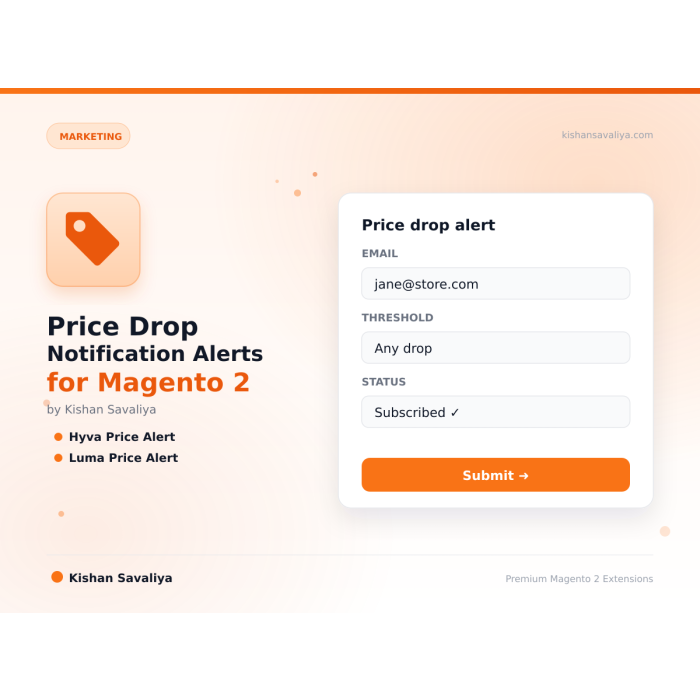
Customers subscribe on a Magento 2 product page and get an email when the price falls. A cron job checks special prices, catalog rules and tier prices, and admins see every subscription and alert in a grid.
Key Features:
Additional Services
Built-in from day one. No add-ons, no upsell, no licence keys to renew.
Product page subscribe button, one-click "Notify Me on Price Drop" call-to-action on every product view page
Cron-based price tracking, scheduled cron job snapshots prices and detects drops automatically
Native transactional email, uses Magento's built-in email_templates.xml system, fully customizable
Subscriptions grid, filter, sort, and search every active subscription by SKU, email, customer, or date
Full UI component admin grids, modern Magento 2 UI component architecture
Panth Price Drop Alert is a price drop notification extension for Magento 2 and Adobe Commerce that converts browsing shoppers into buyers by emailing them automatically the moment a watched product's price falls.
The Panth Price Drop Alert module adds a single Notify Me on Price Drop button to any product page. Shoppers enter their email (or use their logged-in customer account) to subscribe, and a background cron job runs on the configured schedule to snapshot current prices, compare them against stored subscription baselines, and queue email notifications: whether the discount lands via catalog price rules, special prices, tier pricing, or a manual SKU update.
Emails are sent through Magento's native transactional email system, so merchants reuse the same SMTP, sender identity, and template inheritance they already trust. Every alert email includes a one-click unsubscribe link that satisfies CAN-SPAM and GDPR requirements.
The full admin dashboard surfaces every subscriber, every watched SKU, alert-sent history, and KPI counters with a 7-day trend chart so merchants can attribute recovered revenue back to specific price-drop campaigns. Subscribe-button placement is fully configurable: product view page, product list page, or both, and Hyvä plus Luma templates ship out of the box.
Best for:
Panth Price Drop Alert turns abandoned product views into recovered Magento 2 revenue:
The admin menu lives under Panth Infotech → Price Drop Alert and provides:
The default email template (panth_pricedropalert_email_template) is registered in etc/email_templates.xml and can be fully customized via Marketing → Communications → Email Templates. Available template variables:
{{var customer.name}}, subscriber name (or "Customer" if guest){{var product.name}}, product name{{var product.url}}, product page URL{{var product.image}}, product image URL{{var prices.old}}, original price (formatted){{var prices.new}}, new dropped price (formatted){{var prices.savings}}, absolute savings (formatted){{var prices.savings_percent}}, percentage savings{{var unsubscribe_url}}, one-click unsubscribe linkPanth_Core's theme detection automatically routes to the correct template:
Both implementations share the same backend controllers, so behavior is identical regardless of the active theme.
Ready to recover lost sales with automated price drop alerts?
SEO Keywords: magento 2 price alert, price drop notification, price tracking, sale alerts, magento email alerts, magento 2 price drop alert, magento 2 notify me on price drop, magento price drop email, magento 2 price monitoring, magento 2 wishlist price alert, magento 2 customer re-engagement, cart abandonment price alert, magento cron price check, magento 2 transactional email price drop, hyva price drop alert, luma price drop alert, magento 2.4.8 price alert module, php 8.4 magento price alert, panth price drop alert, panth infotech, mage2kishan, mage2sk, magento 2 subscription alerts, magento 2 back in stock vs price drop, magento 2 catalog price rule alert, magento 2 special price notification, magento 2 tier price alert, magento 2 conversion optimization, hire magento developer, top rated plus upwork magento, adobe commerce price alert, magento marketplace price drop
| Requirement | Versions Supported |
|---|---|
| Magento Open Source | 2.4.4, 2.4.5, 2.4.6, 2.4.7, 2.4.8 |
| Adobe Commerce | 2.4.4, 2.4.5, 2.4.6, 2.4.7, 2.4.8 |
| Adobe Commerce Cloud | 2.4.4-2.4.8 |
| PHP | 8.1.x, 8.2.x, 8.3.x, 8.4.x |
| MySQL | 8.0+ |
| MariaDB | 10.4+ |
| Hyva Theme | 1.0+ (supported) |
| Luma Theme | Native support |
| Required Dependency | Panth_Core (free) |
composer require mage2kishan/module-price-drop-alert
bin/magento module:enable Panth_Core Panth_PriceDropAlert
bin/magento setup:upgrade
bin/magento setup:di:compile
bin/magento setup:static-content:deploy -f
bin/magento cache:flush
app/code/Panth/PriceDropAlert/ in your Magento installationPanth_Core is also installed (it is the free required dependency)bin/magento module:enablebin/magento module:status Panth_PriceDropAlert
# Expected output: Module is enabled
After installation, navigate to:
Admin → Stores → Configuration → Panth Extensions → Price Drop Alert
Settings live at Stores → Configuration → Panth Extensions → Price Drop Alert:
| Setting | Default | Description |
|---|---|---|
| Enable Module | Yes | Master toggle. When disabled, the subscribe button is hidden and cron skips processing. |
| Allow Guest Subscriptions | Yes | Let non-logged-in visitors subscribe with just an email. |
| Require Opt-in Confirmation | No | Send a double opt-in confirmation email before activating the subscription. |
| Setting | Default | Description |
|---|---|---|
| Show on Product View Page | Yes | Display button on product detail pages. |
| Show on Product List Page | No | Display button on category and search result listings. |
| Button Label | Notify Me on Price Drop | Customize the CTA text. |
| Button Position | After Price | Choose where the button renders relative to the price block. |
| Setting | Default | Description |
|---|---|---|
| Cron Schedule | Every hour | Standard cron expression for the price-check job. |
| Minimum Drop Percentage | 0 | Only alert when price drops by at least this percentage. |
| Minimum Drop Amount | 0 | Only alert when price drops by at least this absolute amount. |
| Alert Throttle (hours) | 24 | Minimum hours between repeat alerts for the same subscription. |
| Setting | Default | Description |
|---|---|---|
| Sender Identity | General Contact | Any of the standard Magento sender identities. |
| Email Template | Default Price Drop Alert | Override with any custom transactional template. |
| Include Product Image | Yes | Embed the product image in the email body. |
| Module Category | Marketing |
|---|---|
| Best For | All Sizes |
Any reduction in the final displayed price for the store view where the customer subscribed, catalog regular price, special price, catalog price rule discount, tier pricing, or group pricing. The module compares the current final price against the baseline captured at subscription time.
Yes. Subscribers are stored by parent SKU, and price comparison uses the minimum final price across the product's variants.
Yes, by default. You can disable guest subscriptions in configuration if you require a customer account.
No. The alert throttle (default 24 hours) ensures at most one alert per subscription per throttle window. You can also set a minimum drop percentage or amount to avoid trivial price changes triggering alerts.
Yes. The module ships with both Luma and Hyva templates, and Panth_Core's theme detection picks the right one automatically.
Yes. Subscriptions are scoped per store view and use the store's configured currency. Each store view is tracked independently.
From the admin Subscriptions grid, select the rows and use the bulk action "Unsubscribe". Customers can also unsubscribe themselves via the one-click link in any alert email.
No. The cron processes subscriptions in batches and only queries products that currently have active subscribers. On a typical catalog of 10,000 SKUs with 500 active subscriptions, the job completes in under 10 seconds.
No, any valid WhatsApp number works. However, a WhatsApp Business account is strongly recommended for commercial use (auto-replies, labels, catalog).
Yes. When enabled, Panth Footer takes over the footer.container block and renders its own configurable footer. You can disable it any time to restore the default footer.
No. The notification feed is cached, assets are lightweight, and the JS runs asynchronously after page load.
An emerging community standard proposed at llmstxt.org with a growing list of adopters (Anthropic, Perplexity, Vercel, Stripe, Cloudflare docs all publish one). Not an IETF RFC yet, but stable enough that major AI platforms rely on it.
No. All price-delta logic continues to flow through Magento's standard priceBox and price-option JS components. This module only replaces the visual rendering.
Yes. The module ships with two purpose-built templates, Alpine.js + Tailwind for Hyva and vanilla JS for Luma, and auto-switches based on your active storefront theme.
Unlimited. Each form has a unique identifier and its own submissions scope.
Panth Malware Scanner is built specifically for Magento 2 filesystems, it understands the directory layout, knows which folders are writable from the frontend, and ships signatures tuned for Magento-targeted threats (Magecart skimmers, PolyShell webshells, admin-layout injection). Traditional AV tools scan everything with generic signatures and produce noise.
No. Color, font, and radius changes use CSS custom properties and take effect instantly. Only changes to Tailwind-class-driven tokens (custom spacing scales, new breakpoints) require a rebuild via the Rebuild Theme button.
No. Panth Core is completely free and will remain free forever. It is the foundation library that other (paid) Panth extensions depend on.
Talk to Kishan directly: written quote, scope and timeline within 24 hours. No sales call.
Price Drop Notification Alerts for Magento 2