
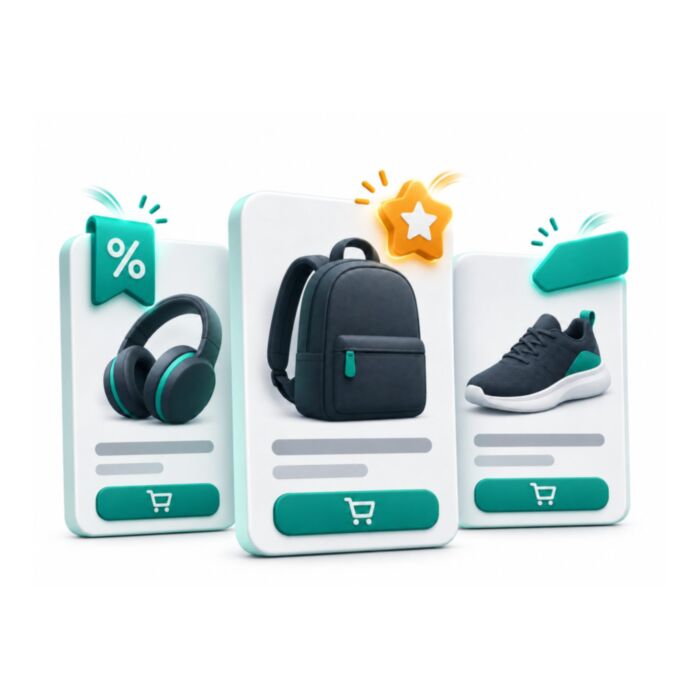
Smart Product Badges & Labels for Magento 2
Rule-based Magento 2 product badges and labels. Set the conditions once and Sale, New, Best Seller, Low Stock and four other badge types appear from live product data, up to 3 per product by default.
- Free
- MIT license
- Hyvä + Luma
- Magento 2.4.4 to 2.4.9
composer require mage2kishan/module-smart-badge
- Adobe CertifiedDeveloper since 2021
- 5.0 on UpworkFrom 100+ reviews
- MIT open sourceRead and change the code
- Hyvä + LumaSame module, both themes
- PHP 8.1 to 8.4Magento 2.4.4 to 2.4.9
What it does for your store
The main features, as listed in the module documentation.
-
Rule-Based Automatic Assignment
No manual tagging, badges are applied automatically based on live product data
-
Visual Badge Builder
Color picker, custom background, border, and text colors with gradient support
-
Animations & Effects
Pulse, shake, bounce, glow, flip, fade, pre-built CSS animations
-
Scheduling & Campaigns
Start/end dates, badges appear and disappear automatically on schedule
-
Page-Specific Positioning
Category/listing pages, top-left, top-right, bottom-left, bottom-right, center overlay
-
Admin Experience
Grid management, filter, sort, bulk-enable, duplicate, and export badge rules
Installation
Run these from your Magento root. Test on staging first.
- 1Require the packageComposer pulls in the base module too.
- 2Upgrade, compile, deployThe usual setup commands.
- 3ConfigureStores, Configuration, Panth Extensions.
$ composer require mage2kishan/module-smart-badge
$ bin/magento setup:upgrade
$ bin/magento setup:di:compile
$ bin/magento setup:static-content:deploy -f
$ bin/magento cache:flush
Compatibility
| Magento Open Source | 2.4.4 to 2.4.9 |
|---|---|
| Adobe Commerce | 2.4.4 to 2.4.9 |
| PHP | 8.1, 8.2, 8.3, 8.4 |
| Themes | Hyvä and Luma |
| License | MIT, free and open source |
| Requires | mage2kishan/module-core (Composer adds it) |
Documentation
The full module guide, from the README on GitHub.
Overview
Panth Smart Badge adds rule-based product badges and labels to Magento 2, so Sale, New, Best Seller, Low Stock and other badges appear without editing products one by one. There are 8 preset badge types, rules can use price, stock, category, attribute and date, and up to 3 badges show per product by default.
Eight built-in badge types cover the most common merchandising scenarios: sale, new arrival, best-seller, low stock, free shipping, hot, featured, and custom attribute. A visual builder controls badge color, FontAwesome icon, gradient, animation, and position per page type, product listing, product detail, home, and cart all configure independently.
Rules accept product attributes, categories, customer groups, and date ranges, so a flash sale, a new collection launch, or a low-stock urgency campaign can be scheduled in advance and rolled out across thousands of SKUs without touching a single product record. The extension is compatible with Hyvä and Luma themes, MEQP-compliant, and built for Magento 2.4.4 to 2.4.9 on PHP 8.1 to 8.4.
Smart Badge optimizes merchandising workflows so the team can focus on campaign strategy rather than per-product tagging, and every badge rule respects store-view scope for multi-locale catalogs.
Best for:
- Magento 2 merchants running weekly flash sales who need scheduled badge rotation without manual tagging.
- Catalogs with thousands of SKUs where rule-based labeling is the only scalable approach.
- Hyvä stores that want animated, gradient, FontAwesome-styled badges without theme edits.
What you get
Smart Badge bundles every product badge requirement for Magento 2 merchandising:
- Eight built-in badge types: sale, new, best-seller, low stock, free shipping, hot, featured, custom.
- Visual builder with custom color, FontAwesome icon, gradient, and animation controls.
- Rules by attribute, category, customer group, and scheduled date range.
- Per-page-type positioning across listing, detail, home, and cart surfaces.
- Hyvä (Alpine.js) and Luma templates, MEQP-compliant on Magento 2.4.4 to 2.4.9.
Magento 2 Smart Badge
Panth Smart Badge adds product badges (labels such as "SALE", "NEW", "HOT" or a custom text or image) to product images on category listings, product detail pages and product sliders. Badges come from three sources: a "Product Badge" attribute set on the product, badge rules created in the admin (with product and category targeting, smart conditions and a schedule), and automatic detection of discounted, new and low-stock products. The module does not change how products are saved or priced; it only adds a badge layer on top of the product image on the storefront.
The storefront part is a small script that finds product images on the page, requests the badges for all products on the page from a module endpoint in one batched request and inserts them. Its selectors cover Hyva product cards and galleries as well as Luma product lists and the Fotorama gallery, so it works with both theme families. It is used by store owners who want to highlight products without editing each product manually.
Product page: kishansavaliya.com/magento-2-smart-badge.html
Features
- Badge rules managed in an admin grid ("Manage Badges") with inline editing, mass delete and mass status change.
- Eight preset badge types: "New", "Sale", "Hot", "Limited", "Bestseller", "Trending", "Exclusive" and "Featured", each with a default text, icon and colour.
- A "Custom (image or text)" badge type for rules that show your own text and/or an uploaded image; "Show Image Only" hides the text and keeps it as the image alt text.
- Badge animations run at most 3 times and stop within 5 seconds; visitors who prefer reduced motion see no animation.
- Per-rule design: custom text, hex background colour, FontAwesome icon (about 60 icons offered), CSS animation (25 options) and advanced styling (border radius, font size, font weight, padding, opacity, box shadow, border width, style and colour).
- Custom badge image upload (JPG, JPEG, PNG, GIF, WebP; maximum 2 MB; the file content must be one of these image types) stored under
pub/media/smartbadge/. - Rule targeting by product IDs and category IDs (including products in child categories), with product and category choosers in the form.
- Rule scope by store view and customer group.
- Smart conditions combined with AND logic: price range, stock level, discount percentage, product age in days, stock status, customer rating and sales count.
- Optional start and end date per rule; the schedule is checked on every request using the store timezone.
- Display location per rule ("All Pages", "Product Detail Page Only", "Category Page Only", "Sliders Only") and a badge position that can be the same everywhere or set separately for category pages, product pages and sliders.
- Three product attributes ("Product Badge", "Custom Badge Text", "Custom Badge Color") for setting a badge manually on a single product.
- Automatic badges without any rule: a discount badge showing the percentage off when the final price (special price, catalog price rule or the lowest configurable option price) is at least 1% below the regular price, a "NEW" badge while the product "Set Product as New From/To" dates are current (or, when those dates are empty, for products created in the last 30 days) and an "Only N left" badge when an in-stock product has a quantity between 1 and 10.
- Global settings for the maximum number of badges per product, how badge sources are combined, and how several badges are laid out on one image.
- FontAwesome 6.5.1 Free (CSS, webfonts and license) bundled in the module under
view/base/web/fontawesome/; no CDN request is made by this module.
Usage
Where badges render
view/frontend/layout/default.xml adds the bundled FontAwesome stylesheet (Panth_SmartBadge::fontawesome/css/all.min.css), Panth_SmartBadge::css/badge-styles.css and the block Panth\SmartBadge\Block\Badge with template Panth_SmartBadge::product-badges.phtml at the end of the body on every page. The template outputs a script that:
- detects product cards (
form.product-item, Hyva.card.card-interactiveitems, Lumali.product-item, generic.product-item) and the product detail gallery (#gallery-main,#gallery, Fotorama,.product.media, and similar); - reads the product ID from
data-product-id, the body classproduct-<id>or the product URL; - collects the product IDs found in the same pass and sends them in one POST request to
smartbadge/badge/batchwith a JSON body{"product_ids": [<id>, ...]}(at most 60 IDs per request; larger pages are split into several requests), and caches the answer per product for the page view, so products added later by AJAX or sliders only request the IDs not seen before; - inserts the badges into the image container, grouped by position, using the layout and spacing from configuration, after dropping badges whose "Display On" excludes the page and keeping the first "Maximum Badges Per Product";
- adds the badges of the opened product to the quick view window (
.qv-modal .qv-img-main) on Hyva and Luma; - skips a product card that already shows the product slider's own badges;
- treats a product card inside
.slick-slide,.swiper-slide,.owl-item,[data-slider],.product-slideror.carouselas a slider item; - re-runs on DOM changes (MutationObserver) so products loaded by AJAX or sliders also receive badges.
If no product ID or image container can be found for an element, that element is skipped and a warning is written to the browser console.
How badges are chosen for a product
- If "Enable Smart Badges" is off, no badges are returned.
- Manual badge: the "Product Badge" attribute, with "Custom Badge Text" and "Custom Badge Color" applied when set.
- Rule badges: all active rules ordered by priority (highest first). A rule is skipped when its Store Views do not include the current store view (All Store Views matches every store view) or when its Customer Groups list is not empty and does not include the visitor's customer group (NOT LOGGED IN for guests). A rule matches when its schedule is current, the product is in its product ID list (if any) or in one of its categories or their parents (if any), and every enabled smart condition is true. Conditions are evaluated with the product final price, the CatalogInventory stock item, approved reviews, the bestsellers report and wishlist items.
- Automatic badges: discount percentage badge (regular price compared with the final price, which includes an active special price and catalog price rules; discounts that round to 0% show no badge), "New" badge (inside the "Set Product as New From/To" dates, or created within 30 days when no dates are set) and "Only N left" badge (in stock, quantity 1 to 10). These thresholds are fixed in code.
Each badge gets a tone (sale, new, stock or custom). The candidates are sorted by "Badge Priority Order", then by source (manual 100, rule 50, automatic 10), then by rule priority, and cut to "Maximum Badges Per Product". Icons are removed unless "Show Badge Icons" is Yes; custom colours, Advanced Styling and animations are removed unless "Use Custom Badge Styling" is Yes. The batch endpoint returns the full sorted list so the storefront can apply "Display On" before the limit; smartbadge/badge/get returns the limited list.
Admin behaviour
- Saving a rule validates the name (required), priority (0 to 100), badge colour (
#RRGGBB) and image file name, and normalises product, category, store view and customer group ID lists. - Save, delete, mass delete, mass status, inline edit, upload and validate accept POST requests only. Inline editing in the grid changes only Status, Priority, Rule Name, Custom Text and Custom Color.
- In the admin, the FontAwesome stylesheet is loaded only on the Manage Badges grid and the rule form, and
badge-admin.cssonly on the grid; other admin pages are not affected. - Uploaded badge images are checked against an allowed extension list, the detected MIME type (JPEG, PNG, GIF or WebP), a 2 MB size limit and the
Panth_Coreupload extension policy; SVG files are not accepted. Replaced images are not deleted frompub/media/smartbadge/. - Rule schedules are evaluated at request time; there is no cron job in this module.
Templates that can be overridden
view/frontend/templates/product-badges.phtml(the injector script and its CSS, loaded by layout)view/frontend/templates/badge.phtml(a server-side badge markup template for the current product; not loaded by the module layout, available for theme use)view/frontend/templates/badge_list.phtml(placeholder, not loaded by the module layout)view/frontend/web/css/badge-styles.css- Admin form templates
view/adminhtml/templates/rule/assign-products.phtml,smart-conditions.phtmlandadvanced-styling.phtml
Documentation
USER_GUIDE.md covers installation, verifying the module, global configuration, creating a badge rule, badge types, smart conditions, display settings, advanced styling, scheduling, badge images, animations, managing rules in the grid and troubleshooting.
Changelog
See CHANGELOG.md.
Compatibility
| Platform | Versions |
|---|---|
| Magento Open Source | 2.4.4 to 2.4.9 |
| Adobe Commerce | 2.4.4 to 2.4.9 |
| PHP | 8.1, 8.2, 8.3, 8.4 |
| Themes | Hyva and Luma |
Composer constraints from composer.json: magento/framework ^103.0, magento/module-catalog ^104.0, magento/module-catalog-inventory ^100.4, magento/module-customer ^103.0, magento/module-review ^100.4, magento/module-backend ^102.0, magento/module-store ^101.1, magento/module-eav ^102.1, magento/module-ui ^101.2, magento/module-sales ^103.0, magento/module-wishlist ^101.2, magento/module-media-storage ^100.4, magento/module-config ^101.2.
Requirements
- Magento Open Source or Adobe Commerce 2.4.4 to 2.4.9
- PHP
~8.1.0 || ~8.2.0 || ~8.3.0 || ~8.4.0 mage2kishan/module-core^1.0.17(modulePanth_Core); it provides the "Panth Extensions" admin menu, the theme configuration view model and the upload extension policy used by this module
Installation
composer require mage2kishan/module-smart-badge
bin/magento module:enable Panth_Core Panth_SmartBadge
bin/magento setup:upgrade
bin/magento setup:di:compile
bin/magento setup:static-content:deploy -f
bin/magento cache:flush
setup:di:compile is only needed in production mode. setup:upgrade creates the two database tables, adds the three product attributes and runs the schema patches. When upgrading from 1.0.x it adds the store_ids and customer_group_ids columns; existing rules keep applying to all store views and all customer groups.
Check the module status:
bin/magento module:status Panth_SmartBadge
Configuration
Admin path: Stores > Configuration > Panth Extensions > Smart Product Badges. All fields can be set at default, website and store view scope.
General Settings
| Setting | Default | What it does |
|---|---|---|
| Enable Smart Badges | Yes | Master switch. When disabled the storefront script is not output and the badge endpoint returns no badges. |
| Maximum Badges Per Product | 1 | Upper limit of badges shown on one product card, slider card, product page gallery and quick view window (1 to 10). Values outside the range fall back to 1. |
| Badge Priority Order | sale,new,stock,custom | Comma-separated order used to pick the badges to show: sale (discount badge and Sale type), new (New type and automatic New badge), stock (automatic low stock badge and Limited type) and custom (all other badges, ordered by source and then rule priority). Missing or unknown entries are completed with the default order. |
| Badge Combination Mode | Priority Mode (Single Source) | "Priority Mode" considers the manual badge, all matching rules and the automatic badges. "Collect All Mode (Multiple Sources)" uses only the sources allowed by the two settings below. In both modes the candidates are sorted by Badge Priority Order and cut to the maximum. |
| Show Multiple Rule Badges | No | Only shown in Collect All Mode. When enabled every matching rule contributes a badge; otherwise only the highest-priority rule does. |
| Show Auto Badges With Manual/Rules | No | Only shown in Collect All Mode. When enabled automatic badges are added even if a manual or rule badge exists; otherwise automatic badges appear only when no other badge matched. |
Display Settings
| Setting | Default | What it does |
|---|---|---|
| Multiple Badge Layout | Vertical Stack (Default) | Arrangement of several badges in the same position: "Vertical Stack (Default)", "Horizontal Row", "Grid Layout (2 columns)" or "Compact (Overlapping)". |
| Badge Spacing | gap-2 | Gap class between badges. The storefront maps gap-1, gap-2, gap-3 and gap-4 to 0.25, 0.5, 0.75 and 1 rem. |
| Show Badge Icons | No | No shows text-only badges. Yes shows the icon saved on the rule, or the default FontAwesome icon of the badge type, before the text. Saved icons are kept either way. |
| Use Custom Badge Styling | No | No gives every badge the standard look described under Badge Colors. Yes applies colours set on rules and products, rule Advanced Styling and rule animations. Saved values are kept either way. |
Badge Colors
This group contains only an explanatory note. Badges are 22px tall with a 4px radius and 12px semibold white text. The background follows the badge tone: sale #B91C1C, new #0F766E, low stock #B45309, other badges #0F766E. A theme can override the CSS custom properties --sb-badge-height, --sb-badge-radius, --sb-badge-font-size, --sb-badge-font-weight, --sb-badge-padding-x, --sb-badge-text, --sb-badge-sale-bg, --sb-badge-new-bg, --sb-badge-stock-bg and --sb-badge-custom-bg. Colours chosen on a rule or product are only used when "Use Custom Badge Styling" is Yes.
Config paths: smart_badge/general/enabled, smart_badge/general/max_badges, smart_badge/general/priority_order, smart_badge/general/badge_combination_mode, smart_badge/general/show_multiple_rule_badges, smart_badge/general/auto_badges_with_manual, smart_badge/display/badge_layout, smart_badge/display/badge_spacing, smart_badge/display/show_icons, smart_badge/display/use_custom_styling.
Badge rules (admin grid)
Menu: Panth Infotech > Smart Badges > Manage Badges (URL smartbadge/rule/index). The grid shows ID, Status, Priority, Rule Name, Badge Type, Custom Text, Custom Color, Product IDs, Category IDs and Created, supports inline editing and a keyword search over rule name, badge type, custom text, product IDs and category IDs, and offers the mass actions "Delete" and "Change Status" (Enable / Disable). "Create New Badge Rule" opens the form, which has these sections:
| Section | Fields |
|---|---|
| Basic Information | Rule Name (required), Enable Rule, Priority (0 to 100, default 50), Store Views (required, default All Store Views), Customer Groups (leave empty for all groups), Badge Type |
| Design | Badge Text (leave empty to use the type default), Badge Color (hex colour picker), Badge Icon (FontAwesome icon list) |
| Badge Image | Upload Badge Image (JPG, JPEG, PNG, GIF, WebP, max 2 MB); when set, the image is rendered inside the badge |
| Animation | Animation Type: None, Pulse, Bounce, Shake, Glow, Rotate, Flip, Swing, Tada, Jello, Heartbeat, Fade In, Fade Out, Slide In Left, Slide In Right, Slide In Up, Slide In Down, Zoom In, Zoom Out, Flash, Rubber Band, Wobble, Head Shake, Roll In, Roll Out |
| Display Conditions | Specific Products (comma-separated IDs with a "Browse Products..." chooser), Categories (comma-separated IDs with a "Browse Categories..." chooser); leave both empty to apply to all products |
| Smart Conditions | Price Range (Min / Max), Stock Level (Less than / Greater than / Equals), Discount Percentage (Greater than / Less than / Equals), Product Age (Days) (Newer than / Older than), Stock Status (In Stock / Out of Stock), Customer Rating (Greater than / Less than / Equals, in stars), Sales Count (Greater than / Less than / Equals) |
| Schedule | Start Date, End Date |
| Advanced Styling | Border Radius (px), Font Size (px), Font Weight, Padding (top, right, bottom, left), Opacity (%), Box Shadow, Border Width (px), Border Style, Border Color |
| Display Settings | Display On, Use Same Position for All Views, Badge Position, Category Page Position, Product Page Position, Slider Position |
Position options: Top Left, Top Right, Bottom Left, Bottom Right, Top Center, Bottom Center, Center Left, Center Right.
Product attributes
setup:upgrade adds three attributes to the "Product Details" group of every product: "Product Badge" (select: "-- Auto Detect --" or one of the eight badge types), "Custom Badge Text" and "Custom Badge Color" (hex colour). A value in "Product Badge" is treated as a manual badge and takes precedence over rules and automatic badges.
Uninstallation
bin/magento module:disable Panth_SmartBadge
composer remove mage2kishan/module-smart-badge
bin/magento setup:upgrade
bin/magento setup:di:compile
bin/magento cache:flush
The tables panth_smart_badge and panth_smart_badge_rule, the smart_badge/* rows in core_config_data, the product attributes product_badge, badge_custom_text and badge_custom_color, and uploaded images in pub/media/smartbadge/ are not removed automatically. Do not remove Panth_Core if other Panth modules use it.
License
MIT License. Free and open source. See LICENSE in this repository.
Developer Notes
- Module name:
Panth_SmartBadge; Composer package:mage2kishan/module-smart-badge; namespace:Panth\SmartBadge; version 1.1.9. - Loads after
Panth_Core,Magento_Catalog,Magento_CatalogInventory,Magento_ReviewandMagento_Customer. - Key classes:
Helper\BadgeHelper::getProductBadges($product)returns the final badge array for a product and applies the combination mode.Model\BadgeService::getRuleBadgesForProduct($product)evaluates rules;Model\ConditionEvaluatorevaluates schedules and smart conditions. Besides the seven conditions exposed in the form, the JSON stored insmart_conditionsalso acceptswishlistCount,attribute(withcode,operatorequals / not_equals / contains,value) anddateRange(from,to) keys.Block\Badge(storefront block),Controller\Badge\Batch(POSTsmartbadge/badge/batch, JSON body{"product_ids": [...]}, at most 60 IDs, answers{"products": {"<id>": [badges]}}with an empty list for unknown or disabled products) andController\Badge\Get(POSTsmartbadge/badge/getfor a singleproduct_id, kept for theme scripts). Both have CSRF validation disabled so they can be called from any theme script.Model\RulewithModel\ResourceModel\Rule(tablepanth_smart_badge_rule),Model\BadgewithModel\ResourceModel\Badge(tablepanth_smart_badge),Model\Rule\DataProviderfor the UI form.- Option sources under
Model\Config\Source:BadgeType,BadgeOptions,Animation,BadgeLayout,CombinationMode,DisplayOn,FontAwesomeIcons,Position,StoreViews,CustomerGroups. - Admin controllers under
Controller\Adminhtml\Rule(index, new, edit, save, delete, inlineEdit, massDelete, massStatus, upload, validate, productsGrid, categoryTree); productsGrid and categoryTree back the form choosers. - Routes: frontend
smartbadge, adminsmartbadge. - ACL resources:
Panth_SmartBadge::config(configuration section),Panth_SmartBadge::badges,Panth_SmartBadge::rule(grid and menu),Panth_SmartBadge::rule_save,Panth_SmartBadge::rule_delete. etc/di.xmldefines the virtual grid collectionPanth\SmartBadge\Model\ResourceModel\Rule\Grid\Collectionforsmartbadge_rule_listing_data_source.etc/frontend/di.xmlregisters the module withPanth\Core\ViewModel\ThemeConfig. There are no plugins, observers, cron jobs, console commands or web API endpoints.- Database tables from
etc/db_schema.xml:panth_smart_badge(badge_id, name, type, label_text, background_color, text_color, position, priority, is_active, css_class, animation, created_at, updated_at) andpanth_smart_badge_rule(rule_id, badge_id, rule_type, conditions, product_ids, category_ids, is_active, priority, badge_image, smart_conditions, schedule_from, schedule_to, name, badge_type, badge_text, badge_color, badge_icon, animation, badge_style, image_settings, display_on, position_category, position_product, position_slider, position_all, use_same_position, store_ids, customer_group_ids, created_at, updated_at).store_idsandcustomer_group_idsare comma-separated ID lists; an empty value or store ID 0 means all. - Setup patches:
Setup\Patch\Data\AddBadgeAttribute,Setup\Patch\Data\AddCustomBadgeAttributes,Setup\Patch\Schema\AddBadgeImageColumn,Setup\Patch\Schema\ConvertToUtf8mb4(converts both tables to utf8mb4 so emoji icons can be stored). - FontAwesome is served from
view/base/web/fontawesome/(css/all.min.css, webfonts, LICENSE.txt) on the storefront and in the admin, so the module needs no Content Security Policy entry.
| Module Category | Marketing |
|---|---|
| Best For | All Sizes |
Changelog
-
1.0.0, Initial release
- Alpine.js-powered admin form with live preview panel
- Real-time badge rendering as settings change
- Product view and category view preview modes
- Style presets: Minimal, Bold, Rounded, Pill, Outlined, Shadow
FAQ
Does Smart Badge slow down my category pages?
No. Badge lookups are indexed and cached per product + store view + customer group, and badge rendering is pure CSS. Typical overhead is under 5ms on listing pages.
Can I create my own custom badges?
Yes. Use the Custom / Featured badge type and define rules based on any product attribute, category, SKU list, or price condition.
Does it work with configurable and bundle products?
Yes. Badges apply at the parent-product level on listing pages and follow your theme's configurable/bundle display logic on the PDP.
Will badges appear in product sliders and PageBuilder?
Yes. Smart Badge integrates with Magento's native product list blocks, PageBuilder product widgets, and popular slider extensions including Panth Product Slider.
Can I schedule a badge for a specific campaign?
Yes. Each rule supports a start/end datetime or a recurring weekly window, all timezone-aware.
Does it work with Hyva themes?
Yes. Smart Badge ships native Hyva support, Alpine.js + Tailwind, no jQuery, detected automatically via Panth Core's theme helper.
Is the source code available?
Yes. The full source is on GitHub at github.com/mage2sk/module-smart-badge.
Does Smart Badge support multi-store and multi-language?
Yes. Every badge rule is scopable to website / store view, and all text fields are translatable via Magento's __() function.
What if my theme already loads FontAwesome?
Set Load FontAwesome to Never in configuration to skip loading it a second time.
Can I limit how many badges show per product?
Yes. The Maximum Badges per Product config (default 3) caps simultaneous badges. Rule priority determines which ones display when more match than allowed.
Works well with
Separate free modules. Install only what you need.
-

AI Content Generation for Magento 2 PageBuilder
Adds an AI Content button to the Magento 2 Page Builder toolbar and to text fields inside its edit panels. It... -

Customer Testimonials & Reviews for Magento 2
Collect and show customer testimonials in Magento 2 with a slider widget, a submission form, 1 to 5 star... -

Live Activity Social Proof for Magento 2
Shows small social proof popups on a Magento 2 store for recent purchases, cart adds and wishlist saves. You... -

Low Stock & Back-in-Stock Alerts for Magento 2
Adds a Notify Me form to out-of-stock Magento 2 product pages and emails subscribers by cron when the item is... -
Notification Bar for Magento 2
An announcement bar for Magento 2 with countdown timers, CTA buttons, start and end dates, and targeting by... -

Price Drop Notification Alerts for Magento 2
Customers subscribe on a Magento 2 product page and get an email when the price falls. A cron job checks...

Questions before you install?
Send me your composer.json and I will check for conflicts first. Free. Installation is +$45, custom work is quoted first.