
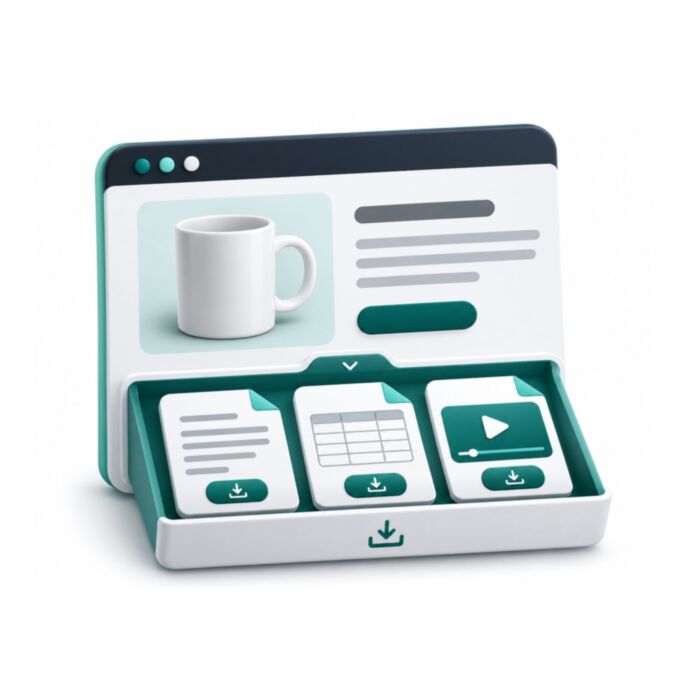
Product Attachments for Magento 2
Attach PDFs, manuals and links to Magento 2 products, categories and CMS pages from one file library. Includes file versions, download counts and access by customer group, on Hyvä and Luma.
- Free
- MIT license
- Hyvä + Luma
- Magento 2.4.4 to 2.4.9
composer require mage2kishan/module-product-attachments
- Adobe CertifiedDeveloper since 2021
- 5.0 on UpworkFrom 100+ reviews
- MIT open sourceRead and change the code
- Hyvä + LumaSame module, both themes
- PHP 8.1 to 8.4Magento 2.4.4 to 2.4.9
What it does for your store
The main features, as listed in the module documentation.
-
Products
attach unlimited files or links to any simple, configurable, bundle, grouped, virtual, or downloadable product
-
Categories
add category-level attachments (brochures, lookbooks, size charts) inherited by child products optionally
-
CMS Pages
enrich About, FAQ, Policy, or Landing pages with downloadable resources
-
Multi-entity
one attachment can be linked to many products/categories/pages at once (no duplication)
Installation
Run these from your Magento root. Test on staging first.
- 1Require the packageComposer pulls in the base module too.
- 2Upgrade, compile, deployThe usual setup commands.
- 3ConfigureStores, Configuration, Panth Extensions.
$ composer require mage2kishan/module-product-attachments
$ bin/magento setup:upgrade
$ bin/magento setup:di:compile
$ bin/magento setup:static-content:deploy -f
$ bin/magento cache:flush
Compatibility
| Magento Open Source | 2.4.4 to 2.4.9 |
|---|---|
| Adobe Commerce | 2.4.4 to 2.4.9 |
| PHP | 8.1, 8.2, 8.3, 8.4 |
| Themes | Hyvä and Luma |
| License | MIT, free and open source |
| Requires | mage2kishan/module-core (Composer adds it) |
Documentation
The full module guide, from the README on GitHub.
Overview
Panth Product Attachments is a downloadable files and links extension for Magento 2 and Adobe Commerce that lets merchants attach PDFs, manuals, datasheets, videos, images, and external URLs to any product, category, or CMS page.
The Panth Product Attachments module ships a centralized file manager with version control, attachment types, per-customer-group visibility, and download analytics, so a single uploaded PDF can be reused across hundreds of products without duplication. Files can be attached to simple, configurable, bundle, grouped, virtual, and downloadable products, and category-level attachments optionally inherit to every child product so merchandisers stop re-uploading the same brochure on every SKU.
Versioning preserves old download URLs and history when a file is replaced, so warranty links printed on physical packaging never break. Bulk assign and unassign actions let merchants mass-attach a compliance document to a whole catalog category in one admin action. A reusable widget embeds the attachments block anywhere: product pages, CMS landing pages, FAQ, or About, with a single block insertion.
Storefront templates ship for both Hyvä (Alpine.js + Tailwind) and Luma, and the entire codebase is MEQP-compliant for clean Adobe Commerce extension reviews and marketplace submission.
Best for:
- Electronics, industrial, and B2B catalogs where spec sheets and manuals drive purchase confidence
- Fashion and apparel stores that need category-level size guides inherited by every product
- Regulated catalogs (food, cosmetics, automotive) that must surface compliance documents per SKU
What you get
Panth Product Attachments centralizes every downloadable resource a Magento 2 catalog needs:
- Attach unlimited files or links to products, categories, and CMS pages: one entity, many parents
- Centralized file manager with version control, file replacement, and bulk assign actions
- Per-customer-group visibility plus configurable attachment types for filtering and labels
- Download analytics: track clicks, downloads, and per-customer-group access on every file
- Hyvä and Luma storefront templates plus a reusable widget for CMS pages
Magento 2 Product Attachments
Product Attachments lets store administrators upload files (PDF, Office documents, images, archives, text) or register external links and attach them to products, categories and CMS pages. Customers see the attachments on the product page, the category page or the CMS page and can download or preview them. The module also ships a widget, attachment types, customer group restrictions, download logging with an admin analytics grid, optional email notification on download and an unused file scanner.
It is aimed at merchants who publish manuals, datasheets, brochures, certificates or similar documents next to their catalogue. Templates are provided for both Hyva and Luma; the Hyva templates are selected automatically when a Hyva theme is active.
Product page: Magento 2 Product Attachments
Features
- Attach one or more files, or a single external link, to an attachment record, and assign that record to any number of products, catalog categories and CMS pages.
- Files are uploaded from the admin and stored below
var/panth/productattachments/, outside the web root; downloads are streamed through a frontend controller. - Allowed upload extensions: pdf, doc, docx, xls, xlsx, ppt, pptx, txt, zip, rar, jpg, jpeg, png, gif. The detected content type must match the extension (for example a real PDF for
.pdf, a real image for.png); HTML, SVG, XML, JavaScript, PHP, shell scripts and executables are always rejected, and the upload message names every rejected file. An optional "Maximum Upload Size (MB)" setting rejects larger files on the server; PHPupload_max_filesizeandpost_max_sizealways apply. - Attachment types ("User Manual", "Datasheet", "Brochure", "Certificate" and 17 more are created on install) with an icon class, store view assignment and sort order.
- Per-attachment "Customer Groups" selection; an empty selection means all groups. A global "Allow Guest Downloads" switch controls whether visitors who are not logged in may download.
- Per-attachment "Access Level": "Public", "Logged-in Customers" or "Purchasers Only". Purchasers Only is checked on the server against the logged-in customer's processing or complete orders in the current store view that contain one of the products the attachment is assigned to.
- Store view assignment per attachment and per attachment type.
- "Expires At" date per attachment.
- Frontend display as a list or a table, with optional file size, description and inline preview of PDF and image files.
- Product page tab "Attachments & Downloads" on Luma; on Hyva the block is placed in
product.info.main. - Attachment blocks on category pages and CMS pages, plus a "Product Attachments Widget" for CMS content and layout containers.
- Download logging (attachment, customer ID, IP address, user agent, time) shown in a "Download Analytics" admin grid, with a daily cron job that deletes logs older than the configured retention period.
- Optional email to a configured address on every download.
- Saving an attachment, changing its status from the grid or saving the Attachments section of a product, category or CMS page refreshes the cached storefront pages of the products, categories and CMS pages it was or is assigned to.
- "Unused Files" admin grid that scans the upload directory for files that are not referenced by any attachment and lets you delete them (selected rows through the Actions menu, or all of them with the "Delete All Unused Files" button in the page actions bar after a confirmation). Temporary uploads in
var/panth/productattachments/tmp/are only removed by "Delete All" once they are older than one day. - Custom CSS field in configuration, output after the module stylesheet.
- Console command that installs sample files, a sample product and a sample CMS page.
Usage
Creating attachments
- Go to "Manage Attachments" and click the add button, or open an existing row.
- Fill in "Title", "Description", "Attachment Type", "Store View", "Access Level", "Sort Order" and optionally "Expires At" and "Customer Groups".
- Either upload files in the "File Management" section (several files per attachment; the first uploaded file becomes the primary file, and each file can be set as primary, previewed, downloaded or deleted), or tick "Is Link Attachment" and enter "Link URL" and "Link Target" ("New Tab" or "Same Tab"). The link URL must start with
http://orhttps://; other schemes are rejected and the form keeps what you entered. New Tab links are rendered withrel="noopener noreferrer". - Assign the attachment in the "Assign to Products", "Assign to Catalog Categories" and "Assign to CMS Pages" sections.
Saving the assignments keeps the existing per-product, per-category and per-page sort order of rows that stay assigned; only removed rows are deleted and new rows are added with sort order 0. The frontend blocks order product, category and CMS page attachments by that relation sort order first, then by the attachment "Sort Order".
Attachments can also be assigned from the other side: the product form gets a "Product Attachments" section, the category form a "Category Attachments" section and the CMS page form a "CMS Page Attachments" section.
The attachment grid supports mass delete and mass status change. Attachment types are managed under "Attachment Types" with "Name", "Code", "Icon Class", "Store View", "Sort Order" and "Enable Type"; the grid supports inline editing.
Frontend display
- Product page: block
product.attachments, on Luma rendered as the "Attachments & Downloads" tab in the product details section; on Hyva moved toproduct.info.mainbyview/frontend/layout/default_hyva.xml. - Category page: block
category.attachmentsin the content container, after the product list and its pagination (after="category.products"). To show it somewhere else, move the block in your theme layout. - CMS page: block
cms.attachmentsat the end of the content container. - Each block only renders when the module is enabled, the matching "Show on ..." setting is Yes and the current store view has at least one active, not expired attachment assigned to the entity that is visible to the customer's group. The blocks add
panth_product_attachment_<id>cache tags so that saving an attachment refreshes the cached pages that show it.
Downloads use the frontend route productattachments/download/file with parameters id (attachment ID) and optionally file_id. The controller checks that the module is enabled and that the attachment is active, not expired, assigned to the current store view or to all store views, visible to the customer's group and allowed by the guest download rule and the access level. "Logged-in Customers" and "Purchasers Only" require a customer login; "Purchasers Only" also requires a processing or complete order placed by that customer in the current store view that contains one of the products the attachment is assigned to (an attachment assigned only to categories or CMS pages can therefore not be downloaded at this level). Guests that fail the checks are redirected to the login page. A logged-in customer who only lacks the purchase for a "Purchasers Only" attachment is sent back to the previous page with the message "This file is available to customers who have bought this product."; other logged-in refusals get a 404. While the module is disabled the controller returns a 404 page. After the file is found, the controller writes the download log row, increments the attachment and file download counters once per visitor session, sends the notification email if enabled and streams the file from var/ as an attachment with X-Content-Type-Options: nosniff. Link attachments point directly to the external URL and are not routed through this controller. Previews use productattachments/preview/file with the same parameters and the same checks; PDF, JPEG, PNG and GIF files are returned inline, other types as a download. The older productattachments/download/preview URL behaves exactly like productattachments/preview/file. Link attachments open the external URL directly, so the access level cannot restrict them.
Widget
"Product Attachments Widget" (Panth\ProductAttachments\Block\Widget\Attachments) is available in Content > Widgets and in the {{widget}} directive. Parameters: "Widget Title", "Attachment IDs" (comma separated, empty shows all), "Filter by Type", "Limit", "Display Mode" ("Table View" default, "List View") and "Template" ("Default Template" or "Hyva Theme Template"). The block also accepts product_id, category_id and page_id data values to restrict the list to one entity. The widget applies the active, store view, not-expired and customer group filters. A directive without a template parameter uses the default widget template.
Cron
| Job | Schedule | Class |
|---|---|---|
panth_productattachments_cleanup_logs |
0 2 * * * |
Panth\ProductAttachments\Cron\CleanupDownloadLogs |
The job deletes rows from the download log older than "Log Retention Days" and does nothing when the value is 0.
Sample data
bin/magento panth:attachments:install-sample-data
Copies the files from Setup/SampleData/files to var/panth/attachments/samples/, and creates sample attachments, a sample product and a sample CMS page.
Templates
Luma templates: view/frontend/templates/attachment/renderer.phtml, attachment/view-modes/list.phtml, attachment/view-modes/table.phtml, widget/attachments.phtml. Hyva templates: attachment/renderer_hyva.phtml, attachment/view-modes/list_hyva.phtml, attachment/view-modes/table_hyva.phtml, widget/attachments_hyva.phtml. Panth\ProductAttachments\Observer\SwitchTemplateForHyva swaps the Luma templates for the Hyva ones on layout_generate_blocks_after when Panth\Core\Helper\Theme::isHyva() is true. The email template view/frontend/email/panth_download_notification.html and view/frontend/templates/custom-css.phtml can be overridden in a theme as usual. Luma styles come from view/frontend/web/css/source/_module.less; Hyva loads view/frontend/web/css/attachments.css, which reads the --color-primary and --color-primary-darker CSS variables when the theme defines them.
Documentation
USER_GUIDE.md walks through configuration, attachment types, creating attachments, assigning them to products, categories and CMS pages, multi-file management, download analytics, unused file cleanup, the widget, customer group restrictions, sample data and troubleshooting.
Changelog
See CHANGELOG.md.
Compatibility
| Platform | Versions |
|---|---|
| Magento Open Source | 2.4.4 to 2.4.9 |
| Adobe Commerce | 2.4.4 to 2.4.9 |
| PHP | 8.1, 8.2, 8.3, 8.4 (`~8.1.0 |
| Themes | Hyva, Luma |
Composer constraints on Magento packages: magento/framework ^103.0, magento/module-catalog ^104.0, magento/module-customer ^103.0, magento/module-sales ^103.0, magento/module-cms ^104.0, magento/module-store ^101.1, magento/module-widget ^101.2, magento/module-backend ^102.0, magento/module-media-storage ^100.4, magento/module-ui ^101.2.
Requirements
- Magento Open Source or Adobe Commerce 2.4.4 to 2.4.9.
- PHP 8.1, 8.2, 8.3 or 8.4.
mage2kishan/module-core^1.0 (modulePanth_Core). It is a Composer dependency and is installed automatically. It provides the admin menu group, the theme detection used to switch to the Hyva templates and the theme configuration hook registered inetc/frontend/di.xml.- Bootstrap Icons 1.11.3 (MIT licence) are shipped in
view/frontend/web/css/bootstrap-icons/and loaded from the store's static files; no third-party host is contacted.
Installation
composer require mage2kishan/module-product-attachments
bin/magento module:enable Panth_Core Panth_ProductAttachments
bin/magento setup:upgrade
bin/magento setup:di:compile
bin/magento setup:static-content:deploy -f
bin/magento cache:flush
setup:di:compile is only needed in production mode. setup:static-content:deploy is needed because the module ships CSS and JavaScript under view/frontend/web and view/adminhtml/web.
Check that the module is enabled:
bin/magento module:status Panth_ProductAttachments
setup:upgrade creates the database tables and runs a data patch that inserts the default attachment types.
Configuration
Admin path: Stores > Configuration > Panth Extensions > Product Attachments. The same page is linked from the module's admin menu as "Configuration". Every field can be set at default, website and store view scope.
General Settings
| Setting | Default | What it does |
|---|---|---|
| Enable Module | Yes | Master switch. When disabled, nothing is rendered on the frontend. |
| Show on Product Pages | Yes | Renders the attachments block on product pages. |
| Show on Category Pages | Yes | Renders the attachments block on category pages, below the product list. |
| Show on CMS Pages | Yes | Renders the attachments block on CMS pages. |
Display Settings
| Setting | Default | What it does |
|---|---|---|
| Show File Size | Yes | Shows the file size next to each file. |
| Show Description | Yes | Shows the attachment description under the title. Basic formatting tags (p, br, strong, em, b, i, u, ul, ol, li, span) are kept, all other markup is escaped. |
| Enable File Preview | Yes | Shows a preview button for PDF and image files. When set to No, the button is hidden and the preview URLs return 404. |
| Default View Mode | List View | "List View" or "Table View" for the frontend blocks. |
Access Control Settings
| Setting | Default | What it does |
|---|---|---|
| Allow Guest Downloads | Yes | When set to No, visitors who are not logged in get a login prompt instead of the download link, and the download controller redirects them to the login page. |
Upload Settings
| Setting | Default | What it does |
|---|---|---|
| Maximum Upload Size (MB) | 0 | Largest file an admin upload may have. Larger files are rejected by the server with an error message. 0 means no module limit; PHP upload_max_filesize and post_max_size still apply. Default scope only. |
Download Analytics
| Setting | Default | What it does |
|---|---|---|
| Enable Download Tracking | Yes | Writes a row to the download log for every download. |
| Log Retention Days | 90 | Age in days after which the cron job deletes download log rows. 0 keeps logs forever. |
Email Notifications
| Setting | Default | What it does |
|---|---|---|
| Notify on Download | No | Sends the "Product Attachment Download Notification" email for every download. |
| Notification Email | (empty) | Recipient of the notification. Shown only when "Notify on Download" is Yes. |
Custom CSS
| Setting | Default | What it does |
|---|---|---|
| Enable Custom CSS | No | Outputs the custom CSS block after the module stylesheet. |
| Custom CSS Code | (empty) | CSS to output. Shown only when "Enable Custom CSS" is Yes. Prefix selectors with .panth-product-attachment-module to scope them. |
Configuration paths:
panth_productattachments/general/enabled,show_on_product,show_on_category,show_on_cmspanth_productattachments/display/show_file_size,show_description,enable_preview,default_view_modepanth_productattachments/display/show_download_count(default 1 inetc/config.xml, not shown in the admin form)panth_productattachments/access/guest_downloadpanth_productattachments/upload/max_file_sizepanth_productattachments/analytics/enabled,log_retention_dayspanth_productattachments/email/notify_on_download,notification_emailpanth_productattachments/custom_css/enabled,custom_styles
Saving this configuration section invalidates the block_html and full_page caches.
Admin menu: the "Product Attachments" group under the Panth extensions menu provided by Panth_Core contains "Manage Attachments", "Attachment Types", "Unused Files", "Download Analytics" and "Configuration".
Uninstallation
bin/magento module:disable Panth_ProductAttachments
composer remove mage2kishan/module-product-attachments
bin/magento setup:upgrade
bin/magento setup:di:compile
bin/magento cache:flush
The panth_product_attachment* tables, the panth_productattachments/* rows in core_config_data and the uploaded files under var/panth/productattachments/ (and var/panth/attachments/samples/ if sample data was installed) are not removed. Drop the tables and delete the directories manually if they are no longer needed.
License
MIT License. Free and open source. See LICENSE in this repository.
Developer Notes
- Module name:
Panth_ProductAttachments - Composer package:
mage2kishan/module-product-attachments - PHP namespace:
Panth\ProductAttachments - Admin route front name:
productattachments(routeradmin); frontend route front name:productattachments(routerstandard). - Service contracts:
Api\AttachmentRepositoryInterface(save,getById,delete,deleteById,getByProductId,getByCategoryId,getByPageId) andApi\AttachmentTypeRepositoryInterface(save,getById,getByCode,delete,deleteById,getActiveTypes), with data interfacesApi\Data\AttachmentInterface,AttachmentTypeInterface,VersionInterfaceandDownloadLogInterface. Preferences are declared inetc/di.xml. - Helpers:
Helper\Config(all configuration getters),Helper\File(upload path helpers, icon and MIME lookups),Helper\Data(canDownload,isPurchaseRequired,hasPurchasedAttachment,hasPurchased,isExpired,formatFileSize). - Blocks:
Block\Attachment\Rendereris the base frontend block;Block\Product\Attachments,Block\Category\Attachments,Block\Cms\AttachmentsandBlock\Widget\Attachmentsextend it.Block\CustomCssoutputs the custom CSS. - Collection filters on
Model\ResourceModel\Attachment\Collection:addActiveFilter,addStoreFilter,addProductFilter,addCategoryFilter,addPageFilter,addTypeFilter,addNotExpiredFilter,addAccessLevelFilter. - Plugin:
Plugin\AddStoreToGrid(beforeloadon the UISearchResult) joins the store table into the attachment grid and maps theattachment_idfilter to the main table. - The frontend blocks read the customer group and login state from the HTTP context (
Magento\Customer\Model\Context), which the full page cache varies on, so cached pages show the attachments of the visitor's group. - Observers:
Observer\ConfigSaveAfteronadmin_system_config_changed_section_panth_productattachments;Observer\SwitchTemplateForHyvaonlayout_generate_blocks_after(frontend). - Data patches:
Setup\Patch\Data\AddDefaultAttachmentTypes,Setup\Patch\Data\UpdateAttachmentTypesWithBootstrapIcons. - Email template ID:
panth_productattachments_download_notification. - ACL resources:
Panth_ProductAttachments::productattachments,::attachment,::attachment_save,::attachment_delete,::type,::type_save,::type_delete,::unusedfiles,::analytics,::config. - Database tables (
etc/db_schema.xml):panth_product_attachment,panth_product_attachment_file,panth_product_attachment_type,panth_product_attachment_version,panth_product_attachment_download_log,panth_product_attachment_store,panth_product_attachment_product,panth_product_attachment_category,panth_product_attachment_page,panth_product_attachment_type_store. Relation rows are deleted by foreign key when the attachment, product, category, page or store is deleted.
| Module Category | Catalog & Products |
|---|---|
| Best For | All Sizes |
Works well with
Separate free modules. Install only what you need.
-
Custom Product Image Gallery for Magento 2
Replaces the default Magento 2 product image gallery with horizontal, vertical or grid thumbnails, inner or... -

Custom Product Options for Magento 2 (Hyva + Luma)
Restyles Magento 2 product custom options on Hyvä and Luma: card-style radio buttons and checkboxes with... -
FAQ Module for Magento 2 with FAQPage Schema
A Magento 2 FAQ extension with category pages at clean URLs like /faq/orders-shipping. One question can be... -

On Sale Filter (Hyva Companion) for Magento 2
The Hyvä template for the Panth Sale Filter module on Magento 2. It renders the On Sale layered navigation... -
On Sale Layered Navigation Filter for Magento 2
Adds an On Sale option to Magento 2 layered navigation on category and search pages. It reads special prices... -

Product Tabs Customizer for Magento 2
Controls the tabs on Magento 2 product pages: horizontal or vertical layout, an accordion on mobile, extra...

Questions before you install?
Send me your composer.json and I will check for conflicts first. Free. Installation is +$45, custom work is quoted first.