
Product Tabs Customizer for Magento 2
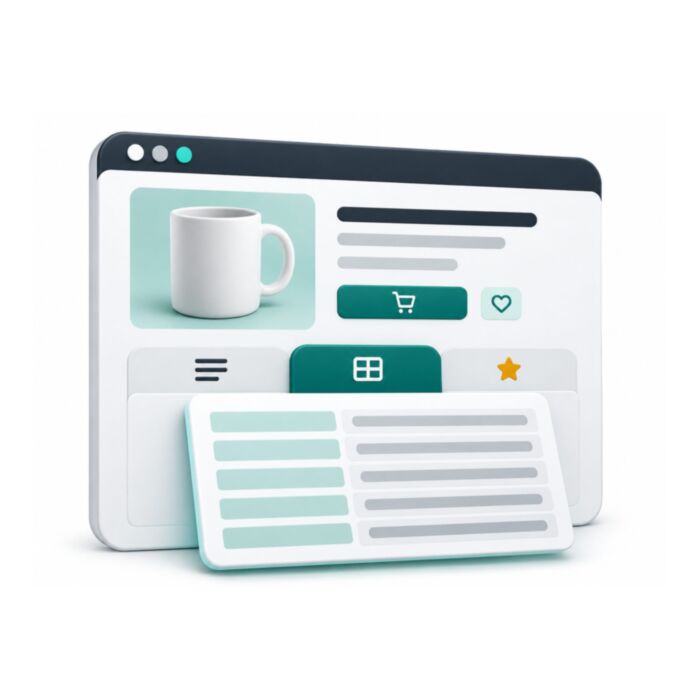
Controls the tabs on Magento 2 product pages: horizontal or vertical layout, an accordion on mobile, extra tabs from any CMS block, and direct links such as /product.html#reviews. Labels and order are set in the admin.
- Free
- Themes listed: Hyvä + Luma
composer require mage2kishan/module-producttabs
- Package requirementsRead the source documentation
- Developer profileView Upwork profile
- Themes listedHyvä + Luma
- PHP versions listed8.1, 8.2, 8.3, 8.4
- Installation questionsDiscuss your store setup
What it does for your store
The main features, as listed in the module documentation.
-
Tab Layout & Animations
Horizontal & Vertical tab styles, pick the orientation that matches your storefront design (top tab strip or side tab column)
-
Mobile Experience
Mobile accordion mode, collapsible accordion layout optimized for touch devices
-
Custom Tab Types
Custom CMS Block Tabs, add unlimited tabs powered by any CMS block (shipping info, size guides, care instructions, warranty, video demos…
-
Admin Control
Tab visibility toggle, show or hide Description, More Information, and Reviews tabs independently
-
Developer & SEO
Review count badge, displays approved review count in the Reviews tab label for social proof
Installation
Example commands from the Magento root. Follow the package instructions and your staging and deployment process.
- 1Check the releaseMatch Magento, PHP, theme and dependency requirements.
- 2Install on stagingReview Composer changes and follow the package instructions.
- 3Configure and verifyUse the documented settings and test the affected features.
$ composer require mage2kishan/module-producttabs
$ bin/magento setup:upgrade
$ bin/magento setup:di:compile
$ bin/magento setup:static-content:deploy -f
$ bin/magento cache:clean
Listed requirements
These are the details supplied in this listing. Confirm the selected release supports your Magento edition, PHP and storefront.
| Magento versions listed | 2.4.6, 2.4.7, 2.4.8 |
|---|---|
| PHP versions listed | 8.1, 8.2, 8.3, 8.4 |
| Themes listed | Hyvä, Luma |
| Composer package | mage2kishan/module-producttabs |
Documentation
Product details and setup guidance. Check the package repository for release-specific instructions.
Overview
Panth Product Tabs is a product detail page tab customization extension for Magento 2 and Adobe Commerce that replaces the default rigid PDP tab strip with an admin-configurable, conversion-focused tab system.
The Panth Product Tabs module lets merchants switch between horizontal and vertical tab layouts, choose fade or slide animations, enable a mobile accordion mode for touch-friendly browsing, and add unlimited custom tabs powered by CMS blocks, ideal for shipping info, size guides, care instructions, and warranty details. Every built-in tab's visibility, label, and sort order is controlled from a single admin screen, so merchandising teams ship PDP changes without developer involvement.
Beyond CMS-block tabs, the extension introduces attribute-driven tabs that render selected product attributes as a clean, styled specifications table: the same pattern shoppers expect on Amazon and Best Buy product pages. Sticky tab navigation keeps the tab bar visible as customers scroll long descriptions, and deep linking via URL hash lets marketing teams link directly to a specific tab (for example, /product.html#reviews) from email campaigns and ads.
Every feature works natively on both Hyvä (Alpine.js + Tailwind) and Luma (RequireJS + Knockout) with automatic theme detection: no code branching, no template forks.
Best for:
- Electronics, fashion, and B2B catalogs whose PDPs need rich, sectioned content
- Merchandisers who want CMS-block-driven custom tabs without touching .phtml files
- Hyvä and Luma stores that want sticky tabs, deep links, and a mobile accordion in one module
What you get
Panth Product Tabs gives merchandisers full admin control over every aspect of the PDP tab strip:
- Horizontal or vertical tab layouts with fade, slide, or no animation between panels
- Mobile accordion mode plus sticky tab navigation for long product descriptions
- Unlimited custom CMS block tabs for shipping, size guides, warranty, and care content
- Attribute-driven tabs that render product specs as a styled table
- Per-tab visibility, label, and sort order: Hyvä and Luma supported natively
Magento 2 Product Tabs
"Product Tabs" replaces the tab block on the Magento 2 product detail page (product.info.details) with a tab set that is configured from the admin panel. The built-in Description, More Information and Reviews tabs get configurable labels, visibility and sort order, and additional tabs can be built from CMS blocks or from product attribute values. Layout (horizontal or vertical), switch animation, sticky navigation, mobile behaviour, the default open tab and lazy loading of the Reviews tab are all set in configuration; no template changes are needed.
The module is used by store owners who want to organise product information into separate tabs and manage those tabs without developer help. It ships one template for Luma (plain JavaScript) and one for Hyva (Alpine.js); the block chooses the template through Panth\Core\Helper\Theme::isHyva() from the required mage2kishan/module-core package.
Product page: kishansavaliya.com/magento-2-producttabs.html
Features
- Replaces the default product detail page tab block with a configurable tab set for both Luma and Hyva.
- Horizontal or vertical tab layout ("Tab Style").
- Fade, slide or no animation when switching tabs ("Animation Type").
- Accordion or horizontal scrolling tab strip below 768px ("Mobile Behavior").
- Optional sticky tab navigation that stays visible while scrolling; the offset is calculated from any fixed or sticky page header.
- Choice of the tab that is open on page load: first available tab, Description, More Information or Reviews.
- Custom labels, show/hide switches and numeric sort order for the Description, More Information and Reviews tabs.
- Custom tabs that render the content of a CMS block, added as rows in configuration.
- Custom tabs that render selected product attributes as a two-column table, added as rows in configuration.
- Optional icon class per custom tab; the templates load Bootstrap Icons 1.11.3 from the jsDelivr CDN for this purpose, only on pages where at least one rendered tab has an icon class and "Show Tab Icons" is Yes.
- Approved review count appended to the Reviews tab label, for example "Reviews (4)".
- Optional lazy loading of the Reviews tab: the review HTML is rendered with the page (so its scripts and Alpine components initialise normally) and kept hidden behind a spinner until the tab is opened.
- Deep linking: opening a product URL with
#description,#more-information,#reviewsor a custom tab alias activates that tab, and switching tabs updates the URL hash withhistory.replaceState. On page load a matching hash also scrolls the tabs into view. - Keyboard support following the tabs pattern: Left/Right (and Up/Down) arrow keys move between tabs, Home and End jump to the first and last tab, only the selected tab is in the Tab order, and panels are focusable.
- Luma: the Reviews tab loads the review list through the core review loader, and the review links next to the product name open the Reviews tab.
- A "Panth Product Tabs" widget definition with "Tab Style", "Animation Type" and "Product ID for Reviews" parameters.
- All settings can be set at default, website and store view scope.
Usage
How tabs render
view/frontend/layout/catalog_product_view.xml(Luma) andview/frontend/layout/hyva_catalog_product_view.xml(Hyva) point the existingproduct.info.detailsblock at the module's template and pass two view models:Panth\ProductTabs\ViewModel\Config(settings) andPanth\ProductTabs\ViewModel\Tabs(current product and approved review count).- The template collects the child blocks of the
detailed_infogroup, classifies each one by alias as Description, More Information, Reviews or other, applies the visibility, label and sort order settings, appends the custom CMS and attribute tabs, sorts everything by sort order and outputs one set of tab buttons, one accordion header per tab and one panel per tab. Blocks that render empty HTML are skipped. - If no Reviews child is present in the group, the module builds a Reviews tab from the
review_listandproduct.review.formblocks. On Hyva the layout file also moves those two blocks intoproduct.info.detailswithgroup="detailed_info". - Styles are printed inline by the template. On Luma the LESS partial
view/frontend/web/css/source/_module.lessis also compiled into the theme CSS. - On Luma the tab logic is plain JavaScript run on
DOMContentLoaded; it also exposeswindow.panthTabs.setTab(index)for links such as "Write a Review". On Hyva the logic is an Alpine.js componentpanthProductTabs().
Content sources
- Description and More Information come from Magento's own product blocks.
- CMS block tabs render
Magento\Cms\Block\Blockwith the configured identifier. - Attribute tabs read each attribute's store label and frontend value from the current product and print them in a
<table class="panth-attr-table">.
Per-product behaviour
There are no per-product settings. What differs between products is the data: an attribute tab appears only on products where at least one listed attribute has a value, and the review count in the Reviews label reflects the approved reviews of the current product in the current store.
Deep linking
Aliases accepted in the URL hash: description, more-information, more_info, reviews, the layout alias of any other detailed_info block, cms_<block identifier> for CMS block tabs and attr_<tab title> for attribute tabs (lower-cased, non-alphanumeric characters replaced by _). Hash changes after page load are also handled.
Widget
Keyboard: in the tab bar the Left and Right arrow keys move to the previous or next tab and Home and End jump to the first or last tab.
etc/widget.xml registers the widget "Panth Product Tabs" (class Panth\ProductTabs\Block\Widget\Tabs) with the parameters "Tab Style" (Horizontal, Vertical), "Animation Type" (Fade, Slide, None) and "Product ID for Reviews". The widget block extends the product tab block and uses the same template and the same configuration view model. A Tab Style or Animation Type set on the widget (or as tab_style / animation_type block data in layout XML) overrides the configuration values for that block. The block renders the detailed_info child blocks it contains, so it only outputs tabs where it has such children, for example when declared in product page layout XML. Inserted into a CMS page or block it renders nothing unless "Product ID for Reviews" (product_id) is set; then it shows the approved reviews of that product for the current store. Review title, nickname and detail are reduced to plain text before they are escaped, so the output stays inert when Page Builder decodes the content of an HTML Code element.
Templates that can be overridden
Panth_ProductTabs::tabs.phtml(view/frontend/templates/tabs.phtml) for Luma.Panth_ProductTabs::hyva/tabs.phtml(view/frontend/templates/hyva/tabs.phtml) for Hyva.
Copy the file to your theme under Panth_ProductTabs/templates/ to override it.
Documentation
USER_GUIDE.md covers installation, checking that the module is active, each configuration group, the custom CMS block and attribute tab grids, widget usage, deep linking and a troubleshooting table.
Changelog
See CHANGELOG.md.
Compatibility
| Platform | Versions |
|---|---|
| Magento Open Source | 2.4.4 to 2.4.9 (as published on the product page) |
| Adobe Commerce | 2.4.4 to 2.4.9 (as published on the product page) |
| PHP | ^8.1 (from composer.json) |
| Themes | Luma and Hyva |
Composer constraints on Magento packages: magento/framework ^103.0, magento/module-catalog ^104.0, magento/module-store ^101.0, magento/module-widget ^101.0, magento/module-backend ^102.0, magento/module-cms ^104.0, magento/module-config ^101.2, magento/module-review ^100.4.
Requirements
- Magento Open Source or Adobe Commerce 2.4.4 to 2.4.9.
- PHP 8.1 or later.
mage2kishan/module-core^1.0 (modulePanth_Core), required. It provides the "Panth Extensions" admin menu, the theme detection helper and theThemeConfigview model this module registers with.- Suggested:
hyva-themes/magento2-default-themefor the Hyva template (Alpine.js).
Installation
composer require mage2kishan/module-producttabs
bin/magento module:enable Panth_Core Panth_ProductTabs
bin/magento setup:upgrade
bin/magento setup:di:compile
bin/magento setup:static-content:deploy -f
bin/magento cache:flush
setup:di:compile is only needed in production mode. setup:static-content:deploy -f is needed because the module ships a LESS partial for Luma under view/frontend/web.
Check that the module is enabled:
bin/magento module:status Panth_ProductTabs
Configuration
Go to Stores > Configuration > Panth Extensions > Product Tabs. The same page is reachable from the admin menu entry Panth Extensions > Product Tabs > Configuration. Every field can be set at default, website and store view scope. The defaults below come from etc/config.xml.
General Settings
| Setting | Default | What it does |
|---|---|---|
| Enable Module | Yes | Enables or disables the module. When disabled the theme's standard product details template is rendered instead (Luma tabs or Hyva sections), so Description, More Information and Reviews stay on the page. |
| Sticky Tab Navigation | No | Wraps the tab bar in a position: sticky container and offsets it by the height of any fixed or sticky header. |
| Lazy Load Reviews | No | Keeps the Reviews tab content hidden behind a spinner until the tab is opened for the first time. The review HTML is part of the page (on Hyva it is shown with x-show, not inserted with x-if), so review scripts run on page load. When the Reviews tab is the tab opened on page load, it is shown at once. |
| Default Open Tab | First Available Tab | Which tab is active on page load: First Available Tab, Description, More Information or Reviews. If the chosen tab is not present, the first tab is used. |
Design Settings
| Setting | Default | What it does |
|---|---|---|
| Tab Style | Horizontal | Horizontal tab strip above the panels, or Vertical tab list beside the panels (220px wide). |
| Animation Type | Fade | Fade, Slide or None when switching panels. |
| Mobile Behavior | Accordion | Below 768px: Accordion collapses each tab into an expandable header; Horizontal Scroll keeps a scrollable tab strip. |
| Open First Tab by Default | Yes | Yes opens the "Default Open Tab" on page load. No starts with every panel closed until a tab is selected; a tab named in the URL hash is still opened. |
| Accordion on Mobile | Yes | Yes uses "Mobile Behavior" below 768px. No always uses the horizontal scroll tab strip on mobile, whatever "Mobile Behavior" is set to. |
| Show Tab Icons | Yes | Shows an icon before each tab title: the built-in icon of the tab type, or the Bootstrap Icons class of a custom tab. No hides all tab icons and does not load Bootstrap Icons. |
Tab Labels
| Setting | Default | What it does |
|---|---|---|
| Description Tab Label | Description | Label of the Description tab. |
| More Information Tab Label | More Information | Label of the More Information tab. |
| Reviews Tab Label | Reviews | Label of the Reviews tab. The approved review count is appended in brackets when it is greater than zero. |
Tab Visibility
| Setting | Default | What it does |
|---|---|---|
| Show Description Tab | Yes | Show or hide the Description tab. |
| Show More Information Tab | Yes | Show or hide the More Information tab. |
| Show Reviews Tab | Yes | Show or hide the Reviews tab. |
Tab Sort Order
| Setting | Default | What it does |
|---|---|---|
| Description Tab Sort Order | 10 | Position of the Description tab. Lower numbers appear first. |
| More Information Tab Sort Order | 20 | Position of the More Information tab. |
| Reviews Tab Sort Order | 30 | Position of the Reviews tab. |
Other blocks in the detailed_info group that the module does not recognise get sort order 50. Custom tabs use their own "Sort Order" column (100 when empty).
Custom CMS Block Tabs
The "CMS Block Tabs" field is a dynamic row grid (button "Add CMS Block Tab"). Each row has:
| Column | What it does |
|---|---|
| Enabled | 1 to show the tab, 0 to hide it. |
| Tab Title | Label of the tab. |
| CMS Block Identifier | Identifier of the CMS block whose content is rendered in the panel. |
| Icon Class | Optional Bootstrap Icons class, for example bi-truck. |
| Sort Order | Position among all tabs. |
A row is skipped when it is disabled, when the title or identifier is empty, or when the block renders no content.
Custom Attribute Tabs
The "Attribute Tabs" field is a dynamic row grid (button "Add Attribute Tab"). Each row has:
| Column | What it does |
|---|---|
| Enabled | 1 to show the tab, 0 to hide it. |
| Tab Title | Label of the tab. |
| Attribute Codes (comma-separated) | Product attribute codes to list, for example material,color,weight. |
| Icon Class | Optional Bootstrap Icons class, for example bi-gear. |
| Sort Order | Position among all tabs. |
Attributes that do not exist or whose frontend value is empty, No or N/A are left out. A tab with no remaining rows is not rendered.
Configuration paths
panth_producttabs/general/enabled
panth_producttabs/general/sticky_tabs
panth_producttabs/general/lazy_load_reviews
panth_producttabs/general/default_tab
panth_producttabs/design/tab_style
panth_producttabs/design/animation_type
panth_producttabs/design/mobile_behavior
panth_producttabs/design/first_tab_open
panth_producttabs/design/accordion_on_mobile
panth_producttabs/design/show_tab_icon
panth_producttabs/labels/description_label
panth_producttabs/labels/more_info_label
panth_producttabs/labels/reviews_label
panth_producttabs/visibility/show_description
panth_producttabs/visibility/show_more_info
panth_producttabs/visibility/show_reviews
panth_producttabs/sort_order/description_order
panth_producttabs/sort_order/more_info_order
panth_producttabs/sort_order/reviews_order
panth_producttabs/custom_cms_tabs/cms_tabs
panth_producttabs/custom_attribute_tabs/attr_tabs
With the default values the module is active immediately after installation: horizontal tabs, fade animation, accordion on mobile, tab icons shown, all three built-in tabs shown in the order Description, More Information, Reviews, and no custom tabs.
The two dynamic row grids save their rows under stable keys: the cms_ and attr_ prefixes that the grids add to row ids for the admin page are removed again on save (Model\Config\Backend\DynamicRows), so saving the page without changes keeps the stored keys, and keys prefixed by earlier versions are cleaned on the next save.
Uninstallation
bin/magento module:disable Panth_ProductTabs
composer remove mage2kishan/module-producttabs
bin/magento setup:upgrade
bin/magento setup:di:compile
bin/magento cache:flush
The module creates no tables. Configuration values saved under panth_producttabs/* remain in core_config_data and can be deleted manually. Panth_Core stays installed if other Panth modules use it.
License
MIT License. Free and open source. See LICENSE in this repository.
Developer Notes
- Module name:
Panth_ProductTabs; sequence afterMagento_CatalogandPanth_Core. - Composer package:
mage2kishan/module-producttabs, PSR-4 namespacePanth\ProductTabs\. Helper\Data: typed getters for every configuration path; the two custom tab lists are stored byMagento\Config\Model\Config\Backend\Serialized\ArraySerializedand decoded with the JSON serializer.ViewModel\Config: exposes the helper to templates, plusgetTabConfig()andgetAllTabsConfig()arrays.ViewModel\Tabs:getCurrentProduct()from the registry andgetApprovedReviewCount()for the current store.Block\TabsextendsMagento\Catalog\Block\Product\View\Details;getTemplate()picks the Hyva or Luma template and_toHtml()returns an empty string when the module is disabled.Block\Widget\TabsimplementsMagento\Widget\Block\BlockInterfaceand injects theConfigview model aspanth_config.Block\Adminhtml\Form\Field\CustomCmsTabsandCustomAttributeTabsare theAbstractFieldArraygrids used in configuration.Model\Config\Source\TabStyle,AnimationType,MobileBehaviorandDefaultTabsupply the select options.Observer\CategorySaveAfteris registered oncatalog_category_save_afterinetc/events.xml; itsexecute()method is currently empty.etc/frontend/di.xmladdsPanth_ProductTabsto theregisteredModulesargument ofPanth\Core\ViewModel\ThemeConfig;etc/theme-config.jsonholds the module's colour, font, radius and transition tokens.etc/adminhtml/menu.xmladds Panth Extensions > Product Tabs > Configuration under thePanth_Core::panth_extensionsmenu.- ACL resources:
Panth_ProductTabs::producttabs("Product Tabs") andPanth_ProductTabs::config("Configuration"), underMagento_Config::config. - No
db_schema.xml: the module creates no database tables. - No plugins, preferences, console commands, cron jobs, REST endpoints or custom controllers.
- Unit tests live in
Test/Unit(block, helper and source model tests).
| Module Category | Catalog & Products |
|---|---|
| Best For | All Sizes |
Changelog
-
1.1.0, Custom CMS & Attribute Tabs
- Custom CMS Block Tabs, add unlimited tabs that render CMS block content, configured from admin under Product Tabs > Custom CMS Block Tabs.
- Custom Attribute Tabs, add tabs that display product attribute values in a styled table, configured from admin under Product Tabs > Custom Attribute Tabs.
- Sticky Tab Navigation, optional sticky positioning for the tab nav bar on scroll (configurable via admin).
- Lazy Load Reviews, defer Reviews tab JS initialization until the tab is clicked, improving initial page load performance.
-
1.0.0, Initial release
- Horizontal and Vertical tab styles, configurable via admin.
- Fade, Slide, None animation types, smooth transitions between tab panels.
- Tab visibility controls, show/hide Description, More Information, and Reviews tabs independently.
- Custom tab labels, override default tab labels from admin.
FAQ
Can I add more than 3 custom tabs?
Yes. Both CMS block tabs and attribute tabs support unlimited entries. Add as many as your product requires.
Does deep linking work with SEO tools?
Yes. The URL hash (#tab-id) is standards-compliant and works with Google Analytics, GA4, GTM, and page-level SEO audits. The hash is updated via history.replaceState so it does not add entries to browser history.
Will it work with configurable or bundle products?
Yes. Panth Product Tabs works with all Magento product types, simple, configurable, grouped, bundle, virtual, downloadable.
Does it support multi-store and multi-language?
Yes. All labels and CMS block selections respect Magento's standard scope hierarchy (default → website → store view). The module includes English translations; any tab label can be translated via i18n CSV files.
Is it compatible with Hyva Checkout and Hyva React Checkout?
The extension targets product detail pages, not checkout, so it is fully compatible with any Hyva checkout implementation (Hyva default, React Checkout, or custom).
Does lazy-loaded reviews affect SEO?
No. The review schema (JSON-LD) is still rendered server-side. Lazy loading only defers the JavaScript widget, not the structured data or visible review HTML (which is progressively enhanced).
Can I use the Product Tabs block on CMS pages?
Yes. The module registers a widget that can be embedded on any CMS page or block through the admin widget picker.
Does it modify core Magento files?
No. Panth Product Tabs uses standard Magento extension mechanisms, layout XML, observers, plugins, and ViewModels, without touching any core file.
Works well with
Separate free modules. Install only what you need.
-
Custom Product Image Gallery for Magento 2
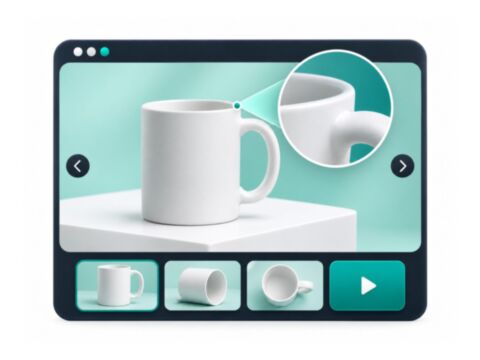
Replaces the default Magento 2 product image gallery with horizontal, vertical or grid thumbnails, inner or... -

Custom Product Options for Magento 2 (Hyva + Luma)
Restyles Magento 2 product custom options on Hyvä and Luma: card-style radio buttons and checkboxes with... -
FAQ Extension for Magento 2
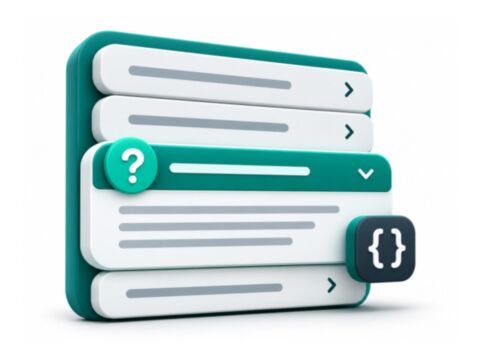
Create reusable questions and answers, organise them into FAQ categories and assign them to products... -

On Sale Filter (Hyva Companion) for Magento 2
The Hyvä template for the Panth Sale Filter module on Magento 2. It renders the On Sale layered navigation... -

On Sale Layered Navigation Filter for Magento 2
Adds an On Sale option to Magento 2 layered navigation on category and search pages. It reads special prices... -
Product Attachments for Magento 2
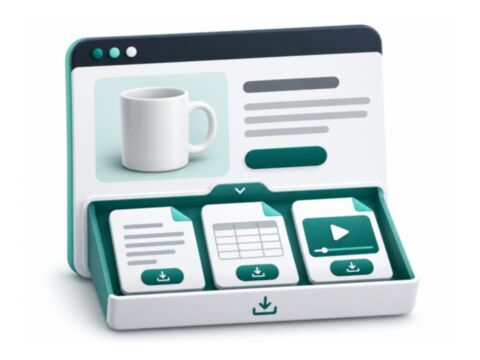
Attach PDFs, manuals and links to Magento 2 products, categories and CMS pages from one file library...

Questions before you install?
Send me your composer.json and I will check for conflicts first. Free. Installation is +$45, custom work is quoted first.