Configurable Thumbnail Layouts
Horizontal layout, traditional strip of thumbnails below the main image
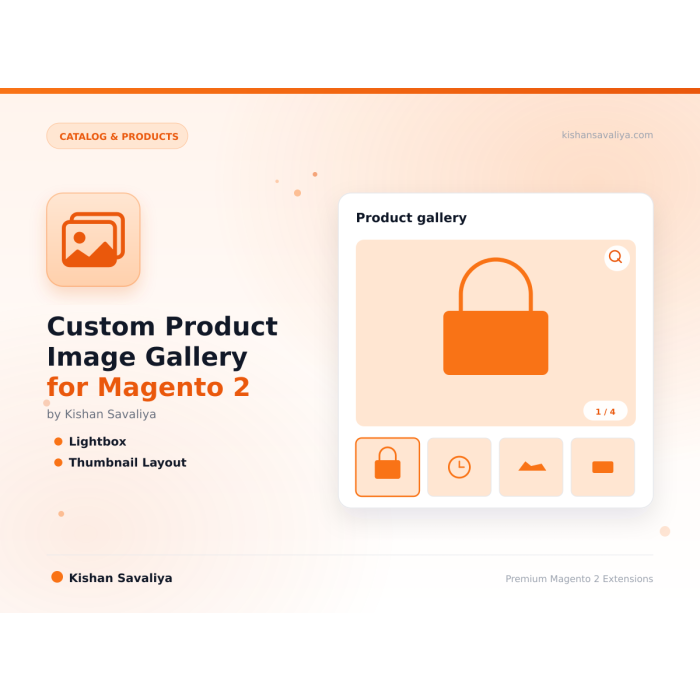
Custom Product Image Gallery for Magento 2, replace the default product media gallery with a fast, configurable gallery supporting horizontal, vertical and grid thumbnail layouts, inner and lens image zoom, fullscreen lightbox, responsi…
Key Features:
Additional Services
Built-in from day one. No add-ons, no upsell, no licence keys to renew.
Horizontal layout, traditional strip of thumbnails below the main image
Inner zoom, magnify the image in place on hover, no overlay required
Prev/next arrows with keyboard support (arrow keys, Escape to close)
Hyva compatible, Alpine.js components, Tailwind CSS utility classes, no jQuery
Alt text from Panth Advanced SEO, optional soft dependency; when installed, every image pulls its AI-generated alt text automatically
No jQuery on Hyva, pure Alpine.js, minimal JS payload
Panth Product Gallery is a custom product image gallery extension for Magento 2 and Adobe Commerce that replaces the default media gallery with a fast, configurable gallery supporting horizontal, vertical, and grid thumbnail layouts.
The Panth Product Gallery module gives merchants total control over how product images render on the product detail page. Choose between horizontal thumbnails (the classic strip below the main image), vertical thumbnails (a side rail on desktop that collapses to a strip on mobile), or a grid layout in the Amazon and Etsy style that shows every image at once. Thumbnail count, pixel dimensions, and active-state styling (border, shadow, scale transitions) are all admin-configurable.
Three zoom modes ship out of the box: inner zoom for in-place hover magnification, lens zoom for a floating magnifier window, and a fullscreen lightbox that opens the full-resolution image with swipe gestures and keyboard navigation. Every interaction is touch-friendly, responsive, and tuned for Core Web Vitals on Hyvä (Alpine.js + Tailwind) and Luma (Knockout.js) storefronts: so the new gallery never costs the merchant CLS or LCP budget.
When Panth Advanced SEO is installed alongside, the gallery automatically pulls AI-generated alt text into every img tag for accessibility and image-search SEO. The soft dependency means the gallery still works standalone: alt text simply falls back to the product name and image label.
Best for:
Panth Product Gallery ships every PDP image control a modern Magento 2 storefront needs:
gallery.phtmlPanth\Core\Helper\Theme, the correct template is served without any manual switching<figure>, <img>, aria-label, and role attributesloading="lazy" and decoding="async" on non-primary imagesPanth Product Gallery has a soft dependency on Panth Advanced SEO. When Advanced SEO is installed and enabled, the gallery automatically uses its AI-generated image alt text for every <img> tag, no manual alt text management required.
Without Advanced SEO, the gallery falls back to Magento's standard image label / product name pattern. You can still use the gallery fully without installing Advanced SEO; the integration is purely additive.
Ready to upgrade your Magento 2 product pages?
SEO Keywords: magento 2 product gallery, magento 2 image zoom, magento 2 lightbox, magento 2 product images, magento 2 gallery widget, magento 2 thumbnail layout, hyva product gallery, luma product gallery, magento 2 product image slider, magento 2 fullscreen image, magento 2 zoom extension, magento 2 product media gallery, magento 2 inner zoom, magento 2 lens zoom, magento 2 product page gallery, magento 2 PDP gallery, magento 2 responsive gallery, magento 2 mobile gallery, magento 2 image alt text, magento 2 SEO gallery, panth product gallery, panth infotech, hire magento developer, top rated plus upwork, kishan savaliya magento, mage2kishan, mage2sk, magento 2.4.8 gallery, php 8.4 magento module, hyva gallery alpine js, luma gallery knockout, magento 2 product image customization
| Requirement | Versions Supported |
|---|---|
| Magento Open Source | 2.4.4, 2.4.5, 2.4.6, 2.4.7, 2.4.8 |
| Adobe Commerce | 2.4.4, 2.4.5, 2.4.6, 2.4.7, 2.4.8 |
| Adobe Commerce Cloud | 2.4.4-2.4.8 |
| PHP | 8.1.x, 8.2.x, 8.3.x, 8.4.x |
| Hyva Theme | 1.3+ (fully supported) |
| Luma Theme | Native support |
| Panth_Core | Required (free) |
| Panth_AdvancedSEO | Optional (soft dependency for alt text) |
Tested on:
composer require mage2kishan/module-productgallery
bin/magento module:enable Panth_Core Panth_ProductGallery
bin/magento setup:upgrade
bin/magento setup:di:compile
bin/magento setup:static-content:deploy -f
bin/magento cache:flush
app/code/Panth/ProductGallery/ in your Magento installationbin/magento module:enablebin/magento module:status Panth_ProductGallery
# Expected output: Module is enabled
After installation, navigate to:
Admin → Stores → Configuration → Panth Extensions → Product Gallery
All settings live at Stores → Configuration → Panth Extensions → Product Gallery.
| Setting | Default | Description |
|---|---|---|
| Enable Module | Yes | Master toggle for the custom gallery. Disable to fall back to Magento's default gallery. |
| Thumbnail Layout | Horizontal | Choose Horizontal, Vertical, or Grid. |
| Thumbnail Count | 5 | Visible thumbnails before scrolling (horizontal/vertical). |
| Thumbnail Size | 80px | Pixel dimensions for each thumbnail. |
| Setting | Default | Description |
|---|---|---|
| Zoom Mode | Inner | Choose Inner, Lens, Lightbox, or Disabled. |
| Zoom Level | 2.0x | Magnification factor (1.5x - 4x). |
| Enable Fullscreen Lightbox | Yes | Click to open the full-size image in a modal. |
| Enable Pinch Zoom (mobile) | Yes | Pinch-to-zoom inside the lightbox. |
| Setting | Default | Description |
|---|---|---|
| Show Prev/Next Arrows | Yes | Display navigation arrows on the main image. |
| Show Dot Indicators | No | Show a row of dot indicators below the main image. |
| Show Image Counter | Yes | Show "3 / 12" counter overlay. |
| Enable Keyboard Navigation | Yes | Arrow keys, Escape, Enter. |
| Enable Auto-Slide | No | Auto-advance the main image. |
| Auto-Slide Interval | 5s | Seconds between slides when auto-slide is on. |
| Module Category | Catalog & Products |
|---|---|
| Best For | All Sizes |
Yes, on the product detail page. When the module is enabled, the default gallery.phtml is replaced with the Panth gallery (one template for Hyva, another for Luma, chosen automatically).
Yes. When a customer picks a colour/size swatch, the gallery swaps to the correct variant images using Magento's standard gallery JSON payload.
Yes. Magento product video entries are rendered inline with a play-button thumbnail; clicking opens the video in the lightbox.
Yes, fully. The module ships an Alpine.js implementation that does not depend on jQuery or Knockout, and installs automatically when the store theme is Hyva.
Positively. The Hyva implementation uses a minimal JS payload and lazy-loads thumbnails, which typically improves LCP and reduces CLS versus the default gallery.
Yes. Copy view/frontend/templates/product/view/gallery.phtml (Luma) or the equivalent file under the Hyva area into your own theme and customize freely.
Yes. All configuration respects Magento's scope hierarchy (default → website → store view) and all user-facing strings are translatable via Magento's __() function.
No, it is an optional soft dependency. Advanced SEO only improves alt-text quality; the gallery works standalone.
Yes. When the module is enabled, the /contact URL is handled by Panth Advanced Contact Us and the stock Magento_Contact form is bypassed. Disable the module to revert to the native form, no data loss.
No. Google does not participate in IndexNow and has stated they maintain their own crawl schedule. For Google indexing, use a proper XML sitemap and Google Search Console. This module is specifically for the IndexNow ecosystem (Bing, Yandex, Seznam, Naver, Yep).
Yes. The module ships Hyva-native templates using Alpine.js and Tailwind. No jQuery required.
Minimally. The column loads order items for each visible row (typically 20-50 orders). For very large catalogs, you can disable thumbnails to reduce image loading.
Yes. The module ships dedicated Hyva templates built with Alpine.js and Tailwind CSS. Theme detection is automatic via Panth_Core.
No. Merchant-authored labels (anything other than empty, the product name, Image, main product photo, or the raw filename) are preserved. Only Magento's default placeholders get upgraded to template output.
Yes. Create as many sliders as you want in the admin and place each one via its own widget or layout block. Each slider maintains independent configuration and slides.
It enhances them. Magento's native meta fields still work, Panth Advanced SEO adds template-based defaults, tokens, hreflang groups, JSON-LD, SEO scoring, and dozens of other features Magento ships without.
Yes, guests can subscribe with their email address. You can optionally require login via admin config.
No. The head block is cacheable="true" so the full JSON-LD payload is baked into full-page cache. Providers only run on uncached renders; cached hits serve the pre-rendered <script> tag with zero PHP evaluation.
Talk to Kishan directly: written quote, scope and timeline within 24 hours. No sales call.
Custom Product Image Gallery for Magento 2