Instant AJAX Autocomplete
Live results as you type, debounced AJAX requests (default 200ms) fire after the minimum query length is met
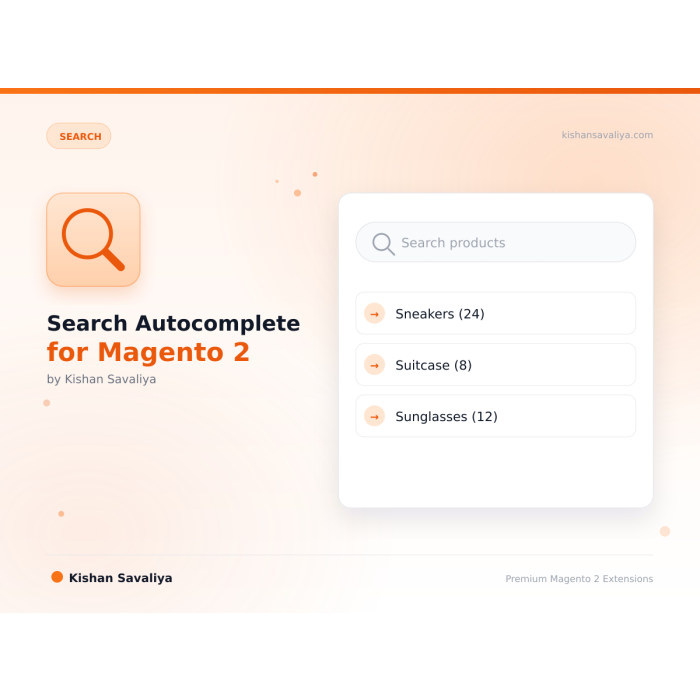
Search autocomplete for Magento 2 that shows products with image and price, SKU matches, categories and CMS pages while the shopper types. It works with Elasticsearch, OpenSearch and MySQL search, on Hyvä and Luma.
Key Features:
Additional Services
Built-in from day one. No add-ons, no upsell, no licence keys to renew.
Live results as you type, debounced AJAX requests (default 200ms) fire after the minimum query length is met
Configurable result count, independent products_limit, categories_limit, pages_limit, and popular_limit
9 layers of bot protection, form-key validation, per-IP rate limiting, query length caps, honeypot fields, referer checks, and more
MEQP compliant, passes Adobe's Magento Extension Quality Program
Panth Search Autocomplete is an instant AJAX search extension for Magento 2 and Adobe Commerce that surfaces matching products, categories, and CMS pages the moment a shopper starts typing in the storefront search box.
The module replaces the slow stock search input with a debounced AJAX dropdown that shows product thumbnails, prices, SKU matches, short and long description hits, related categories, CMS pages, and popular queries. Each result section can be toggled, limited, and styled independently from the admin, so merchandisers control exactly what shoppers see first on every storefront.
Built for high-traffic Magento 2 catalogs, Panth Search Autocomplete is engine-agnostic: it works on Elasticsearch 7 and 8, OpenSearch, and the MySQL fallback engine without configuration changes. A dedicated cache type, nine-layer bot protection (form-key validation, per-IP rate limiting, query-length caps, honeypots), and full keyboard plus ARIA accessibility keep search autocomplete fast, secure, and inclusive on both Hyvä and Luma themes.
It is the right search autocomplete extension for merchants who want to recover lost search revenue, reduce zero-result exits, and give shoppers a predictive, conversion-focused finding experience without touching a single template file.
Best for:
Panth Search Autocomplete bundles every signal a Magento 2 shopper needs into a single configurable dropdown:
Intelligent search autocomplete for Magento 2, instant AJAX results with product suggestions, SKU search, description matching, category & CMS page results, layered navigation of result sections, and fully configurable result counts. Works flawlessly on both Hyva and Luma themes with engine-agnostic support for Elasticsearch 7/8, OpenSearch, and the MySQL fallback search engine.
Panth Search Autocomplete turns the sluggish stock Magento search box into a lightning-fast, conversion-focused shopping assistant. As shoppers type, the dropdown instantly surfaces matching products (with images and prices), related categories, CMS pages, and popular searches, all via debounced AJAX calls that bypass full page loads. Every result section can be toggled, limited, and styled independently, giving merchandisers complete control over what shoppers see first.
The module searches across product name, SKU, short description, and full description using Magento's configured search engine, so results stay consistent with the on-site search results page. A dedicated cache type, 9-layer bot protection (form-key validation, per-IP rate limiting, query length caps, honeypots), and full keyboard & ARIA accessibility keep it fast, secure, and inclusive. Whether you run a high-traffic Luma storefront or a modern Hyva + Alpine.js build, Panth Search Autocomplete drops in with zero frontend conflicts.
products_limit, categories_limit, pages_limit, and popular_limitpanth_search_autocomplete cache is auto-invalidated on catalog / CMS changes/panth_searchautocomplete/ajax/index with the form key.Panth Search Autocomplete queries the following product attributes through Magento's configured search engine:
Category suggestions match against category name and description. CMS page suggestions match title and content heading. All matching honours store view scope, website scope, and visibility / status flags, out-of-stock and disabled products never appear.
Search endpoints are a favourite target for scrapers and DoS attackers. Panth Search Autocomplete ships with 9 defensive layers enabled by default:
max_query_length rejects oversized payloads.A dedicated cache type keeps autocomplete responses blazingly fast:
store_id + query_hash + config_hashpanth_search_autocomplete (listed in Admin → System → Cache Management)To manually flush:
bin/magento cache:clean panth_search_autocomplete
_ui.less mixinsBoth implementations share the same backend controller and respond to the same configuration options, so merchants can switch themes without retraining.
| Issue | Cause | Resolution |
|---|---|---|
| Dropdown never appears | Module disabled or cache stale | Enable in config, run bin/magento cache:flush. |
| "Invalid form key" in console | Aggressive caching / Varnish | Ensure form_key is dynamic; whitelist the AJAX URL in your ESI rules. |
| No results but search page works | Search engine not reindexed | Run bin/magento indexer:reindex catalogsearch_fulltext. |
| Rate-limit errors on shared IP | Office NAT or corporate proxy | Raise Rate Limit (req / min / IP) to 120+. |
| Styles broken on Hyva | Static content not deployed | bin/magento setup:static-content:deploy -f -t Hyva/default. |
| Slow response on large catalogues | MySQL fallback engine | Switch to Elasticsearch 8 or OpenSearch, 10× faster. |
Ready to supercharge your Magento 2 search experience?
SEO Keywords: magento 2 search autocomplete, instant search, ajax search, search suggestions, product autocomplete, magento 2 live search, magento 2 ajax search extension, magento 2 sku search, magento 2 search by description, magento 2 layered navigation search, magento 2 elasticsearch autocomplete, magento 2 opensearch autocomplete, hyva search autocomplete, luma search autocomplete, magento 2 search dropdown, magento 2 predictive search, magento 2 search suggestions extension, magento 2 product search box, magento 2 popular searches, magento 2 recent searches, magento 2 search performance, magento 2 search bot protection, magento 2 search rate limit, panth search autocomplete, panth infotech magento, kishan savaliya magento, mage2kishan search autocomplete, top rated plus magento developer, hire magento developer upwork, magento 2.4.8 search extension, php 8.4 magento module
| Requirement | Versions Supported |
|---|---|
| Magento Open Source | 2.4.4, 2.4.5, 2.4.6, 2.4.7, 2.4.8 |
| Adobe Commerce | 2.4.4, 2.4.5, 2.4.6, 2.4.7, 2.4.8 |
| Adobe Commerce Cloud | 2.4.4-2.4.8 |
| PHP | 8.1.x, 8.2.x, 8.3.x, 8.4.x |
| Search Engine | Elasticsearch 7.x, 8.x, OpenSearch 1.x/2.x, MySQL fallback |
| Hyva Theme | 1.0+ (Alpine.js powered dropdown) |
| Luma Theme | Native support |
| Panth Core | ^1.0 (auto-installed via Composer) |
composer require mage2kishan/module-search-autocomplete
bin/magento module:enable Panth_Core Panth_SearchAutocomplete
bin/magento setup:upgrade
bin/magento setup:di:compile
bin/magento setup:static-content:deploy -f
bin/magento cache:flush
app/code/Panth/SearchAutocomplete/.Panth_Core is also present in app/code/Panth/Core/ or installed via Composer.bin/magento module:status Panth_SearchAutocomplete
# Expected output: Module is enabled
After installation, navigate to:
Admin → Stores → Configuration → Panth Extensions → Search Autocomplete
All settings live at Stores → Configuration → Panth Extensions → Search Autocomplete.
| Setting | Default | Description |
|---|---|---|
| Enable Module | Yes | Master toggle for the autocomplete dropdown. |
| Minimum Query Length | 2 | Shorter queries never hit the backend. |
| Maximum Query Length | 64 | Hard cap to prevent CPU DoS via huge queries. |
| Input Debounce (ms) | 200 | Lower = more requests, higher = laggier UX. |
| Setting | Default | Description |
|---|---|---|
| Max Products | 8 | Number of product hits shown. |
| Max Categories | 4 | Number of matching categories. |
| Max CMS Pages | 3 | Number of matching CMS pages. |
| Max Popular Searches | 5 | Number of trending queries when input is short. |
| Show Product Images | Yes | Toggle thumbnails in dropdown. |
| Show Product Prices | Yes | Toggle prices in dropdown. |
| Show Categories Section | Yes | Toggle entire categories block. |
| Show CMS Pages Section | Yes | Toggle entire CMS pages block. |
| Show Popular Searches Section | Yes | Toggle popular-searches block. |
| Setting | Default | Description |
|---|---|---|
| Enable Result Cache | Yes | Dedicated cache type panth_search_autocomplete. |
| Cache TTL (seconds) | 300 | Auto-invalidated when products / categories / CMS pages change. |
| Setting | Default | Description |
|---|---|---|
| Require Form Key | Yes | Rejects requests without a valid Magento form_key. |
| Rate Limit (req / min / IP) | 60 | Cache-served responses do not count. |
| Module Category | Search |
|---|---|
| Best For | All Sizes |
Yes. The module is engine-agnostic, it uses whatever Magento is configured with (Elasticsearch 7, Elasticsearch 8, OpenSearch 1.x/2.x, or the MySQL fallback). No extra setup required.
Yes. SKU is a first-class search field. Both exact and partial SKU matches are returned, which is essential for B2B and wholesale storefronts.
Yes. Each result section has an independent limit in the admin. Set any section's limit to 0 (and its visibility toggle to "No") to hide it entirely.
Yes, the module ships with a dedicated Hyva implementation using Alpine.js and Tailwind CSS. No jQuery, no KnockoutJS, zero Hyva compatibility issues.
Requests are counted per IP per minute, stored in Magento's default cache. Cache-served responses do not count against the limit, so frequent queries from a legitimate shopper stay fast. Abusive bots are blocked with a 429 response.
No. The dedicated cache, debouncing, and lightweight frontend mean typical response times stay under 10ms for cached queries. The dropdown adds no weight to initial page load, all assets are lazy-loaded when the search input is focused.
Yes. Panth Core is the free foundation module for all Panth extensions. Composer installs it automatically.
Yes. All settings respect Magento's standard scope hierarchy (default → website → store view). Each store view can have its own limits, debounce, and visibility toggles.
Yes. When the module is enabled, the /contact URL is handled by Panth Advanced Contact Us and the stock Magento_Contact form is bypassed. Disable the module to revert to the native form, no data loss.
No. Google does not participate in IndexNow and has stated they maintain their own crawl schedule. For Google indexing, use a proper XML sitemap and Google Search Console. This module is specifically for the IndexNow ecosystem (Bing, Yandex, Seznam, Naver, Yep).
Minimally. The column loads order items for each visible row (typically 20-50 orders). For very large catalogs, you can disable thumbnails to reduce image loading.
No. Panth Core is completely free and will remain free forever. It is the foundation library that other (paid) Panth extensions depend on.
Yes. The module ships dedicated Hyva templates built with Alpine.js and Tailwind CSS. Theme detection is automatic via Panth_Core.
Yes, guests can subscribe with their email address. You can optionally require login via admin config.
Yes. Create as many sliders as you want in the admin and place each one via its own widget or layout block. Each slider maintains independent configuration and slides.
It enhances them. Magento's native meta fields still work, Panth Advanced SEO adds template-based defaults, tokens, hreflang groups, JSON-LD, SEO scoring, and dozens of other features Magento ships without.
No. The head block is cacheable="true" so the full JSON-LD payload is baked into full-page cache. Providers only run on uncached renders; cached hits serve the pre-rendered <script> tag with zero PHP evaluation.
Yes. The module ships Hyva-native templates using Alpine.js and Tailwind. No jQuery required.
Talk to Kishan directly: written quote, scope and timeline within 24 hours. No sales call.
Search Autocomplete for Magento 2