

Product Slider Widget for Magento 2
A Magento 2 product slider widget for CMS pages, categories and product pages. Pull products from categories, hand-picked SKUs, or new, bestseller and on-sale lists, and give each slider start and end dates.
- Free
- MIT license
- Hyvä + Luma
- Magento 2.4.4 to 2.4.9
composer require mage2kishan/module-product-slider
- Adobe CertifiedDeveloper since 2021
- 5.0 on UpworkFrom 100+ reviews
- MIT open sourceRead and change the code
- Hyvä + LumaSame module, both themes
- PHP 8.1 to 8.4Magento 2.4.4 to 2.4.9
What it does for your store
The main features, as listed in the module documentation.
-
Unlimited sliders
create, edit, enable/disable, duplicate, and delete unlimited product sliders
-
Full CRUD grid
familiar Magento admin grid with filters, mass actions, and store-view scope
-
Per-slider settings
title, status, store views, sort order, product source, and slide options per entity
-
Schedule sliders
optional start and end dates to run promotional sliders automatically
Installation
Run these from your Magento root. Test on staging first.
- 1Require the packageComposer pulls in the base module too.
- 2Upgrade, compile, deployThe usual setup commands.
- 3ConfigureStores, Configuration, Panth Extensions.
$ composer require mage2kishan/module-product-slider
$ bin/magento setup:upgrade
$ bin/magento setup:di:compile
$ bin/magento setup:static-content:deploy -f
$ bin/magento cache:flush
Compatibility
| Magento Open Source | 2.4.4 to 2.4.9 |
|---|---|
| Adobe Commerce | 2.4.4 to 2.4.9 |
| PHP | 8.1, 8.2, 8.3, 8.4 |
| Themes | Hyvä and Luma |
| License | MIT, free and open source |
| Requires | mage2kishan/module-core (Composer adds it) |
Documentation
The full module guide, from the README on GitHub.
Overview
Panth Product Slider is a Swiper-based product carousel widget for Magento 2 and Adobe Commerce with full admin slider management and style presets.
Most Magento product carousels are hard-coded layout XML that merchants can't edit without a developer. This module ships a CRUD admin grid where you create unlimited sliders, pick a product source (manual SKU list, category, featured, new arrivals, bestsellers, on-sale, most-viewed, related), choose a style preset, schedule start / end dates, and drop the widget onto any CMS page, category, product page, or layout block via the standard Magento widget UI, no template edits required.
Five style presets (modern, classic, minimal, boxed, borderless), six badge positions, responsive breakpoints for mobile / tablet / desktop, autoplay, navigation arrows, and pagination dots are all configured per slider. Sort options cover newest, price ascending / descending, name, popularity, random, and custom. Hyvä and Luma render the same data, theme tokens inherit from Panth Theme Customizer when installed, so a single slider definition powers both storefronts without divergent markup.
Product limit defaults to 12 (capped at 50), scheduled sliders run promotional windows automatically, and the layered admin filters let large catalogs manage dozens of sliders without UI clutter.
- Merchants needing self-service homepage and category carousels
- Hyvä stores wanting a Swiper-driven slider without custom theming
- Catalogs running scheduled promotional sliders by source type
What you get
Admin-managed product carousel widget for Magento 2 with multiple sources, style presets, and Hyvä/Luma support.
- Unlimited sliders via admin grid CRUD with mass actions and store-view scope
- Product sources: manual SKU, category, featured, new, bestsellers, on-sale, most-viewed, related
- Five style presets and six badge positions configurable per slider
- Responsive slides-per-view for mobile, tablet, and desktop breakpoints
- Optional start / end dates for scheduled promotional carousels
- Drop-in widget for CMS pages, categories, product pages, or layout XML
Magento 2 Product Slider
Panth Product Slider adds product carousels to Magento 2 storefronts. Sliders can be defined inline as a widget with all options set in the widget form, or created in an admin grid ("Manage Sliders") and referenced by identifier from a widget, layout XML or a template. Products are selected by category, product ID, SKU, special price, creation date, price range and stock status, with sorting, a product limit, responsive column counts, style presets and optional autoplay.
The module does not change any core Magento behaviour. It registers two widget types, an admin menu and grid, one database table and a configuration section. It is used by store administrators who need to place product carousels on CMS pages, blocks or layout handles. Both Hyva and Luma themes are supported: the block picks a Hyva template (snap-slider, Alpine.js, Hyva's "ProductListItem" renderer) or a Luma template (Swiper.js shipped by "Panth_Core") depending on the active theme.
Product page: kishansavaliya.com/magento-2-product-slider.html
Features
- Two widget types: "Panth Product Slider (Advanced)" with inline parameters and "Panth Product Slider (By Identifier)" for sliders stored in the admin grid.
- Admin grid and form under "Panth Extensions > Product Slider > Manage Sliders" with add, edit, delete and mass delete; the edit form shows the embed code for the saved slider.
- Product and category chooser popups in the admin form (search, select all, clear, pills for the selection).
- Product selection filters: category IDs, product IDs (given order preserved), product SKUs, sale products only (an active special price below the regular price), products created within the last N days, price from/to, exclude out of stock.
- Sorting by position, name, price, created_at or random, ascending or descending; configurable number of products (default 8).
- Separate column counts for mobile, tablet and desktop (defaults 1, 2, 4).
- Heading tag (h1 to h6), show/hide heading, optional HTML description below the heading.
- Style presets "Default", "Modern", "Minimal", "Bold", "Custom"; card shadow and card hover effect; custom CSS class on the slider container.
- Optional pager (pagination dots) and autoplay with a configurable interval (default 3000 ms); autoplay pauses while the pointer is over the slider or keyboard focus is inside it, and does not run when the visitor prefers reduced motion.
- Global on/off switch; a disabled module renders nothing. A slider with no matching products renders nothing.
- Hyva template renders products through Hyva's product list item renderer, so product cards look like the rest of the Hyva catalog. Luma template renders its own product card (image, name, regular and special price).
Usage
Slider by identifier (created in Manage Sliders)
CMS page or block:
{{widget type="Panth\ProductSlider\Block\SliderById" identifier="homepage-bestsellers"}}
Layout XML:
<referenceContainer name="content">
 <block class="Panth\ProductSlider\Block\SliderById" name="home.bestsellers.slider">
 <arguments>
 <argument name="identifier" xsi:type="string">homepage-bestsellers</argument>
 </arguments>
 </block>
</referenceContainer>
PHTML template:
<?= $block->getLayout()
 ->createBlock(\Panth\ProductSlider\Block\SliderById::class)
 ->setData('identifier', 'homepage-bestsellers')
 ->toHtml() ?>
The same block is available in "Content > Widgets" as "Panth Product Slider (By Identifier)" with one parameter, "Slider Identifier". The block loads the slider row by identifier and copies its columns onto the block data, so every stored setting applies. Only sliders with "Enable Slider" set to Yes and assigned to the current store view (or to All Store Views) are rendered; an unknown identifier, a disabled slider or a slider of another store view renders nothing.
Inline widget ("Panth Product Slider (Advanced)")
Insert the widget from "Content > Widgets" or the CMS editor. All parameters are optional unless noted.
| Parameter | Label | Options / default |
|---|---|---|
| title | Slider Title | text |
| heading_tag | Heading Tag | H1 to H6, default H2 |
| show_heading | Show Heading | Yes (default) / No |
| category_ids | Category IDs | comma-separated IDs |
| include_child_categories | Include Child Categories | Yes / No (default). Yes also includes products assigned to any subcategory of the listed categories. |
| product_ids | Product IDs | comma-separated IDs; the given order is kept |
| product_skus | Product SKUs | comma-separated SKUs |
| sale_products_only | Sale Products Only | Yes / No (default) |
| new_products_days | New Products (Days) | number of days; empty disables the filter |
| price_from, price_to | Price From, Price To | numbers |
| exclude_out_of_stock | Exclude Out of Stock | Yes / No (default) |
| sort_by | Sort By | Position (default), Name, Price, Newest First (created_at), Random |
| sort_direction | Sort Direction | Ascending (default), Descending |
| page_size | Number of Products | default 8 |
| columns_mobile, columns_tablet, columns_desktop | Columns (Mobile / Tablet / Desktop) | defaults 1, 2, 4 |
| show_pager | Show Pagination Dots | Yes (default) / No |
| enable_badges, badge_types, badge_position | Enable Badges, Badge Types, Badge Position | Yes (default) / No; "sale,new" (also "stock", "featured"); Top Left (default), Top Right, Bottom Left, Bottom Right |
| hide_details, hide_rating, show_add_to_cart | Hide Product Details, Hide Rating, Show Add to Cart Button | Yes / No |
| style_preset | Style Preset | Default (From Config) (default), Modern, Minimal, Bold, Custom (Use individual settings) |
| card_shadow | Card Shadow | None, Small, Medium (default), Large, Extra Large |
| card_hover_effect | Card Hover Effect | None, Lift (default), Scale, Lift + Scale |
| enable_autoplay | Enable Auto-Play | Yes / No (default) |
| autoplay_interval | Auto-Play Interval (ms) | default 3000 |
| custom_css_class | Custom CSS Class | text |
When "Apply Card Settings" is Yes and Enable Badges is Yes, the templates show the badges computed by getProductBadges() (sale discount percentage, new, low stock / out of stock, featured) at the chosen Badge Position. The display parameters behave as described for Manage Sliders above.
The inline widget can also be placed from layout XML with the block class Panth\ProductSlider\Block\Widget\ProductSlider and the parameter names above as arguments.
Product sources
The block builds a catalog product collection limited to enabled products visible in the catalog for the current store, joined to the price index for the current website and customer group (so products hidden by the "Display Out of Stock Products" setting are left out), then applies the filters above. "Sale Products Only" also checks the special price from/to dates against the store's local date and requires the indexed final price to be below the regular price. The number of products is limited to 1 to 100, column counts to 1 to 12, and the autoplay interval to at least 1000 ms. Sort By values other than the listed options fall back to Position, and heading tags other than h1 to h6 fall back to h2. The description is output with a limited set of HTML tags (a, b, strong, em, i, u, br, p, span, small, div); scripts and javascript: links are removed. The custom CSS class is added to the slider container after removing characters other than letters, digits, -, _ and spaces. Product selection by category, ID and SKU can be combined; all filters are ANDed. Style presets set a card shadow and hover effect ("Default": md/lift, "Modern": lg/both, "Minimal": none/none, "Bold": xl/scale); with Default or Custom the Card Shadow and Card Hover Effect values are used.
Storefront behaviour
- Hyva: renders a
<section class="snap-slider product-slider">using Hyva'sx-snap-sliderdirective with previous/next buttons, a pager and a "Press to skip carousel" link. Autoplay is implemented with Alpine.js by scrolling the slider track one view to the right on an interval (back to the start at the end), so the page itself never scrolls; it pauses on hover and focus. - Luma:
view/frontend/layout/default.xmladdsPanth_Core::css/swiper-bundle.min.cssandPanth_Core::js/swiper-bundle.min.jsto the head of every frontend page;default_hyva.xmlremoves them again for Hyva. The template initialises Swiper withloop: false, navigation buttons, optional pagination and the column counts as breakpoints at 768 px and 1024 px. Product images are thecategory_page_gridimage resized to 300 x 300 with lazy loading.
Templates
Templates that can be overridden in a theme:
Panth_ProductSlider::widget/slider.phtml(Hyva) atview/frontend/templates/widget/slider.phtmlPanth_ProductSlider::luma/widget/slider.phtml(Luma) atview/frontend/templates/luma/widget/slider.phtml
The block's getTemplate() returns the Hyva template when Panth\Core\Helper\Theme::isHyva() is true, otherwise the Luma template.
Documentation
USER_GUIDE.md covers installation, verifying the module, global configuration, creating a slider in the admin, embedding by identifier, the two widget types, product selection options, layout and styling, autoplay and troubleshooting.
Changelog
See CHANGELOG.md.
Compatibility
| Platform | Versions |
|---|---|
| Magento Open Source | 2.4.4 to 2.4.9 |
| Adobe Commerce | 2.4.4 to 2.4.9 |
| PHP | 8.1, 8.2, 8.3, 8.4 |
| Themes | Hyva, Luma |
Composer constraints from composer.json: magento/framework ^103.0, magento/module-backend ^102.0, magento/module-catalog ^104.0, magento/module-catalog-inventory ^100.4, magento/module-config ^101.2, magento/module-widget ^101.0, magento/module-store ^101.0, magento/module-ui ^101.2.
Requirements
- Magento Open Source or Adobe Commerce 2.4.4 to 2.4.9
- PHP 8.1, 8.2, 8.3 or 8.4
mage2kishan/module-core^1.0 (module "Panth_Core"; provides theme detection, the "Panth Extensions" admin menu and the Swiper.js assets used by the Luma template)- Hyva theme, when the Hyva template is used: the template requires Hyva's view models ("ProductListItem", "LucideIcons") and the snap-slider component
Installation
composer require mage2kishan/module-product-slider
bin/magento module:enable Panth_Core Panth_ProductSlider
bin/magento setup:upgrade
bin/magento setup:di:compile
bin/magento cache:flush
setup:di:compile is only needed in production mode. The module ships no files under view/*/web, so setup:static-content:deploy is not required for this module.
Check the module status:
bin/magento module:status Panth_ProductSlider
Configuration
Admin path: "Stores > Configuration > Panth Extensions > Product Slider".
General Settings
| Setting | Default | What it does |
|---|---|---|
| Enable Module | Yes | Global switch. When set to No, neither widget type renders anything on the storefront. |
| Apply Card Settings | No | Yes applies each slider's Style Preset, Card Shadow and Card Hover Effect, the widget badges (Enable Badges, Badge Types, Badge Position) and, on Luma, the Add to Cart button. No keeps the card look of earlier versions, where these settings had no visible effect. |
Default Layout
| Setting | Default | What it does |
|---|---|---|
| Default Columns (Mobile) | 1 | Pre-filled Columns (Mobile) value of a new slider in Manage Sliders. |
| Default Columns (Tablet) | 2 | Pre-filled Columns (Tablet) value of a new slider. |
| Default Columns (Desktop) | 4 | Pre-filled Columns (Desktop) value of a new slider. |
| Default Products Per Slider | 8 | Pre-filled Page Size of a new slider. |
The "Default Layout" values pre-fill the form of a new slider. On the storefront, a slider or widget that leaves a column count or product count empty falls back to 1, 2, 4 and 8.
Design & Colors
This group contains no fields, only a note that arrow and card colours are managed through the theme configuration file (section "product-slider") and that product badges are managed by the "Smart Product Badges" module.
Config paths:
product_slider/general/enabledproduct_slider/general/apply_card_settingsproduct_slider/default_layout/columns_mobileproduct_slider/default_layout/columns_tabletproduct_slider/default_layout/columns_desktopproduct_slider/default_layout/page_size
Manage Sliders (admin grid and form)
Menu: "Panth Extensions > Product Slider > Manage Sliders". The grid lists ID, Identifier, Title, Active, Page Size, Sort Order and Created At, with filters, keyword search on identifier and title, bookmarks, column controls and a "Delete" mass action. "Add New Slider" opens the form, which has these fieldsets:
| Fieldset | Fields |
|---|---|
| General | Title (required), Identifier (required, unique; starts with a letter, then letters, digits, -, _ or /), Enable Slider (default Yes), Sort Order, Store Views (required; All Store Views or selected store views, saved in store_ids), Description (HTML shown below the heading). After the first save this fieldset also shows the CMS, layout XML and PHTML embed code for the slider. |
| Product Selection | Specific Products and Categories (text inputs with "Browse Products..." and "Browse Categories..." popups), Sale Products Only (default No), New Products Days, Price From, Price To, Exclude Out of Stock (form default Yes; table default 0) |
| Sorting | Sort By (Position, Name, Price, Created At, Random), Sort Direction (Ascending, Descending), Page Size |
| Layout | Columns (Mobile), Columns (Tablet), Columns (Desktop), Show Pager (default Yes), Show Add to Cart (default Yes), Hide Details (default No), Hide Rating (default No) |
| Styling | Style Preset (Default, Modern, Minimal, Bold, Custom), Card Shadow (None, Small, Medium, Large, Extra Large), Card Hover Effect (None, Lift, Grow, Glow, Lift + Grow, Scale), Custom CSS Class |
| Animation | Enable Autoplay (default No), Autoplay Interval (ms) |
Display fields: on Hyva, "Hide Details" hides the product details area (for example swatches) and "Hide Rating" hides the rating summary of the Hyva product card, and "Show Add to Cart" set to No hides its Add to Cart button. On Luma the cards show no rating, so "Hide Rating" has no effect; with "Apply Card Settings" on, Luma cards get an Add to Cart button (or a "View Options" link for products that need options) unless "Show Add to Cart" is No or "Hide Details" is Yes.
Styling fields take effect when "Apply Card Settings" is Yes. The presets Modern, Minimal and Bold set the card shadow, hover effect, corner radius and title size; Default and Custom use the Card Shadow and Card Hover Effect fields. Hover effects: Lift raises the card, Grow (and the widget value Scale) enlarges it, Glow adds a coloured outline glow, Lift + Scale combines Lift and Grow. The card styles are printed as scoped CSS by the slider templates on both themes.
Uninstallation
bin/magento module:disable Panth_ProductSlider
composer remove mage2kishan/module-product-slider
bin/magento setup:upgrade
bin/magento setup:di:compile
bin/magento cache:flush
The table panth_product_slider and the product_slider/* rows in core_config_data are not removed by these commands. Drop the table and delete the config rows manually if they are no longer needed. Widget instances that reference the module's block classes should be removed from "Content > Widgets" and CMS content before disabling the module.
License
MIT License. Free and open source. See LICENSE in this repository.
Developer Notes
- Module name:
Panth_ProductSlider; Composer package:mage2kishan/module-product-slider; namespace:Panth\ProductSlider. - Load sequence:
Panth_Core,Magento_Catalog,Magento_Widget,Magento_Store. - Blocks:
Block\Widget\ProductSlider(product collection, slider config, CSS class helpers,_toHtml()guard) andBlock\SliderById(extends it, loads a slider row by identifier in_beforeToHtml()). - Helpers:
Helper\Data(config flag, style presets, shadow/hover/column class maps,parseIds()) andHelper\Badge(badge computation).Helper\Dataalso exposesgetCacheLifetime()and arrow helper methods that read config paths without a corresponding field insystem.xml; they return their fallbacks. - Model:
Model\Slider(event prefixpanth_product_slider),Model\ResourceModel\Slider,Model\ResourceModel\Slider\Collection,Model\ResourceModel\Slider\Grid\Collection(registered aspanth_productslider_slider_listing_data_sourceinetc/di.xml). - Admin: route
panth_productslider, controllersSlider\Index,NewAction,Edit,Save,Delete,MassDelete,ProductsGrid(JSON, up to 500 enabled products) andCategoryTree(JSON); UI componentspanth_productslider_slider_listingandpanth_productslider_slider_form; data providerUi\DataProvider\SliderFormDataProvider. etc/frontend/di.xmlregisters the module withPanth\Core\ViewModel\ThemeConfig;etc/theme-config.jsondeclares the colour tokensproduct-slider-primary,product-slider-card-bg,product-slider-card-border,product-slider-textandproduct-slider-text-muted.- ACL resources:
Panth_ProductSlider::slider_manage("Product Slider - Manage Sliders") andPanth_ProductSlider::config("Product Slider - Configuration"), both underPanth_Core::panth_extensions. - Cache: the blocks implement
IdentityInterfaceand return thecat_ptags of the rendered products and, forSliderById, thepanth_product_slidertags, so saving a product or a slider refreshes cached pages that show it. - Database table:
panth_product_slider(primary keyslider_id, unique index onidentifier, index onis_active). Thestore_idscolumn holds0(All Store Views) or a comma-separated list of store view IDs and is edited through the "Store Views" field. - No plugins, preferences, observers, cron jobs, web APIs or console commands are declared.
| Module Category | Theme & UI |
|---|---|
| Best For | All Sizes |
Works well with
Separate free modules. Install only what you need.
-

Banner Slider for Magento 2
A Magento 2 banner slider with separate desktop, tablet and mobile images per slide, HTML overlay text, fade... -

Custom 404 Not Found Page for Magento 2
Replaces the Magento 2 "Whoops, our bad" 404 page with one that lists your top-level categories, adds a... -

Custom Footer for Magento 2
A custom footer for Magento 2 built from the admin: unlimited columns, CMS blocks inside columns, icons for... -
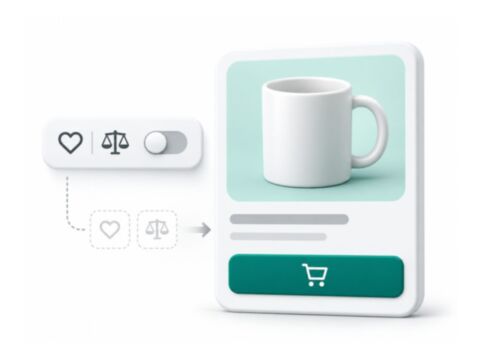
Disable Wishlist & Compare for Magento 2
Turns off Wishlist and Compare in Magento 2 everywhere on the storefront: buttons, links, sidebar blocks... -

Hyva Theme Customizer for Magento 2
Edit a Hyvä theme on Magento 2 from the admin: colors, Google Fonts, border radius, spacing, header layout... -

Mega Menu for Magento 2, Multi-Level Dropdown Navigation
A Magento 2 mega menu you build in an admin tree from category links, CMS pages, custom URLs and CMS blocks...

Questions before you install?
Send me your composer.json and I will check for conflicts first. Free. Installation is +$45, custom work is quoted first.