
Chat on WhatsApp

Panth MagePos Point of Sale

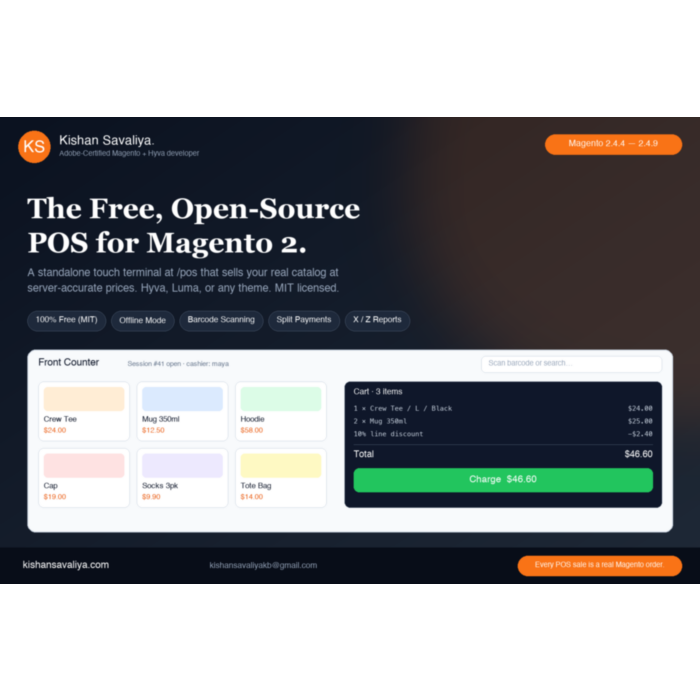
Turn any Magento 2 store into a retail counter. Panth MagePos adds a standalone touch POS terminal at /pos that sells your real catalog at server-accurate Magento prices - cashier logins with PIN unlock, register sessions with X / Z reports, barcode scanning, quick keys, every...

Key Features:

  • Standalone touch POS terminal at /pos
  • Every sale is a real Magento order
  • Register sessions with X / Z reports
  • All product types at server-accurate prices

Additional Services

$0.00
In stock
SKU
panth-mage-pos
Links
Pay with Wise
Lifetime Updates Every Magento release
1-Year Free Support Email + WhatsApp
Adobe-Certified Magento 2 Developer
30-Day Money Back No-questions refund
What you get

Everything in the box

Built-in from day one. No add-ons, no upsell, no licence keys to renew.

Standalone touch POS terminal at /pos

theme-independent and pixel-identical on Hyva, Luma, and any custom theme, with no build step

Every sale is a real Magento order

native invoices, tax, credit memos, stock deduction, and reporting with no middleware or product sync jobs

Register sessions with X / Z reports

opening float, cash in / out with reasons, counted close, and automatic over / short reconciliation

All product types at server-accurate prices

simple, configurable, grouped, bundle, and custom options with catalog / cart price rules, coupons, tier and group prices

Overview

Panth MagePos is a free, open-source (MIT-licensed) Magento 2 POS extension that adds a standalone touch point of sale terminal at /pos and places every in-store sale as a real Magento order.

Watch MagePos in action

Full 7-minute walkthrough: offline mode, split payments, configurable variants, X / Z reports, barcode scanning, and receipts on a live Magento 2 store.

Most Magento point of sale products are SaaS bridges: a separate cloud system, a separate product database, monthly fees, and a sync job that can fail before your busiest weekend. MagePos is native. The terminal talks directly to your live catalog, customers, MSI inventory, and order pipeline, so invoices, tax, credit memos, stock deduction, reporting, and ERP exports keep working unchanged. Pricing is server-accurate because every POS cart is a real Magento quote: catalog price rules, cart price rules, coupon codes, tier prices, and customer group prices apply exactly as on your storefront.

Cashiers sign in with their own credentials and unlock with a PIN after idle lock; roles cap discounts and gate refunds, price overrides, and cash movements, all enforced server-side. Register sessions track an opening float and cash in / out, then close with a Z report and automatic over / short reconciliation. The terminal scans barcodes, holds and retrieves carts, splits payments across cash, offline methods, and QR payment links, prints 80 mm thermal receipts, and keeps selling offline with deduplicated order sync. It renders outside the theme layout, so Hyvä, Luma, and any custom theme display it pixel-identically. Compatible with Magento 2.4.4-2.4.8 (Magento Open Source and Adobe Commerce) and PHP 8.1-8.4.

  • Best for: brick-and-mortar retailers on Magento 2 or Adobe Commerce who want in-store sales in the same database as online orders.
  • Best for: stores replacing a paid SaaS POS bridge that needs middleware, product sync, or per-register fees.
  • Best for: Hyvä and Luma merchants who need offline-capable tills with barcode scanning and thermal receipts on standard hardware.

Why Panth MagePos

Most Magento POS solutions are SaaS bridges: a separate cloud product, a separate product database, monthly fees, and a sync job that breaks at 2 a.m. before your busiest Saturday. Panth MagePos is native and free, the terminal runs inside your Magento installation, sells your real catalog at your real prices, and every sale lands instantly as a normal Magento order.

  • Free and open source (MIT), no subscriptions, no per-register fees, no feature gates
  • No middleware, no sync, one source of truth: your Magento database
  • Real orders, real accounting, invoices, credit memos, tax, stock deduction, and reports all native
  • Theme-independent terminal, a standalone SPA at /pos, pixel-identical on Hyvä and Luma
  • Server-accurate pricing, catalog price rules, cart price rules, coupons, tier/group/special prices, and tax are all computed by the real Magento quote, never approximated in the browser
  • Keeps selling when the internet doesn't, offline mode caches the catalog in IndexedDB and queues orders for deduplicated sync
  • Server-enforced security, every discount cap, price override, refund permission, and even the screen lock is validated server-side, never trusted to the browser
  • Make the terminal yours, drag-to-move and drag-to-resize every panel, per-user saved layouts, light/dark themes, accent colors, density and font scaling

What you get

Panth MagePos covers the full retail counter workflow for Magento 2, from cashier login to printed receipt:

  • Cashier login with PIN unlock, server-persisted idle lock, and per-role permission caps
  • Register sessions with opening float, cash in / out, X and Z reports, and over / short reconciliation
  • Sells all product types: simple, configurable, grouped, bundle, and custom options at server-accurate prices
  • Split payments across cash, offline methods, and online payment links with scannable QR codes
  • Full offline mode with an IndexedDB catalog cache and client-UUID deduplicated order sync
  • Drag-and-drop layout editor with light Paper and dark Ink Console themes, persisted per cashier

Key Features

Standalone Theme-Independent POS Terminal

  • Touch-first single-page terminal at /pos, big targets (44 px+), numeric keypads, tablet-landscape primary, responsive down to phones
  • Rendered as a standalone HTML document outside the theme layout, zero dependency on your storefront theme, so Hyvä, Luma, and any custom theme render it pixel-identically
  • Plain Alpine.js + hand-written CSS, no jQuery, no mage/*, no Tailwind dependency, no build step
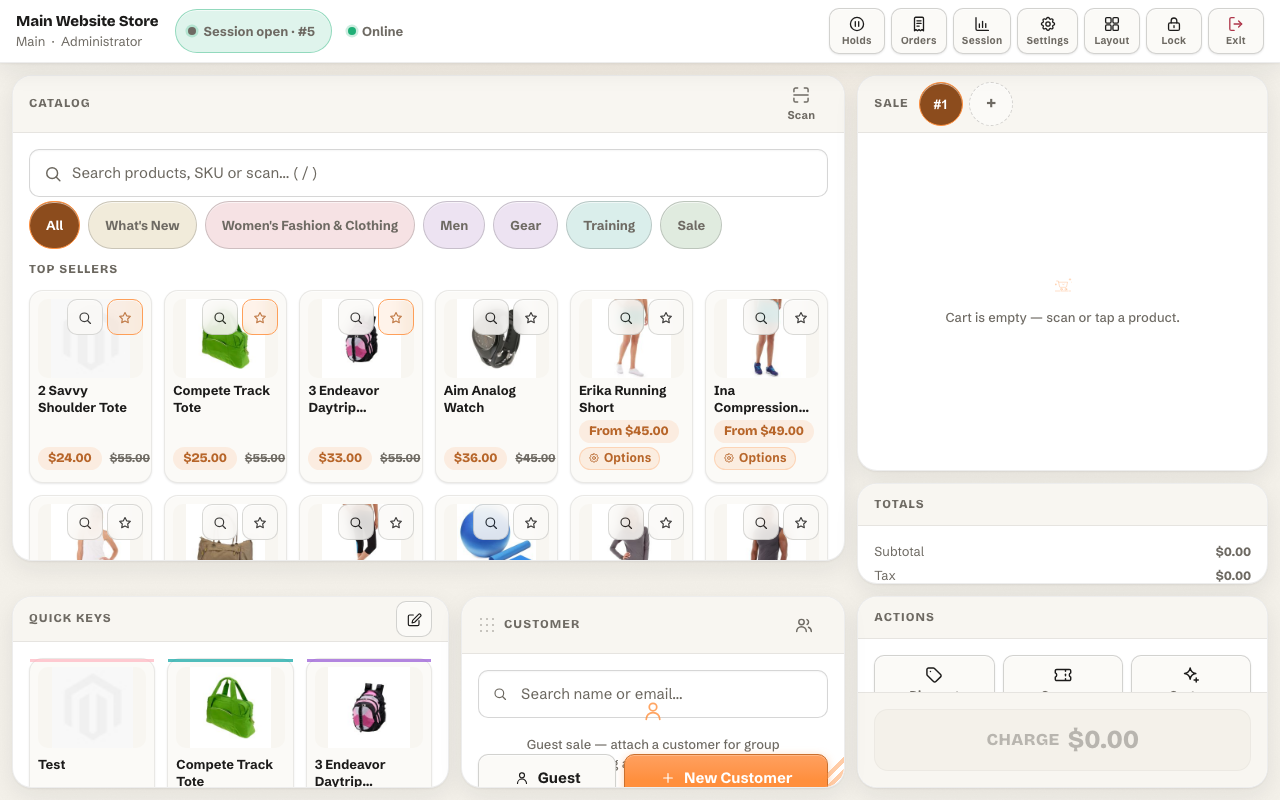
  • The page never scrolls; each panel scrolls internally, so the workspace always fits the screen

Panth MagePos POS terminal running on the Magento Luma theme, identical to Hyva, theme-independent point of sale

Cashier Authentication, PIN Lock & Roles

  • Dedicated POS users (separate from admin users and customers) with username/password login
  • Fast PIN unlock after idle auto-lock, full credentials only required once per browser session
  • Server-persisted lock: locking the terminal (manually or via the idle timer) is recorded server-side, so a hard refresh still lands on the PIN screen and data endpoints refuse to act while locked
  • Roles with granular permissions: maximum discount %, refund, price override, cash in/out, custom products, layout editing, reports
  • Passwords and PINs hashed with PHP password_hash(), never stored in plain text
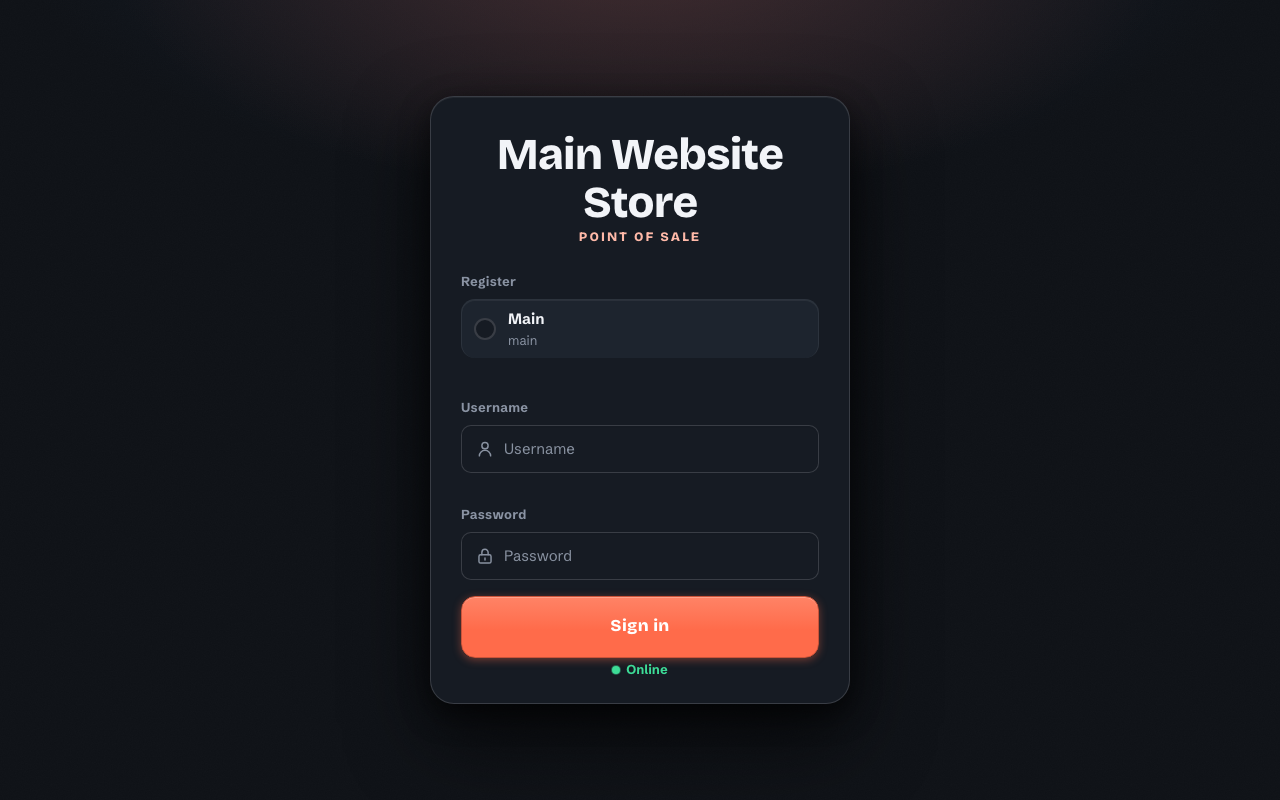
Cashier login screen of the Magento 2 point of sale terminal

Register Sessions & Cash Management (X / Z Reports)

  • Open a session with an opening float; record cash in / cash out with reasons
  • X report (mid-day snapshot) any time; Z report on close with counted cash and automatic over/short reconciliation
  • Every cash sale, refund, float, and movement is tracked per session
  • Admin can view any session's Z data with paginated cash-drawer movements, or force-close abandoned sessions (auto-close cron included)

Catalog, Barcode Scanning & Quick Keys

  • Instant live search by name, SKU, or description; category browsing with reliable anchor/descendant handling; full pagination with infinite scroll
  • Top Sellers shown by default, so the catalog panel is never empty after login
  • Barcode scanning: keyboard-wedge USB/Bluetooth scanners work out of the box; camera scanning via the browser BarcodeDetector API where available; configurable barcode attribute (defaults to SKU)
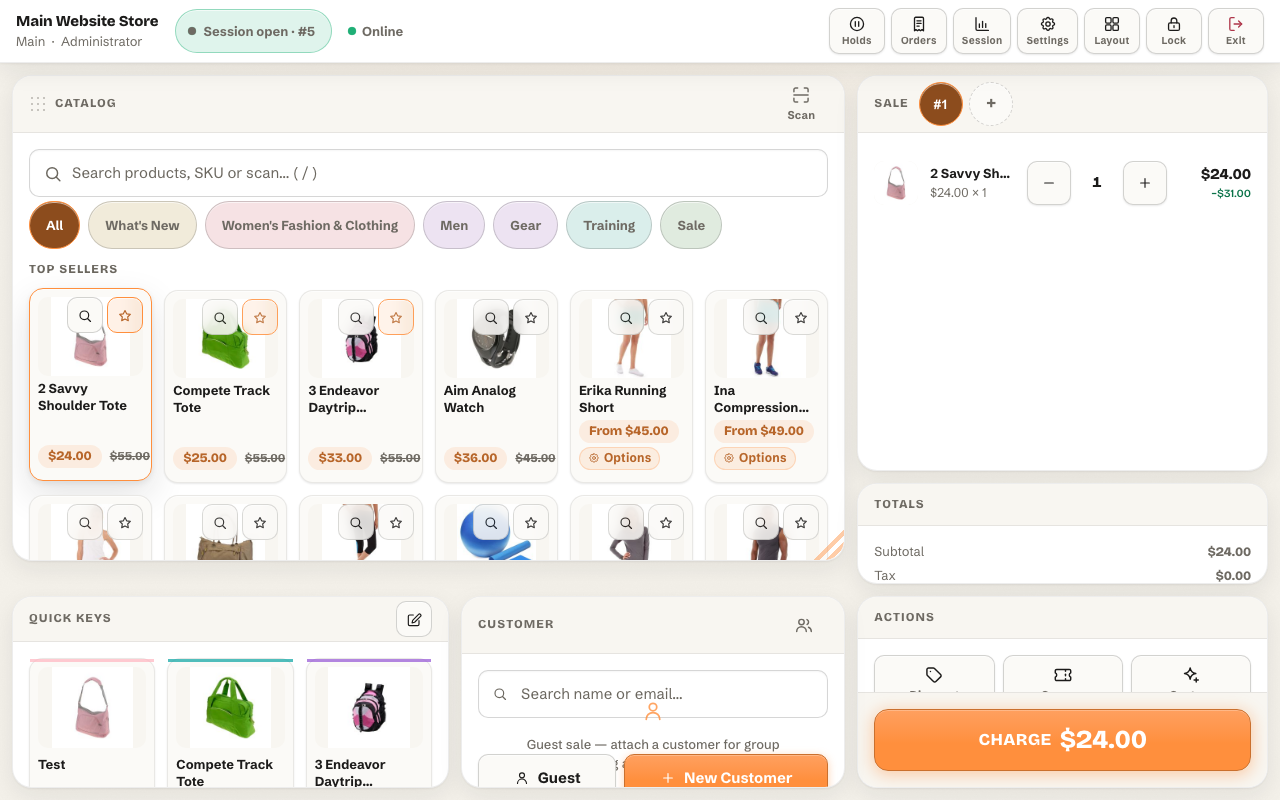
  • Quick keys: favorite product tiles with custom labels, colors, and pages, manage them in admin or pin products straight from the terminal with the star/pin affordance on any product card
  • Product quick-view: tap a card for images, description, salable quantity, and key attributes before adding

Quick keys panel with pinned favorite products in the Magento 2 POS terminal

All Product Types with Server-Accurate Magento Pricing

Panth MagePos sells every Magento product type, not just simples:

  • Simple products, one tap to add
  • Configurable products, a variant picker modal for size, color, and any super attributes
  • Grouped products, choose quantities per associated product
  • Bundle products, full option selection (radio/checkbox/select/multiselect) with live price recalculation
  • Custom options, text, dropdown, checkbox, and other options supported on any product

Selected options are shown in the cart and on the receipt, so cashiers and customers always see exactly what was sold.

Pricing is server-accurate: every cart is a real Magento quote, so catalog price rules, cart price rules, coupon codes, tier prices, customer group prices, special prices, and tax are all honored exactly as on your storefront. All money math happens server-side, the terminal only displays.
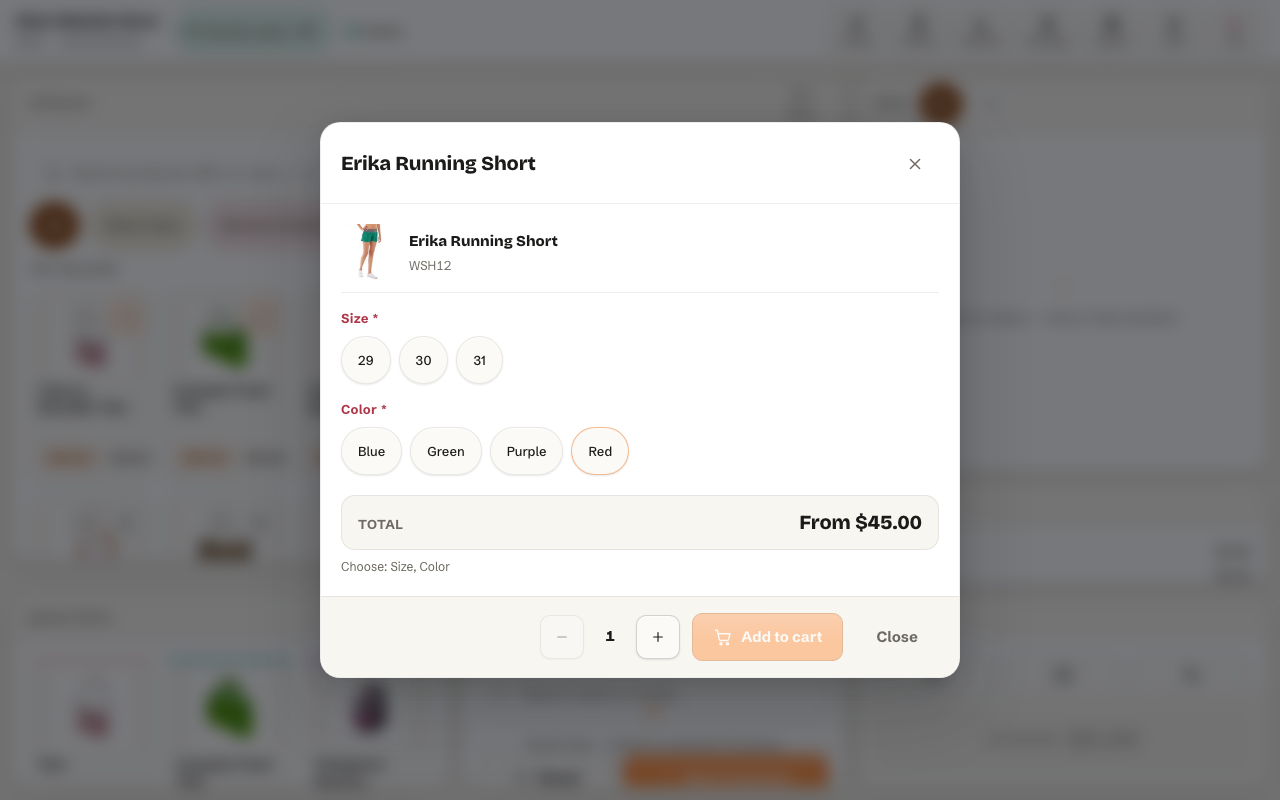
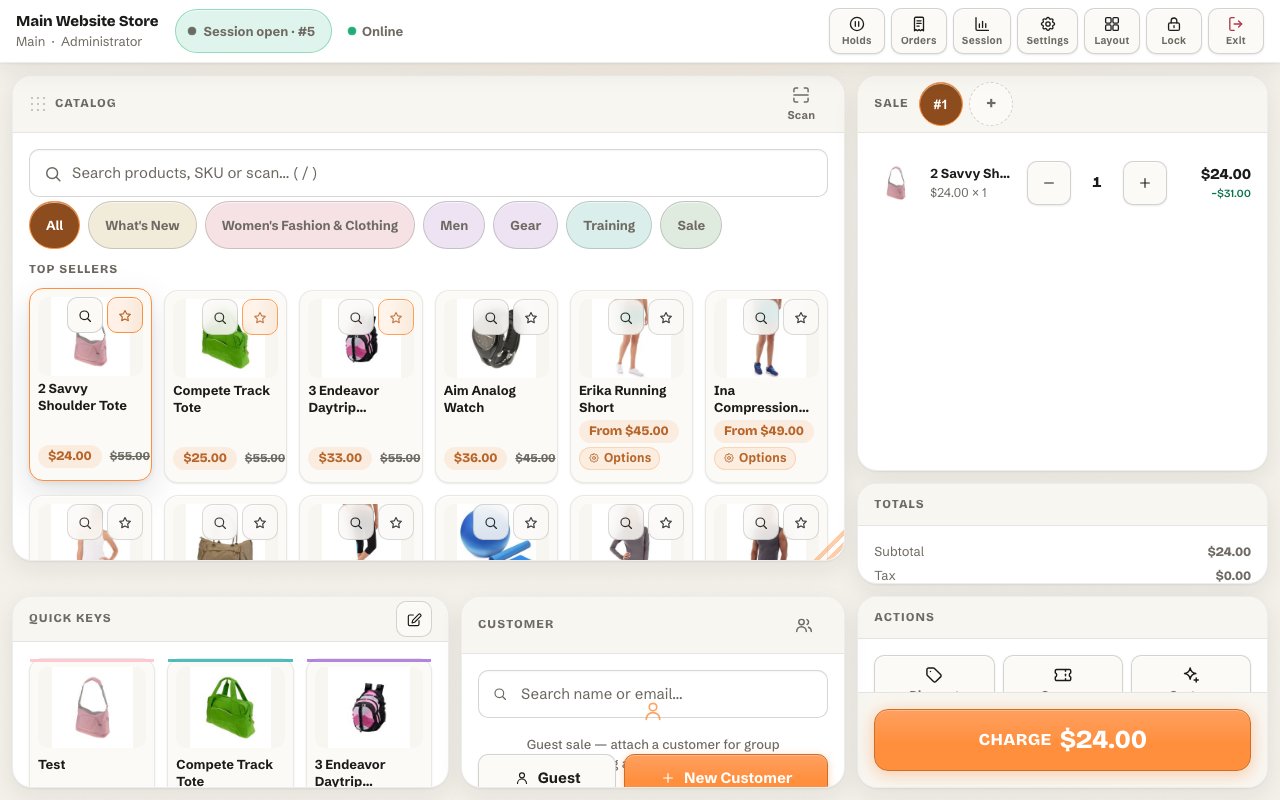
Configurable product option selection in the Magento 2 POS, choosing variant attributes before adding to cart

Cart: Multi-Cart Tabs, Hold/Retrieve, Discounts & Custom Lines

  • Multi-cart tabs: serve several customers in parallel; hold a cart with a label and retrieve it later from any session
  • Discounts, all enforced server-side against the cashier's role cap:
  • Cart-level: percentage or fixed amount off the whole cart
  • Line-level: percentage or fixed amount off a single line (original price stays on the receipt)
  • Price override: set any line price directly (permission-gated)
  • Coupon codes: native Magento cart price rules apply at the terminal too
  • Custom sale lines: sell anything not in the catalog, name, price, quantity, optional tax class, backed by a hidden placeholder product so totals, tax, and reporting stay correct
  • Order notes, and customer attach with search/create/guest, customer group pricing honored instantly

Magento 2 POS cart with line items, selected product options, discounts and order totals

Payments, Cash, Offline, Online & Split

  • Cash: tendered-amount keypad, denomination shortcuts, automatic change due, optional cash-drawer kick
  • Offline custom methods: define any number in admin, card terminal, cheque, bank transfer, gift voucher, with an optional mandatory reference field (e.g. terminal approval code) and on-screen instructions
  • Online methods: a payment link rendered as a scannable QR code at checkout; the order is placed pending-payment and a PaymentProcessorInterface extension point lets developers wire real gateways
  • Split payments: combine any number of methods on one sale, half cash, half card, remainder by payment link
  • Fully paid cash/offline orders are auto-invoiced (configurable); every payment row is stored per order and shown on the receipt
  • On the Magento side all POS orders use one offline payment method (panth_pos), with per-row detail in the payment's additional information, existing accounting and ERP exports keep working

Receipts: 80 mm Print, Email, Reprint

  • 80 mm thermal-friendly print CSS, prints through the normal browser dialog, so any printer works
  • Store logo, configurable header/footer (global + per-register overrides), tax breakdown, payment rows including change, and the selected product options on every line
  • Email receipts (manual button or automatic) and reprint any past receipt
  • Receipt numbers in the format {register_code}-{session_id}-{seq}

↩ Refunds & Returns

  • Search past orders by increment ID or email, or browse the register's recent POS orders
  • Select items and quantities, the refund total is server-computed with the same credit memo math as Magento, so discounted and taxed orders preview the exact amount that will be refunded
  • Choose the refund payment split, optional restock toggle (MSI-aware), and a mandatory reason
  • Creates a real Magento credit memo and records the matching cash-drawer movement
  • Permission-gated per role (can_refund)

Offline Mode

  • Catalog cached locally in IndexedDB (configurable item limit)
  • On connectivity loss the terminal switches to local search automatically and keeps selling for cash/offline methods
  • Completed sales queue locally and sync automatically when the connection returns, the server rebuilds each cart, applies discounts, and places real orders
  • Client UUID deduplication guarantees no order is ever created twice, even across retries
  • Offline-synced orders are flagged and appear in reports like any other sale

Fully Customizable UI: Drag, Resize, Themes

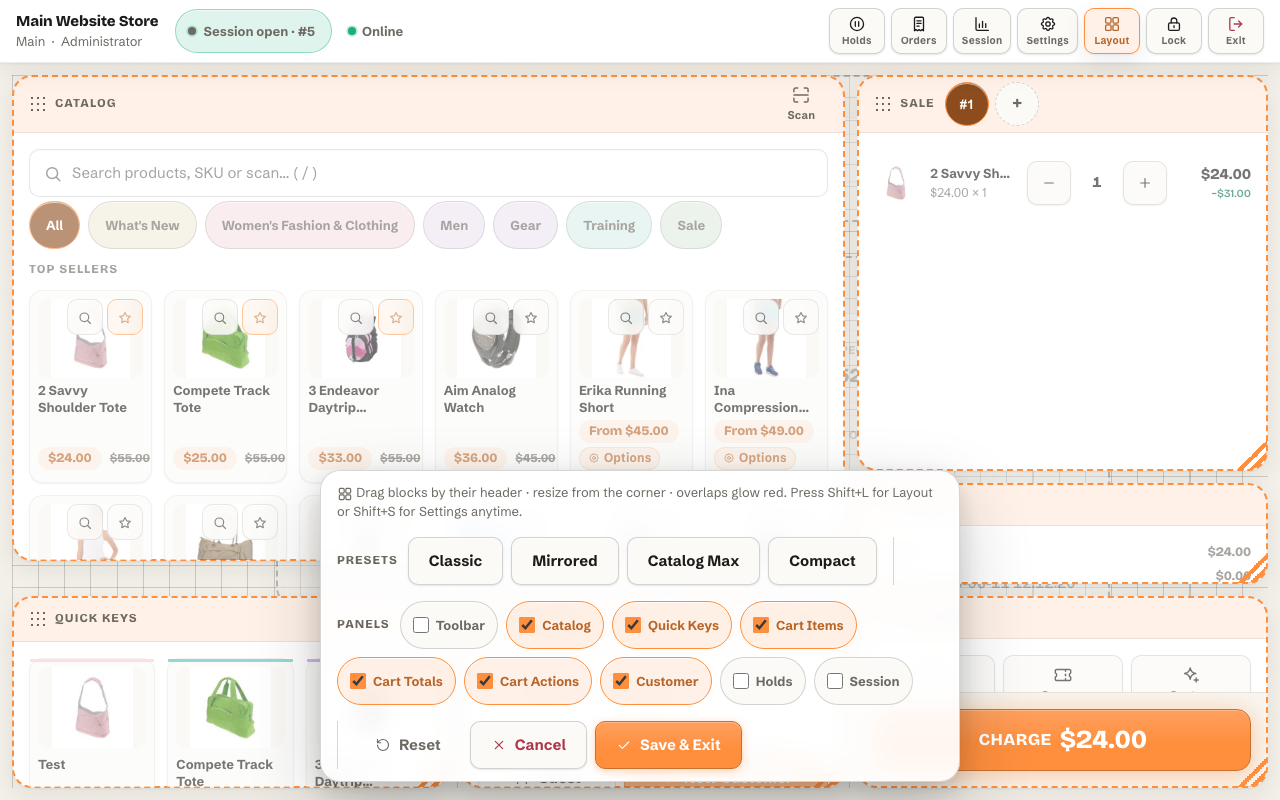
  • Every panel is freely movable and resizable, catalog, search, quick keys, cart items, cart totals, cart actions, customer, holds, session, toolbar, by simply dragging the panel handle and resizing from the corner, no edit mode required
  • 24-column grid with smooth pointer-precise dragging, snap-on-drop, collision-free placement, and graceful degradation (small panels scroll internally, never clip)
  • One-click layout presets: classic, mirrored, catalog-max, compact, plus Reset to defaults
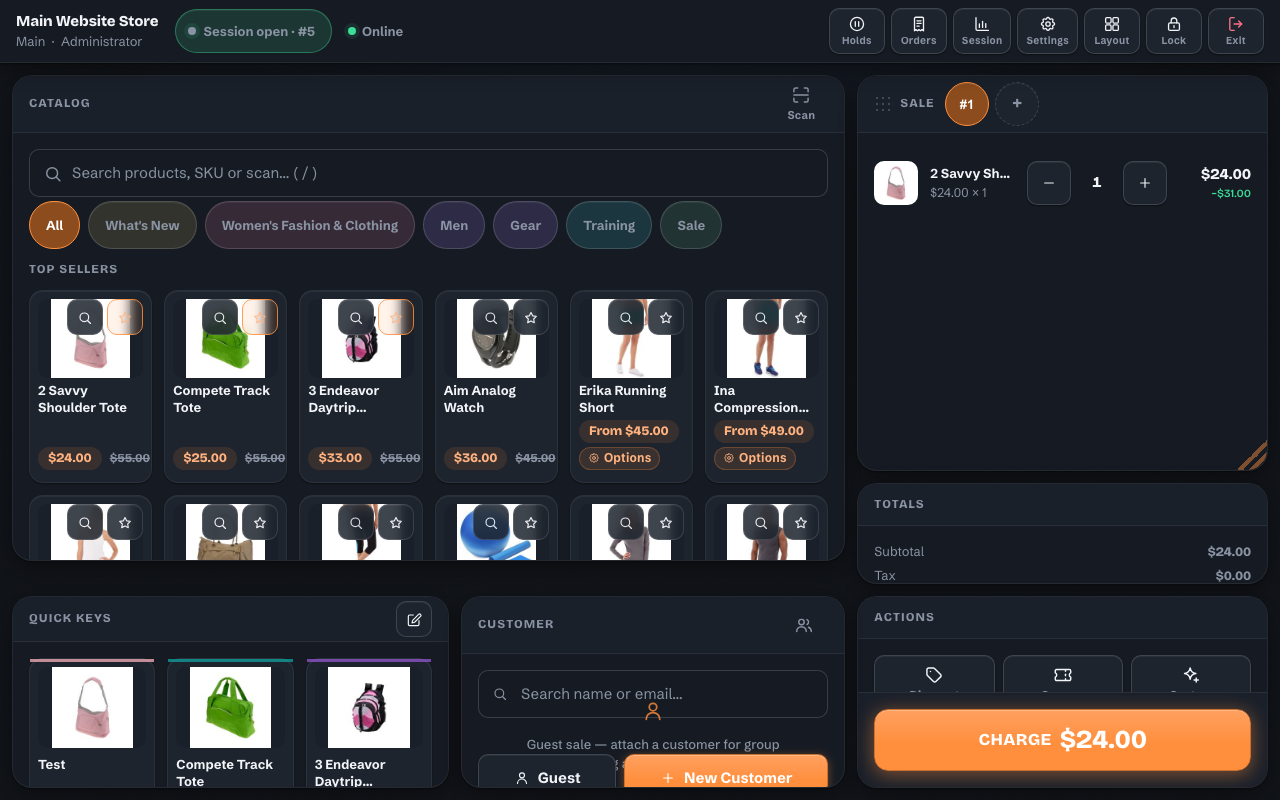
  • Two named themes: light "Paper" and dark "Ink Console", plus accent color picker, density (comfortable/compact), button scaling, and font scaling
  • Everything persisted per POS user, every cashier keeps their own layout and theme on any device

Drag-and-drop layout editor of the Magento 2 POS, freely moving and resizing every panel on a grid Magento 2 POS terminal in the dark Ink Console theme

Full Admin Backend

  • Dedicated admin menu: Launch Terminal, Registers, Sessions, POS Users, Roles, Payment Methods, Quick Keys, Reports, Configuration
  • Sales reports: orders, gross, by payment method, by cashier, by hour, filterable by register and date range
  • Session view with Z data and paginated cash-drawer movements
  • Sales Order grid integration: the native order grid gains POS Register and POS Cashier columns
  • Every admin surface ACL-protected under Panth_MagePos::manage

Engineering Quality

  • Strict types, constructor DI only, no ObjectManager anywhere
  • MSI (Multi-Source Inventory) aware: salability and salable quantities resolved per stock; composite products (configurable/grouped/bundle) use type-correct salability; restock on refund returns quantity to the right source, with graceful fallback when MSI is disabled
  • All write endpoints are POST with form-key validation; every permission enforced server-side
  • Repository interfaces (Panth\MagePos\Api\*RepositoryInterface) for every POS entity
  • Unit-tested service layer (discount caps, payment sum/change validation, session cash math, sync deduplication, and more)

Roles & Permissions

Each POS role defines (all enforced server-side):

Permission Controls
max_discount_percent Ceiling for every discount/override path (0-100)
can_price_override Direct line-price editing
can_refund Order search + credit memo refunds
can_open_close Opening/closing register sessions
can_cash_inout Cash in / cash out movements
can_custom_product Ad-hoc custom sale lines
can_edit_layout Layout editor access
can_view_reports X report / session reports in the terminal

Seeded roles: Administrator (everything, 100%) and Cashier (10% cap, no refunds, no overrides), duplicate and adjust to fit your floor. If a cashier with a 10% cap tries a 15% discount, the server rejects it regardless of what the UI sends.


Compatibility

Requirement Versions Supported
Magento Open Source (CE) 2.4.x (2.4.4-2.4.8)
Adobe Commerce (EE) 2.4.x (2.4.4-2.4.8)
Adobe Commerce Cloud 2.4.x
PHP 8.1, 8.2, 8.3, 8.4
MySQL / MariaDB 8.0+ / 10.4+
Hyvä Theme All versions (terminal is theme-independent)
Luma Theme Native support
Any custom theme Yes, the terminal renders outside the theme layout
MSI (Multi-Source Inventory) Fully supported, with non-MSI fallback
Required dependency mage2kishan/module-core (installed automatically by Composer)

Recommended hardware: any tablet or desktop with a modern browser (Chrome / Edge / Safari), an optional USB/Bluetooth keyboard-wedge barcode scanner, and any browser-printable receipt printer (80 mm thermal recommended). No proprietary hardware required.


Installation

Composer (Recommended)

composer require mage2kishan/module-mage-pos
bin/magento module:enable Panth_MagePos
bin/magento setup:upgrade
bin/magento setup:di:compile
bin/magento cache:flush

The required dependency mage2kishan/module-core is installed automatically by Composer.

Verify Installation

bin/magento module:status Panth_MagePos
# Expected: Module is enabled

Then open the terminal at:

https://example.com/pos

and the admin backend at Admin → Point of Sale (MagePos).


Getting Started

A first sale at Acme Store in five minutes:

  1. Activate the seeded POS admin user. For security the module never ships a working login, the seeded admin POS user is created disabled with unrecoverable random password/PIN hashes. Go to Admin → Point of Sale (MagePos) → POS Users, edit admin, set a strong password and a PIN, and switch Status to Enabled.
  2. Create your registers and cashiers. Add a register per till under Registers (e.g. "Front Counter", code front, bound to a store view). Create one POS user per cashier under POS Users and assign them the Cashier role (10% discount cap, no refunds), never share logins.
  3. Open the terminal. On the till device, browse to https://example.com/pos, log in as the cashier, pick the register, and open a session with the opening float (e.g. 200.00).
  4. Ring a sale. Scan a barcode, tap a quick key, or search example-product, configurable/bundle/grouped products open an option picker. Attach a customer for group pricing, or sell as guest.
  5. Take payment. Hit Charge, choose Cash (change is calculated automatically), an offline method like Card, an online payment link with QR, or split across several methods.
  6. Hand over the receipt. Print to the 80 mm thermal printer, email it (e.g. to customer@example.com), or reprint later.

The sale appears immediately under Admin → Sales → Orders with POS register and cashier columns. For the full cashier walkthrough see USER_GUIDE.md.


Configuration

All settings live under Stores → Configuration → Panth → Point of Sale (MagePos):

Section Highlights
General Enable module, idle-lock minutes (default 5), default register
Catalog Barcode attribute (default sku), search page size, show out-of-stock, offline catalog limit (default 2000)
Customer Guest email (e.g. pos-guest@example.com), default customer group
Custom Product Placeholder SKU (pos-custom-sale), default tax class
Checkout Order note prefix, auto-invoice offline payments, require open session
Receipt Logo, header/footer (per-register overrides), tax breakdown, auto-email
Offline Enable offline mode
Session Auto-close hours (default 24)

Registers, POS users, roles, payment methods, and quick keys are managed in their own admin grids under the Point of Sale (MagePos) menu, not in system configuration.


License

Panth MagePos is open-source software licensed under the MIT License.

Copyright (c) Kishan Savaliya (Panth Infotech). You are free to use, copy, modify, merge, publish, distribute, sublicense, and/or sell copies of the software, subject to the MIT license terms.


SEO Keywords: magento 2 pos, magento 2 point of sale, magento point of sale extension, magento pos open source, free magento 2 pos, magento 2 pos extension mit, magento 2 pos system, panth magepos, magento 2 cash register, magento 2 retail pos, magento 2 pos terminal, magento 2 in-store sales, magento 2 barcode pos, magento 2 barcode scanner, magento 2 quick keys pos, magento 2 register session, magento 2 x report, magento 2 z report, magento 2 cash management, magento 2 cash drawer, magento 2 pos discount, magento 2 price override, magento 2 split payment, magento 2 split tender, magento 2 pos cash payment, magento 2 pos card payment, magento 2 payment link qr, magento 2 custom sale line, magento 2 pos refund, magento 2 pos credit memo, magento 2 pos receipt, magento 2 80mm receipt, magento 2 thermal printer receipt, magento 2 email receipt, magento 2 offline pos, magento 2 pos offline mode, magento 2 indexeddb pos, magento 2 pos order sync, magento 2 pos hold cart, magento 2 multi cart pos, magento 2 pos pin lock, magento 2 cashier roles, magento 2 pos permissions, magento 2 pos reports, magento 2 pos layout editor, magento 2 touch pos, magento 2 tablet pos, magento 2 configurable product pos, magento 2 bundle product pos, magento 2 msi pos, hyva pos, hyva point of sale, luma pos, magento 2.4.8 pos, magento 2.4.7 pos, php 8.4 pos, mage2kishan, mage2sk, kishan savaliya pos, panth infotech extension, magento 2 omnichannel, magento 2 brick and mortar, adobe commerce pos, free pos for magento

Extending Payments (Developers)

Wire a real gateway behind any online method by implementing Panth\MagePos\Api\PaymentProcessorInterface:

declare(strict_types=1);

namespace Acme\PosStripe\Model;

use Magento\Sales\Api\Data\OrderInterface;
use Panth\MagePos\Api\PaymentProcessorInterface;

class StripeProcessor implements PaymentProcessorInterface
{
 public function supports(string $methodCode): bool
 {
 return $methodCode === 'stripe_link';
 }

 public function process(OrderInterface $order, array $paymentRow): array
 {
 // Create a payment intent / checkout link for $paymentRow['amount'] ...
 return [
 'status' => 'pending', // 'paid' or 'pending'
 'reference' => 'pi_123', // gateway reference
 'redirect_url' => 'https://example.com/pay', // shown as link + QR at the terminal
 ];
 }
}

Register it in your module's etc/di.xml:

<type name="Panth\MagePos\Model\Payment\ProcessorPool">
 <arguments>
 <argument name="processors" xsi:type="array">
 <item name="stripe_link" xsi:type="object">Acme\PosStripe\Model\StripeProcessor</item>
 </argument>
 </arguments>
</type>

Repository interfaces (Panth\MagePos\Api\*RepositoryInterface) are available for every POS entity (registers, sessions, users, roles, payment methods, orders, quick keys, holds, preferences) for programmatic access.


Need this customised?

Talk to Kishan directly: written quote, scope and timeline within 24 hours. No sales call.

WhatsApp

Panth MagePos Point of Sale

$0.00