
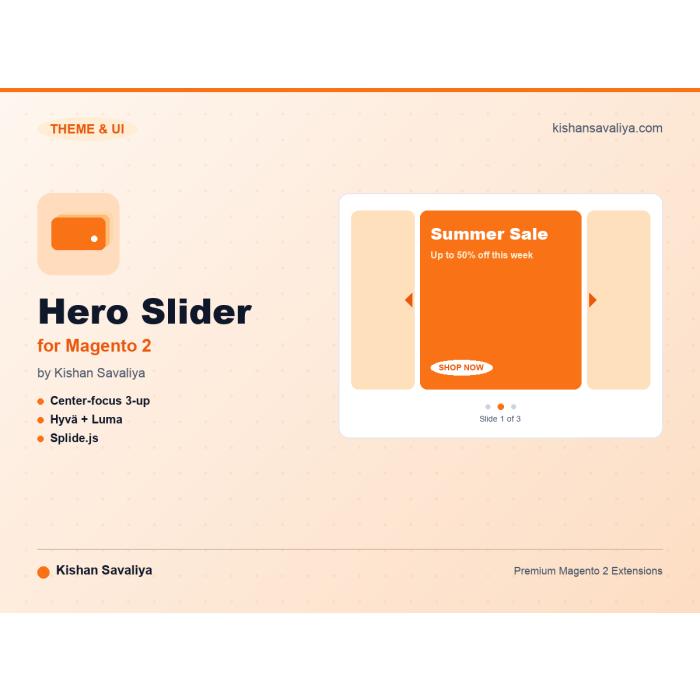
Center-focus 3-up carousel
active slide enlarged, neighbour slides peek from each side
Convert with a homepage hero that actually performs. Panth Hero Slider is a center-focused, three-up Splide.js carousel for Magento 2 with autoplay, per-slide CTA button styling, separate desktop/mobile artwork, and zero theme dependency - works on Hyva and Luma without touchi...
Key Features:
Additional Services
Built-in from day one. No add-ons, no upsell, no licence keys to renew.
active slide enlarged, neighbour slides peek from each side
1 slide + pagination dots below the configured pixel width
configurable label, background colour and text colour overlaid on artwork
sharp delivery via <picture> source media queries on phones and large screens
Panth Hero Slider is a center-focused homepage carousel extension for Magento 2 and Adobe Commerce that renders identically on Hyva and Luma without any theme dependency.
The Panth Hero Slider module ships a production-grade three-up carousel with the active slide enlarged in the center and neighbor slides peeking on each side. Autoplay uses a generous default 22-second read interval and falls back to a single-slide responsive view with pagination dots below the configurable mobile breakpoint. Per-slide CTA buttons accept a configurable label, background color, and text color, all overlaid directly on the artwork.
Separate desktop and mobile artwork use a native <picture> element with a (max-width: 767px) source, so mobile shoppers get a properly sized image and never download the desktop hero. Splide assets load lazily after DOMContentLoaded from a public CDN and dedupe across multiple sliders on the page. Anonymous per-device analytics track views, clicks, and CTR over 30 days with FPC-safe sendBeacon writes, and an admin grid surfaces 30-day views, clicks, and CTR alongside a 7-day comparison and per-device breakdown on every slide edit page.
Best for:
Panth Hero Slider delivers a center-focused homepage carousel with built-in analytics.
<picture> sources.<picture> with <source media="(max-width: 767px)"> so mobile gets a properly-sized image.DOMContentLoaded, deduped across multiple sliders on the same page.The module is organised in three layers:
identifier (e.g. homepage_hero, category_promo). A slider is assigned to one or more store views, or to "All Store Views" if it should appear everywhere.before="-" block in cms_index_index.xml, etc.).homepage_hero slider by default).Content → Panth Infotech → Hero Slider → Manage Sliders
| Field | Notes |
|---|---|
| Name | Admin label only. |
| Identifier | Lowercase letters, digits, hyphen, underscore. Used by widgets + layout XML. |
| Store Views | Pick "All Store Views" to render on every storefront, or pick specific store views. |
| Active | Disable to instantly hide the slider on every store. |
identifier (e.g. homepage_hero).The widget renders inline wherever you placed it.
<referenceContainer name="content">
 <block class="Panth\HeroSlider\Block\Slider"
 name="hero.category.promo"
 template="Panth_HeroSlider::slider.phtml"
 before="-">
 <arguments>
 <argument name="slider_identifier" xsi:type="string">category_promo</argument>
 </arguments>
 </block>
</referenceContainer>
The block renders nothing if the slider is disabled, missing, or has no slides for the current store, safe to leave in place permanently.
Content → Panth Infotech → Hero Slider → Manage Slides
Each slide accepts:
https://...) or relative (/path).SHOP NOW if blank.#09090C / #FFFFFF.Every slide tracks views and clicks anonymously per device class (desktop / tablet / mobile). The data shows up in two places:
The tracking endpoint (POST /panth_heroslider/track/event) is FPC-safe (no form_key dependency), uses navigator.sendBeacon so navigation never blocks, and writes to a single counter table via atomic INSERT ... ON DUPLICATE KEY UPDATE. No PII is stored, no IP, no user agent, no session ID.
A daily cron (23 3 * * *) prunes rows older than the configured retention window (default 365 days).
Drop the block into any layout handle:
<page xmlns:xsi="http://www.w3.org/2001/XMLSchema-instance"
 xsi:noNamespaceSchemaLocation="urn:magento:framework:View/Layout/etc/page_configuration.xsd">
 <body>
 <referenceContainer name="content.top">
 <block class="Panth\HeroSlider\Block\Slider"
 name="hero.slider"
 template="Panth_HeroSlider::slider.phtml"/>
 </referenceContainer>
 </body>
</page>
The block renders nothing if no slides are active, safe to leave in place permanently.
One additive table is created on setup:upgrade:
panth_hero_slider_slide(
 entity_id, title, link_url,
 button_label, button_bg_color, button_text_color,
 image_desktop, image_mobile, image_alt,
 sort_order, is_active,
 created_at, updated_at
)
No destructive migrations across upgrades.
| Component | Versions |
|---|---|
| Magento Open Source / Adobe Commerce | 2.4.4 → 2.4.8 |
| PHP | 8.1, 8.2, 8.3, 8.4 |
| Hyva Theme | 1.3.x → 1.4.x |
| Luma Theme | shipped with above Magento versions |
composer require mage2kishan/module-hero-slider
bin/magento module:enable Panth_HeroSlider
bin/magento setup:upgrade
bin/magento setup:di:compile
bin/magento cache:flush
That's all that is needed for the module to register; the slider renders on the home page once you add slides.
Stores → Configuration → Panth Infotech → Hero Slider
| Field | Default | Notes |
|---|---|---|
| Enable Hero Slider | Yes | Master kill-switch. |
| Autoplay | Yes | Disable to require user interaction. |
| Autoplay Interval (ms) | 22000 |
Time between slide transitions. |
| Slides Per Page (Desktop) | 3 |
Active slide is the centre one. |
| Show Arrows (Desktop) | Yes | Hidden automatically on mobile. |
| Mobile Breakpoint (px) | 1025 |
Below this width: 1 slide + pagination dots, no arrows. |
| Auto-inject on CMS Home Page | Yes | Disable to place the block manually via layout XML. |
bin/magento module:disable Panth_HeroSlider
composer remove mage2kishan/module-hero-slider
bin/magento setup:upgrade
Proprietary. All rights reserved by Panth Infotech.
Get a free quote in 24 hours: kishansavaliya.com/get-quote Hire on Upwork: Top Rated Plus profile
Talk to Kishan directly: written quote, scope and timeline within 24 hours. No sales call.
Panth Hero Slider for Magento 2


